5-6. Using the other interior features
may not be properly detected and they
may not be charged.
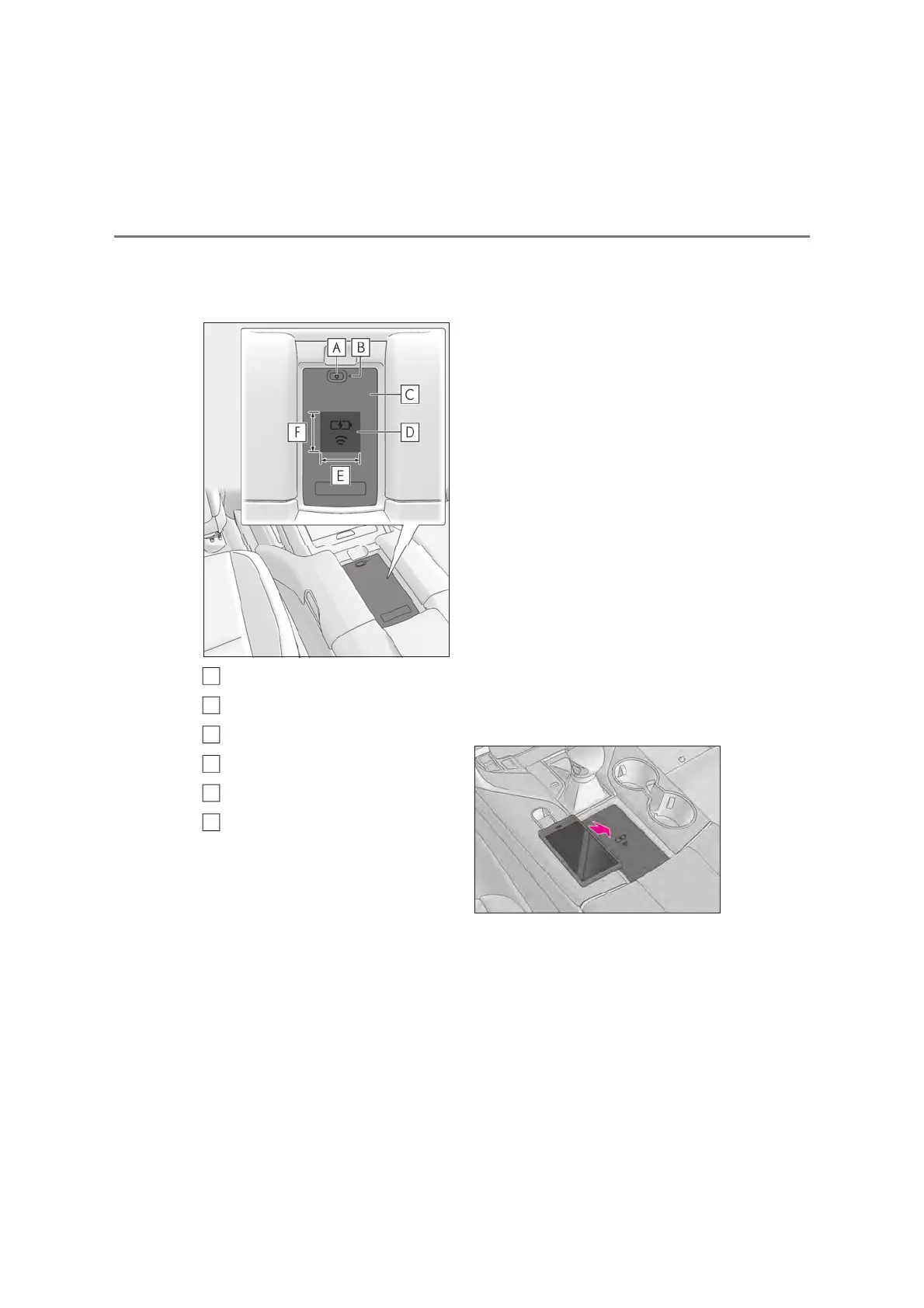
X Rear (if equipped)
Power supply switch
Operation indicator light
Charging tray
Charge area
*
Approximately 6 cm (2.4 in.)
Approximately 7 cm (2.8 in.)
*
: Portable devices and wireless chargers
contain charging coils. The charging coil
in the wireless charger can be moved
within the charge area near the center of
the charging tray. If the charging coil
inside a portable device is detected in
the charge area, the charging coil inside
the wireless charger will move toward it
and start charging. If the charging coil
inside a portable device moves outside
of the charge area, charging will auto-
matically stop.
If 2 or more portable devices are placed
on the charging tray, their charging coils
may not be properly detected and they
may not be charged.
Q Using the wireless charger
X Front (if equipped)
Place the portable device on the
charging tray
Place the charging side of the portable
device down with the center of the device
in the center of the charge area.
Depending on the portable device, the
charging coil may not be located in the
center of the device. In this case, place the
portable device so that its charging coil is
in the center of the charge area.
When charging, the operation indicator
light (orange) comes on.
If charging is not occurring, try placing the
portable device as close to the center of
the charging area as possible.
When charging is complete, the operation
indicator light (green) comes on.
X Rear (if equipped)
Press the power supply switch of
the wireless charger.
Switches on and off with each press of the
power supply switch.
When turned on, the operation indicator
light (green) comes on.
A
B
C
D
E
F



 To Next Page