5
5-6. Using the other interior features
Interior features
Even with the engine off, the on/off state of
the power supply switch is memorized.
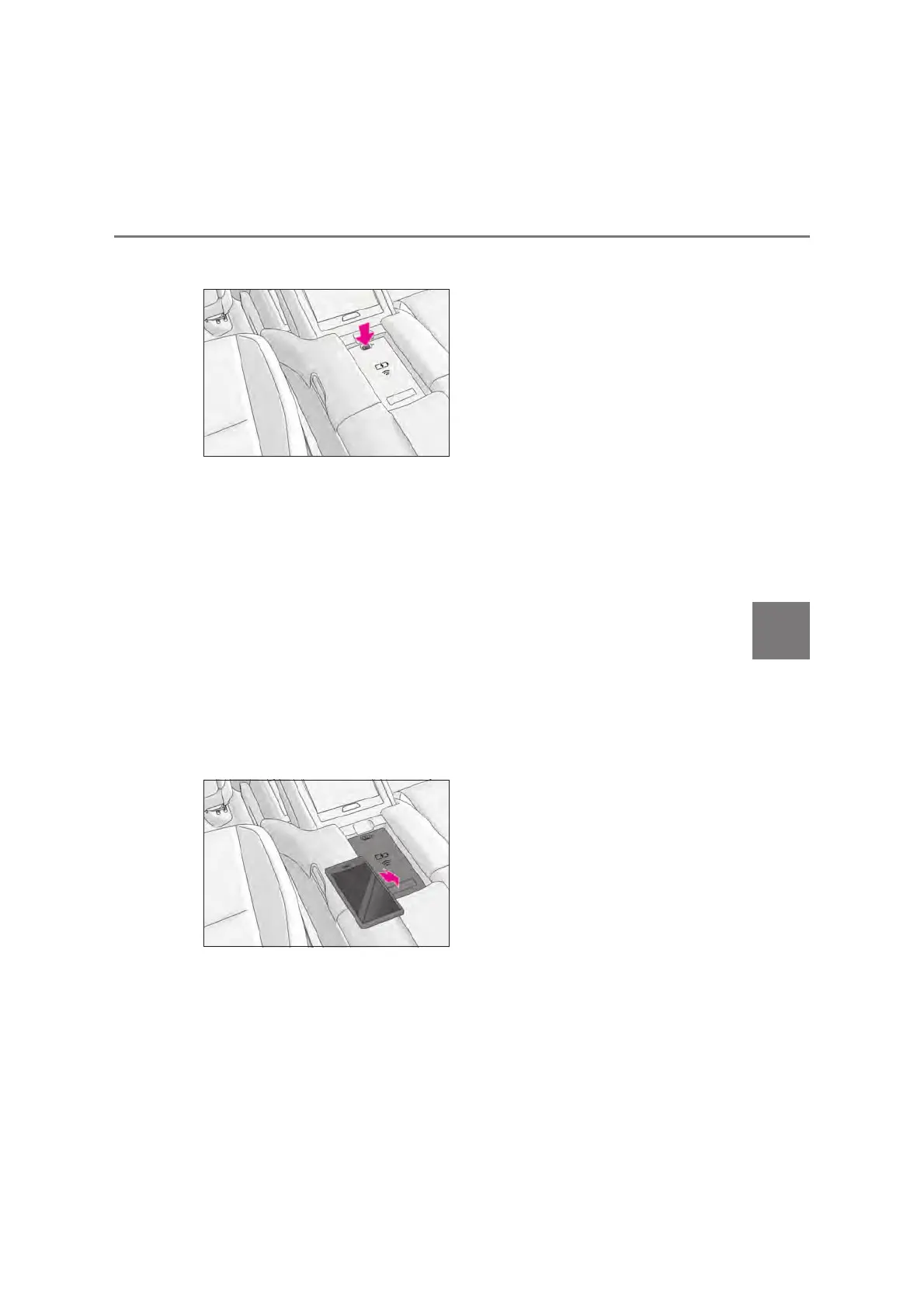
Place the portable device on the
charging tray
Place the charging side of the portable
device down with the center of the device
in the center of the charge area.
Depending on the portable device, the
charging coil may not be located in the
center of the device. In this case, place the
portable device so that its charging coil is
in the center of the charge area.
When charging, the operation indicator
light (orange) comes on.
If charging is not occurring, try placing the
portable device as close to the center of
the charging area as possible.
When charging is complete, the operation
indicator light (green) comes on.
Q Recharging function
z When charging is complete and
after a fixed time in the charge sus-
pension state, charging restarts.
z When a portable device is moved
significantly in the charge area, the
charging coil is disconnected and
charging is stopped momentarily.
However, if there is a charging coil
in the charge area, the charging coil
inside the wireless charger will
move toward it and then charging
restarts.
Q Rapid charging function
z The following portable devices sup-
port rapid charging.
• Portable devices compliant with WPC
Ver1.2.4 and compatible with rapid
charging
• iPhone’s with an iOS version that sup-
ports 7.5 W charging (iPhone 8 and
later models)
z When a portable device that sup-
ports rapid charging is charged,
charging automatically switches to
the rapid charging function.



 To Next Page