Chapter 9 IP Routing with Network Address Translation
46
Note: There is no need to set the WAN1 routing protocol at this point because when NAT is set to on, all
routing protocols (including RIP 1 and RIP 2) are automatically disabled.
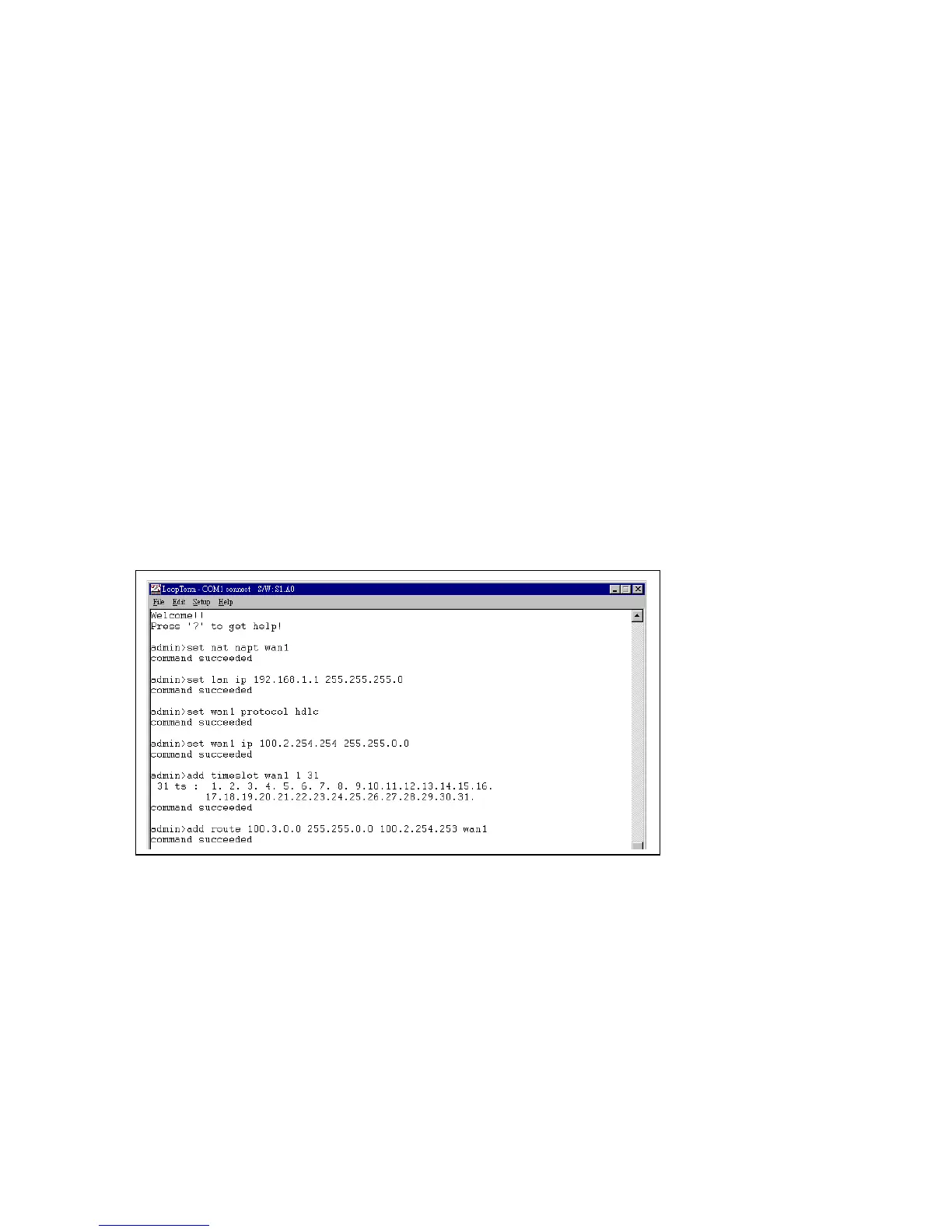
You must set a route. Key in words add route followed by the destination network address followed by the
IP address of the peer router and finally, the WAN number for the output interface. Then press Enter. All
sample addresses are clearly illustrated in Figure 9-1. The admin command keyed in for the sample
screen below is add route 100.3.0.0 255.255.0.0 100.2.254.253 wan1.
Note: You can also use the command add route 0.0.0.0. 0.0.0.0. 100.2.254.253 wan1. The 0.0.0.0.
0.0.0.0. portion of that address signals the router to use the default next hop address listed in the
routing table.
This setup procedure is now complete.



 To Next Page