3-115
8.2 REMOVING/INSTALLING BATTERY
CAUTION
Verify that the battery does not move after securing the battery. If it moves, secure it again.
[1] REMOVAL
1. See “Operation 2.14 Outrigger Setting Operation” to rotate the
rotary of “outrigger (1)” and “outrigger (2)” outward.
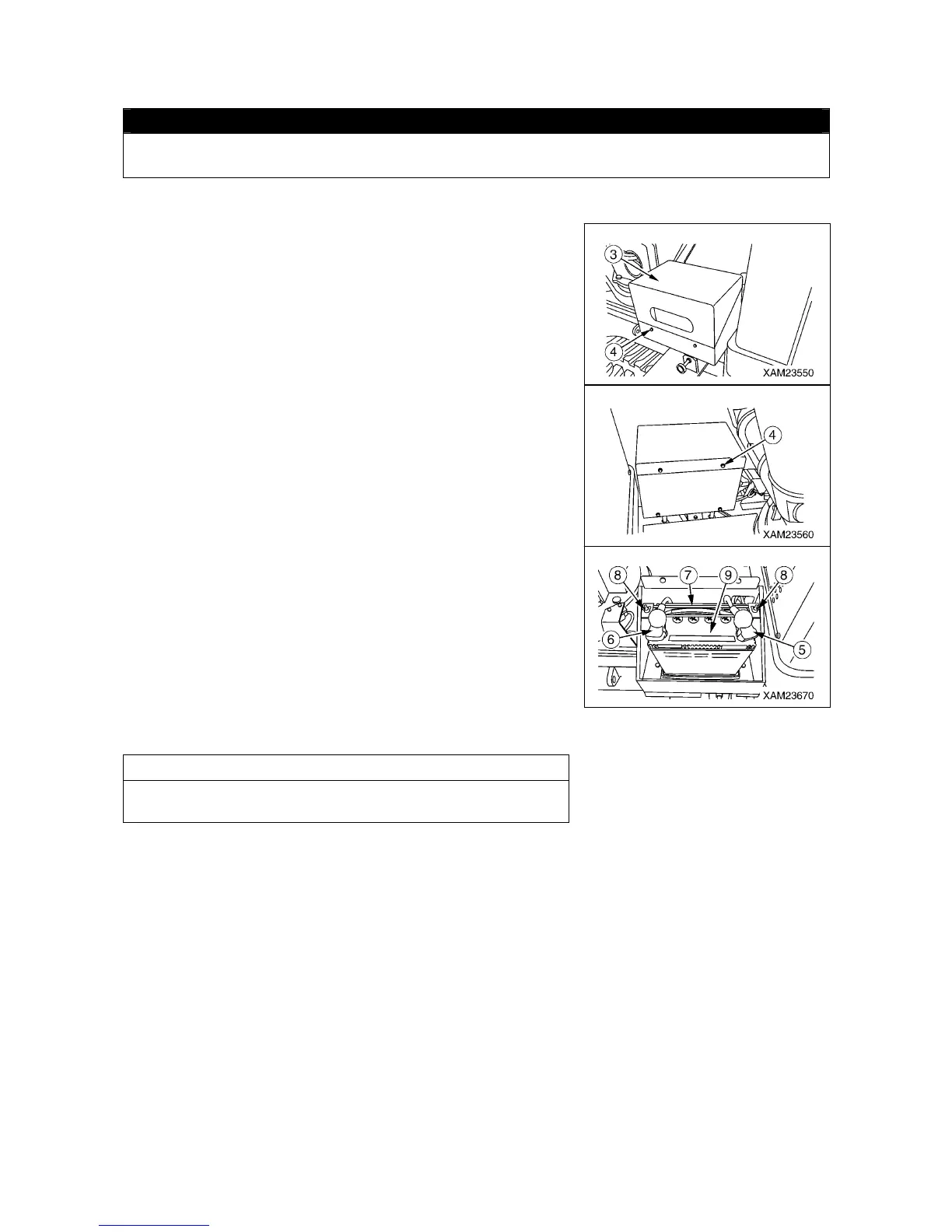
2. Remove the four mounting bolts (4) and remove the battery
cover (3).
3. Disconnect the (-) terminal (5) on the ground side first and then
the (+) terminal (6) to disconnect the battery cable.
4. Remove the wing nut (8), battery fixing brackets (7), and then
remove the battery (9).
[2] INSTALLATION
• Reverse the removal procedure to install the battery.
NOTES
Connect the (-) terminal (5) on the ground side last when
connecting the battery.



 To Next Page