3-7
1.3.1 DESCRIPTION OF EACH SWITCHES
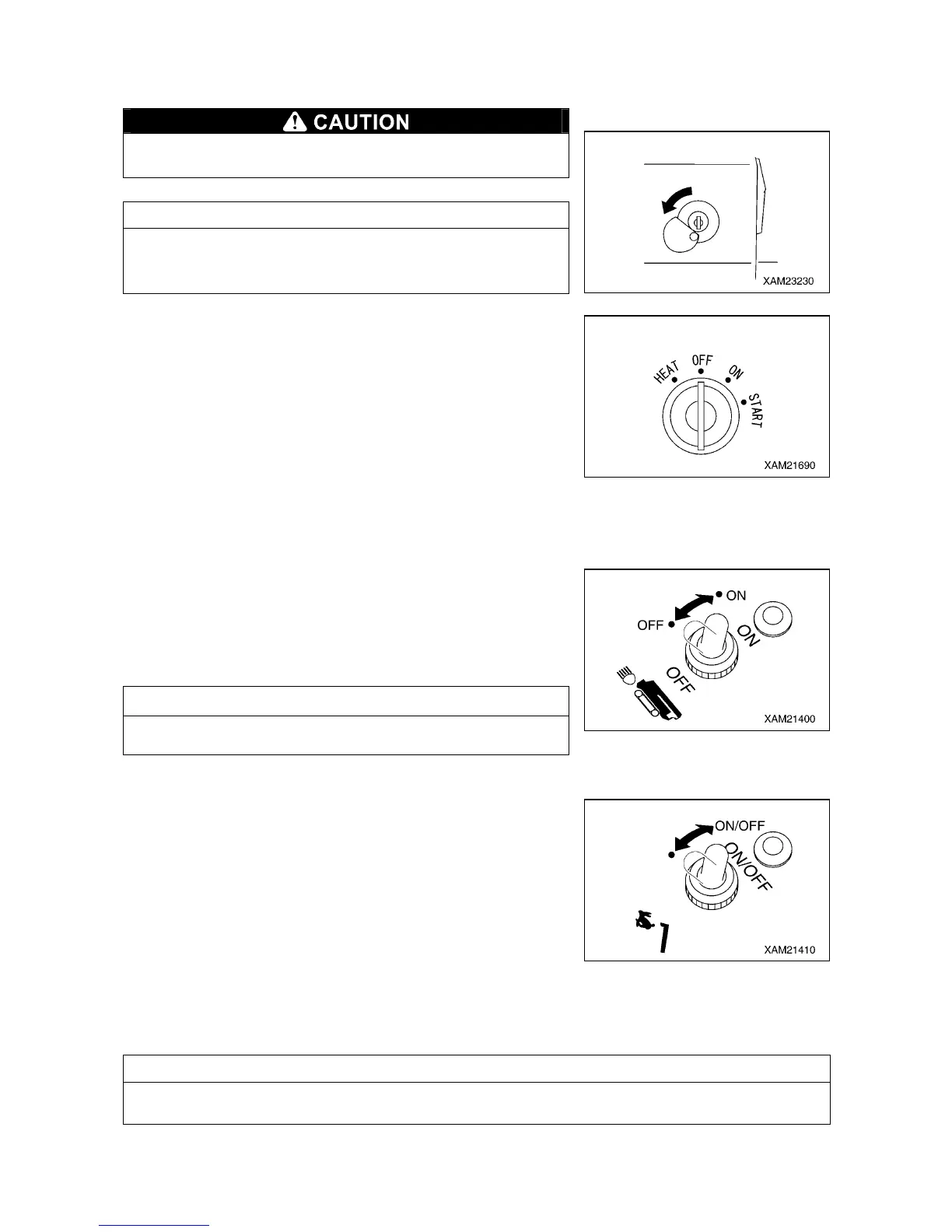
[1] STARTER SWITCH
Always turn the starter switch to the “OFF” position after
completing the work.
NOTES
When inserting the key for the starter switch, slide the cover to
the left so that you can see the keyhole of the switch, and then
insert the key.
Use this switch to start and stop the engine.
• HEAT : Turn the key to this position when starting the engine in
the cold weather.
• OFF : You can insert/remove the key at this position. All the
switches in the electrical system are turned off and the
engine stops.
• ON : Electricity runs into all the circuits.
• START: When the engine has started, release your hand from the
key. The key automatically returns to the “ON” position.
[2] HEADLIGHT SWITCH
Use this switch to turn on the headlights on front of the machine.
The pilot lamp at the switch section lights up when the switch is set
to the “ON” position and extinguishes at the “OFF” position.
• ON: Push the switch forward. The headlights turn on.
• OFF: Push the switch toward you. The headlights turn off.
NOTES
The headlights do not light up even if the headlight switch is
operated when the starter switch is at the “OFF” position.
[3] CRANE HIGH-SPEED SWITCH
Use this switch to change the operating speed of the crane during
the crane operation.
The pilot lamp at the switch section lights up when the switch is
operated to the “ON” position and extinguishes at the “OFF”
position.
• ON: Push the switch forward, and when the pilot lamp lights up
the switch turns "ON" and the crane operating speed
increases.
• OFF: Push the switch forward again, and when the pilot lamp
goes off the switch turns "OFF" and the crane operating
speed returns to normal.
NOTES
Always set the work selector switch on the outrigger operation panel to the “CRANE” position. If the
work selector switch is at other position than “CRANE”, the crane high-speed switch does not work.



 To Next Page