6-26
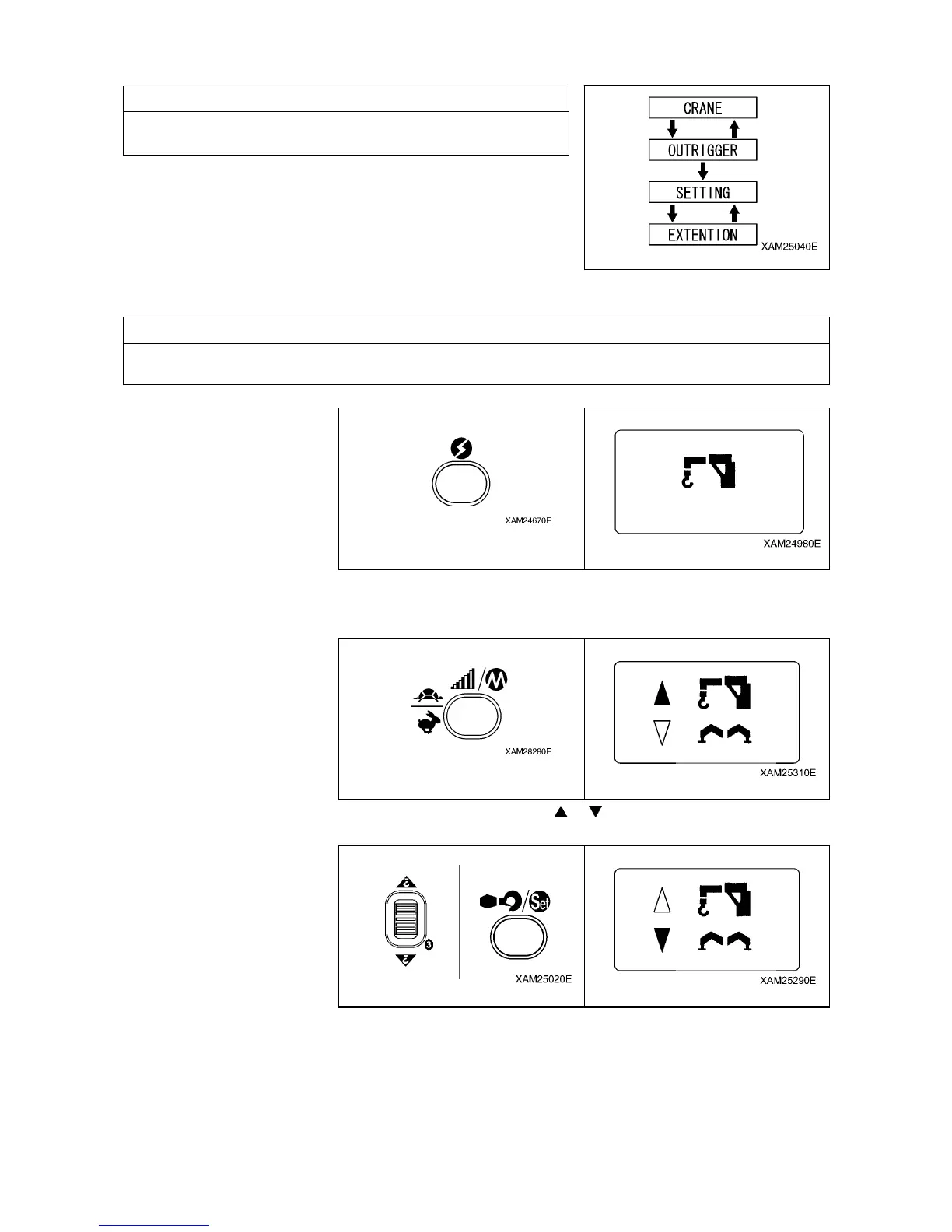
6.2.2 CALL OUT OUTRIGGER MODE
NOTES
The OUTRIGGER MODE consists of “Extension mode”and
“Ground setting mode”. Use respective modes as shown below:
1. Push the Power button to turn ON the Transmitter.
The “Crane mark” is displayed in the LCD screen for 2 seconds around.
NOTES
In case that the power is already ON, once turn OFF, and then push the Power button again for power
ON.
2. While the “Crane mark” is shown in the LCD screen (for approx. 2 seconds), push the Speed/Mode
button for 2 seconds.
The LCD provides the screen for selecting “CRANE MODE” or “OUTRIGGER MODE”.
3. Use the Hook raising and lowering Lever and shift the cursor (
or ), and push the Hook stow/Setting
button when the cursor points out the “OUTRIGGER”.



 To Next Page