7-8
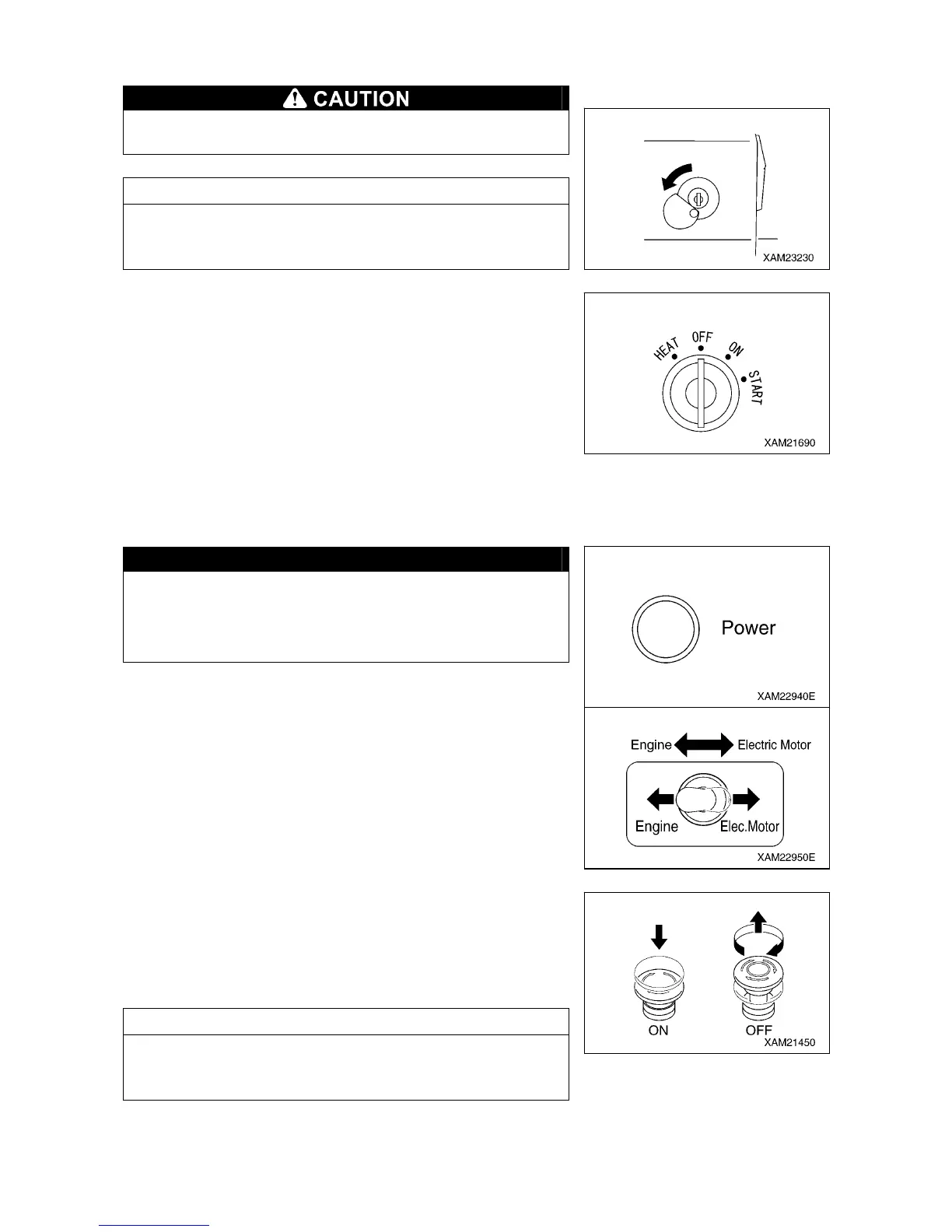
[1] STARTER SWITCH
Always turn the starter switch to the “OFF” position after
completing the work.
NOTES
When inserting the key for the starter switch, slide the cover to
the left so that you can see the keyhole of the switch, and then
insert the key.
Use this switch to start and stop the electric motor.
• HEAT : Not used
• OFF : You can insert/remove the key at this position. All the
switches in the electrical system are turned off and the
electric motor stops.
• ON : Electricity runs into the Inverter unit..
• START: When the electric motor has started, release your hand
from the key. The key automatically returns to the “ON”
position.
[2] ENGINE AND ELECTRIC MOTOR SWITCH
CAUTION
Ensure that the Inverter unit power lamp is ON when
switching the engine and electric motor switch to “Electric
Motor”. Electric operation is permitted only when the power
lamp is ON.
Use this switch to switch the power output source of the machine.
・Engine : Push down the switch to the left.
The engine is designated as a power output
source.
・Electric motor : Push down the switch to the right.
The electric motor is designated as a power
output source.
[3] EMERGENCY STOP SWITCH
Use this switch in case of an error in the machine to stop the
machine for emergency.
• ON: Press the switch. The electric motor stops.
• OFF: Turn the switch clockwise (direction of the arrow in the right
figure). The switch returns to the original position.
NOTES
When restarting the electric motor after emergency stop, be sure
to turn the emergency stop switch to the “OFF” position before
starting the electric motor.



 To Next Page