3-9
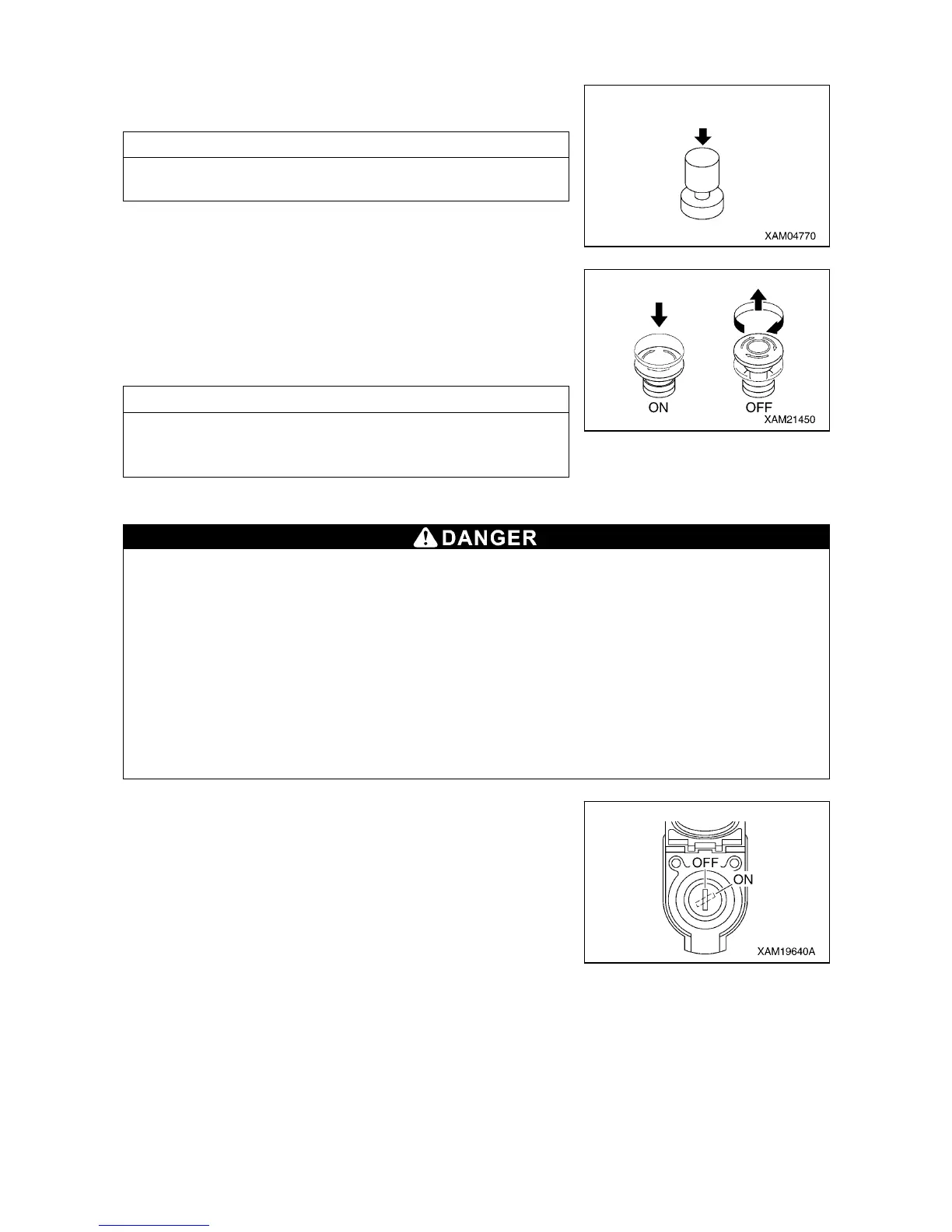
[7] HORN SWITCH
Use this switch to honk the horn.
• Honking the horn: Press the switch.
NOTES
The horn will stop when you release your finger from the switch.
[8] ENGINE EMERGENCY STOP SWITCH
Use this switch in case of an error in the machine to stop the
machine for emergency.
• ON: Press the switch. The engine stops.
• OFF: Turn the switch clockwise (direction of the arrow in the right
figure). The switch returns to the original position.
NOTES
When restarting the engine after emergency stop, be sure to turn
the engine emergency stop switch to the “OFF” position before
starting the engine.
[9] EMERGENCY STOP CANCEL SWITCH
• Do not set the emergency stop cancel switch to ON (cancel) position during crane work.
Such attempt prevents automatic stop from occurring even under overwound condition during
crane work, thus may not only cause the hoisted load to collide and damage crane parts but
may cause the load to drop and cause a serious accident or cause the machine to tip over.
Keep the switch key extracted during normal crane works.
• Do not turn the emergency stop cancel switch to the “ON” (cancel) position when stowing the
hook.
The winch wire rope may be cut causing the hook to fall or damage on the boom.
Use the hook stowing switch when stowing the hook.
• Do not turn ON (cancel) the emergency stop cancel switch unless you find an error or
check/perform maintenance on detectors.
When turning ON (cancel) the emergency stop cancel switch, always shift the crane speed to
low.
Use the emergency stop cancel switch as needed when
performing inspection or maintenance to clear the activation stop.
Open the cover when using the switch.
• ON (Clear): Insert the key into the switch. Turn the key clockwise
and retain the key at that position. The activation
stop function is cleared while the key is maintained at
the ON position.
• OFF (Auto): Insert the key into the switch and turn the key
counterclockwise. The activation stop functions.
The key can be removed or inserted at this position.



 To Next Page