3-23
[1] DESCRIPTIONS OF SWITCHES ON MOMENT LIMITER DISPLAY UNIT
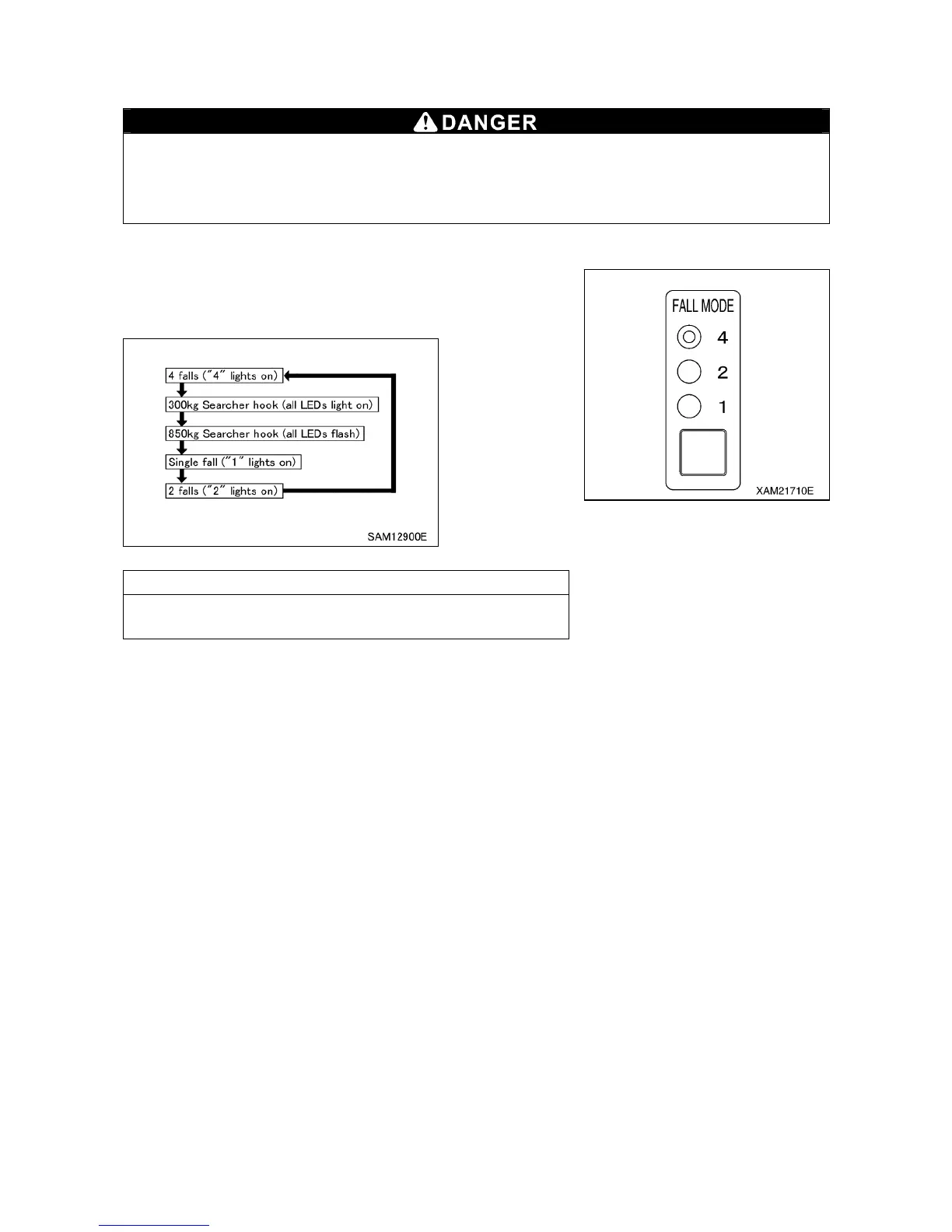
1. WIRE FALLS SELECTOR SWITCH AND WIRE FALLS DISPLAY LED (BLUE)
When entering the number of wire falls, verify the actually used number of wire falls and make
sure to set up correctly.
Entering incorrect number of wire falls may prevent issuance of the pre-warnings and boom
auto-stop even when the overload is near happening, and thus may result in crane damage or
machine trip that may result in serious accidents.
Use this switch to change the number of wire falls.
Keep pressing the switch for 2 seconds or more.
Operation mode of wire falls will change as shown below by
pressing the switch for 2 seconds or more each time.
NOTES
When changing the setting right after doing so, release your
hand from the switch, and then press the switch again.



 To Next Page