EasyManua.ls Logo

Mazda 121 - Armature

Mazda 121
390 pages
Print Icon
To Next Page IconTo Next Page
To Previous Page IconTo Previous Page
Loading...
STARTING
SYSTE
I
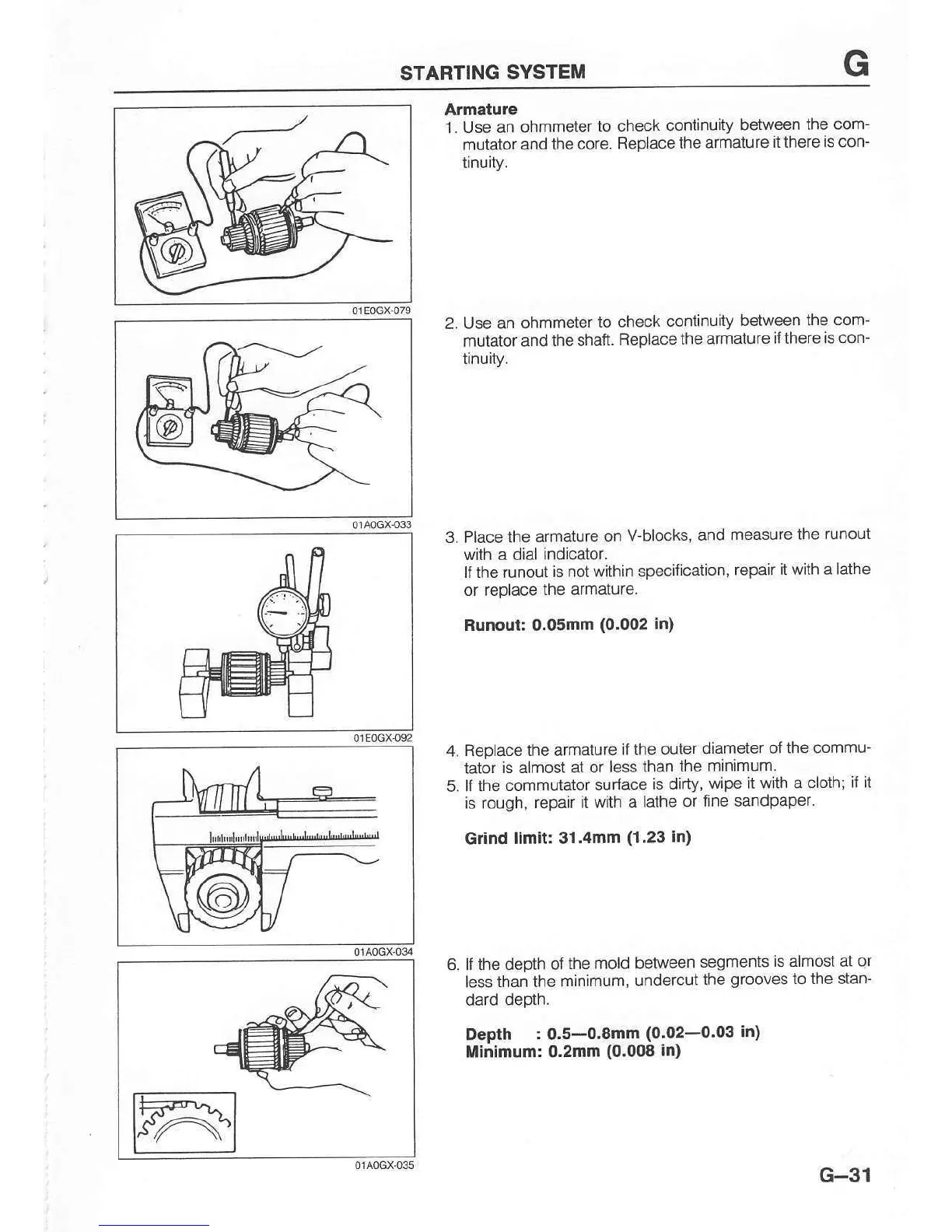
Armatur€
1. Use an ohmmeter
to check
continuity
between
the com-
mutator
and the core.
Beplacethe
armature
itthere
is
con-
tinurty.
2. Use an
ohmmeter
to check
continuity
between
the com-
mutator and
the shaft.
ReDlacethe
armature
ilthere iscon-
tinuity.
3. Place the
armature on
V-blocks,
and
measure the runout
with a dial
indicator.
lfthe runout
is not within specification,
repair
it with a lathe
or replace
the armature.
Runout: 0.05mm
(0.002
in)
4.
Replace the armature
it
the outel
diamele'
of lhe comrru'
tator is almos(
at or less than
the
rnlnlmum
5. lt the
commutator
surface
is dirty,
wipe it with a
cloth; if it
is rough, repair
it with a
lathe or
tine sandpaper'
Gdnd
llmlt: 31.4mm
(1.23
in)
6. ll the depth
of
the mold between
segments
is almost at or
less
than the minimum,
undercut
the
grooves
to the stan-
dard depth.
Depth
:
0.5-0.8mm
(0.02-0.03 in)
Minimum: 0.2mm
(0.008
in)
G-31

Table of Contents

Related product manuals