EasyManua.ls Logo

Mazda 121 - Clutch Disc

Mazda 121
390 pages
Print Icon
To Next Page IconTo Next Page
To Previous Page IconTo Previous Page
Loading...
CLUTCH
UNIT
lnstallation
Note
Flvwheel
1 - hemove the sealant
lrom the
ilwheel boh
holes in the crank'
shatt and
from the
flYwheel bolts
Caution
.
ll all the
previous
sealant
cannot
be removed
flom
a
bolt,
replace the
bolt.
.
Do not apply
sealant
lf a
new bolt
is
used.
2. Set
the flywheel
onto the
crankshatt
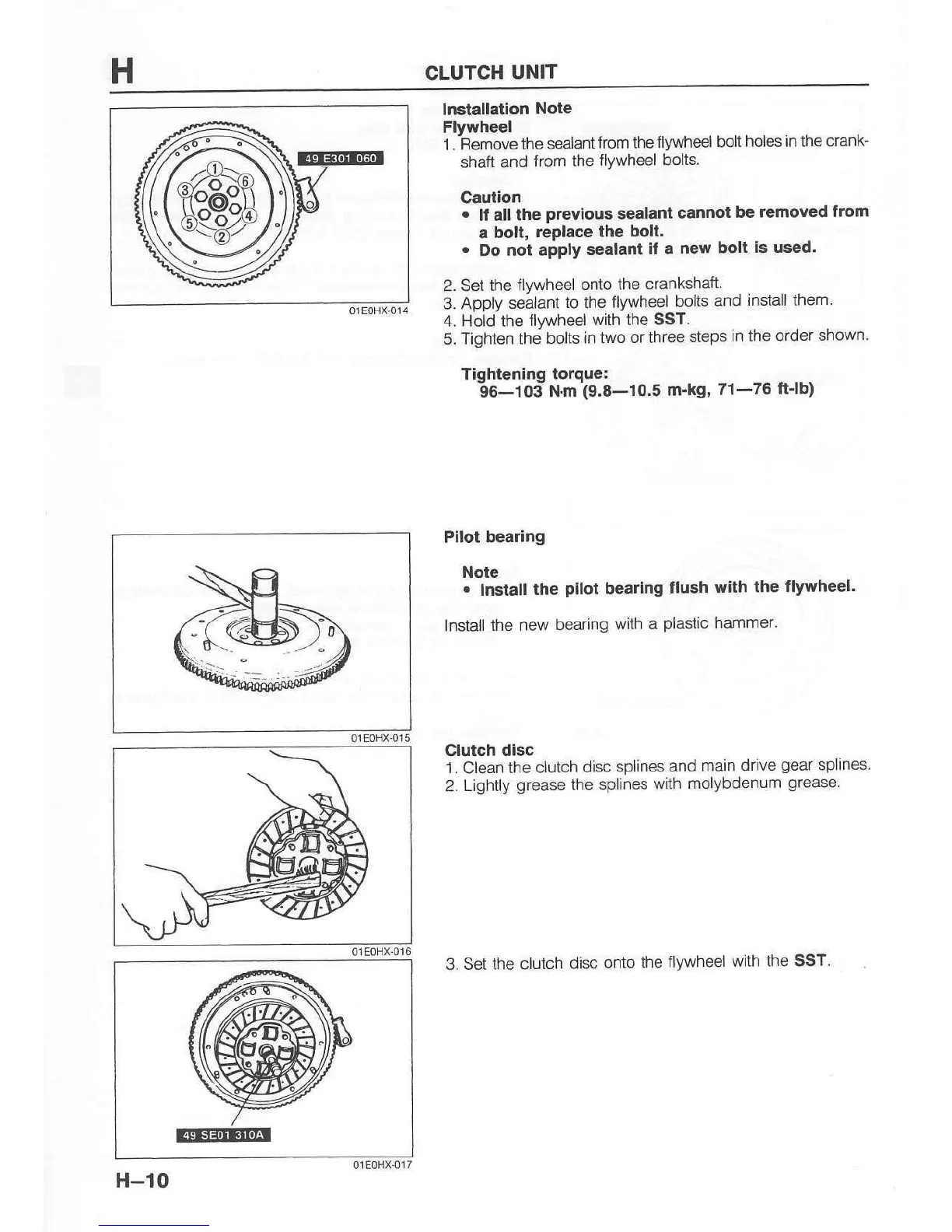
3. Apply sealant
to the tlywheel
bolts
and
install them
4. Hold the
tlvwheel
with the SST.
5 Tiohten the bolts in
two or three
steps
in the order
shown
ti"otrt.nino to*r",
-gHos'l*tn
ig.a-to.s
m'kg'
7l-?6
ftJb)
Pllot bearing
Note
.
Insiall
the
pilol
beafng
flush with
the tlywheel.
Instail
the new
bearing
with a
plastic
hammer.
3. Set the clotch
disc
onto the
flywheel
wiih the SST.
Clutch disc
'1.
Clean
the clutch
disc splines
and
main drive
gear
splines
2-
Lightly
grease
the splines
with
molybdenum
grease.
@E@
01EoHX{]7
H-l0

Table of Contents

Related product manuals