110 Panel Functions
________________________________________________________________________________________________
_______________________________________________________________________________________________
MICROPLEX Operator’s Manual logiJET T4-2 /T6-2 /RFID Edition 2.2
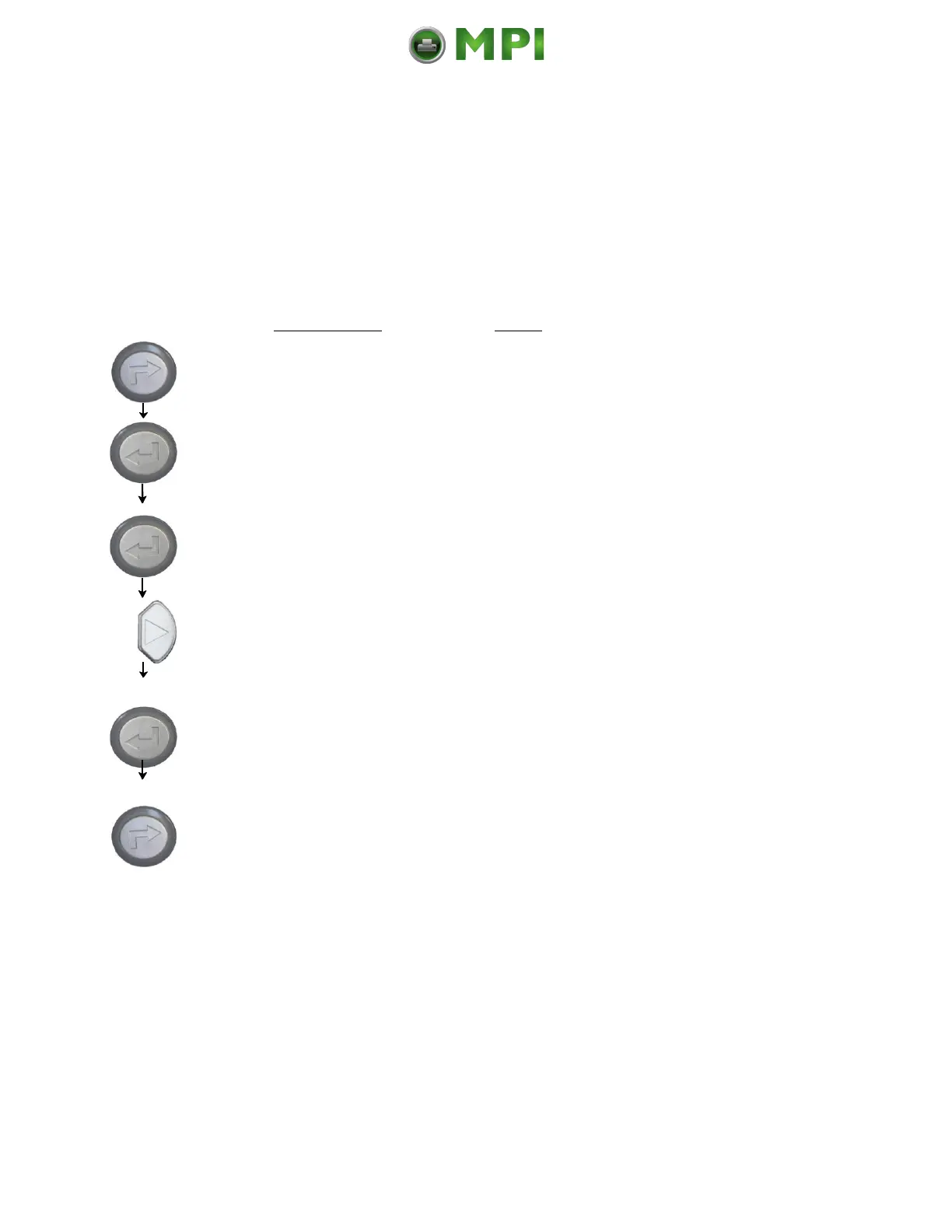
9.12. Normal Print Mode Activation (incl. FORM FEED)
The normal print mode suspends the Hexdump-Mode.
This function is activated, when a print job must be continued
without turning the printer off and on again.
In addition to that the function “Normal Print Mode Activation“ is
used to produce a FORM FEED.
Panel display
[ON LINE ]
[OFF LINE ]
[Menu Level 1 ]
[Status Sheet ]
[Normal Print/FF ]
[Normal Print/FF ]
Notes
Turn the printer OFF LINE with this
key.
The ENTER key gives the user access
to the menu structure.
Press the NEXT or PREVIOUS key
until [Normal Print/FF ] is displayed.
The normal print mode is activated.
Turn the printer ONLINE again:
Press the ONLINE key longer than 2
seconds.
After activating the normal print mode a FORM FEED is released
automatically and one sheet is put out.
This is necessary because after a test in the Hexdump Mode it is
possible that data can remain in the input buffer unintentionally
(cause: in the Hexdump Mode no control characters are evaluated
and no FORM FEED is effected).
Mantenimiento Periféricos Informáticos C/Canteras, 15 28860 Paracuellos de Jarama (Madrid) Tel: 00 34 917481604 Web: https://mpi.com.es/



 To Next Page