This function shifts the print image in relation to the paper to the
X-direction (crosswise the print direction).
Notes
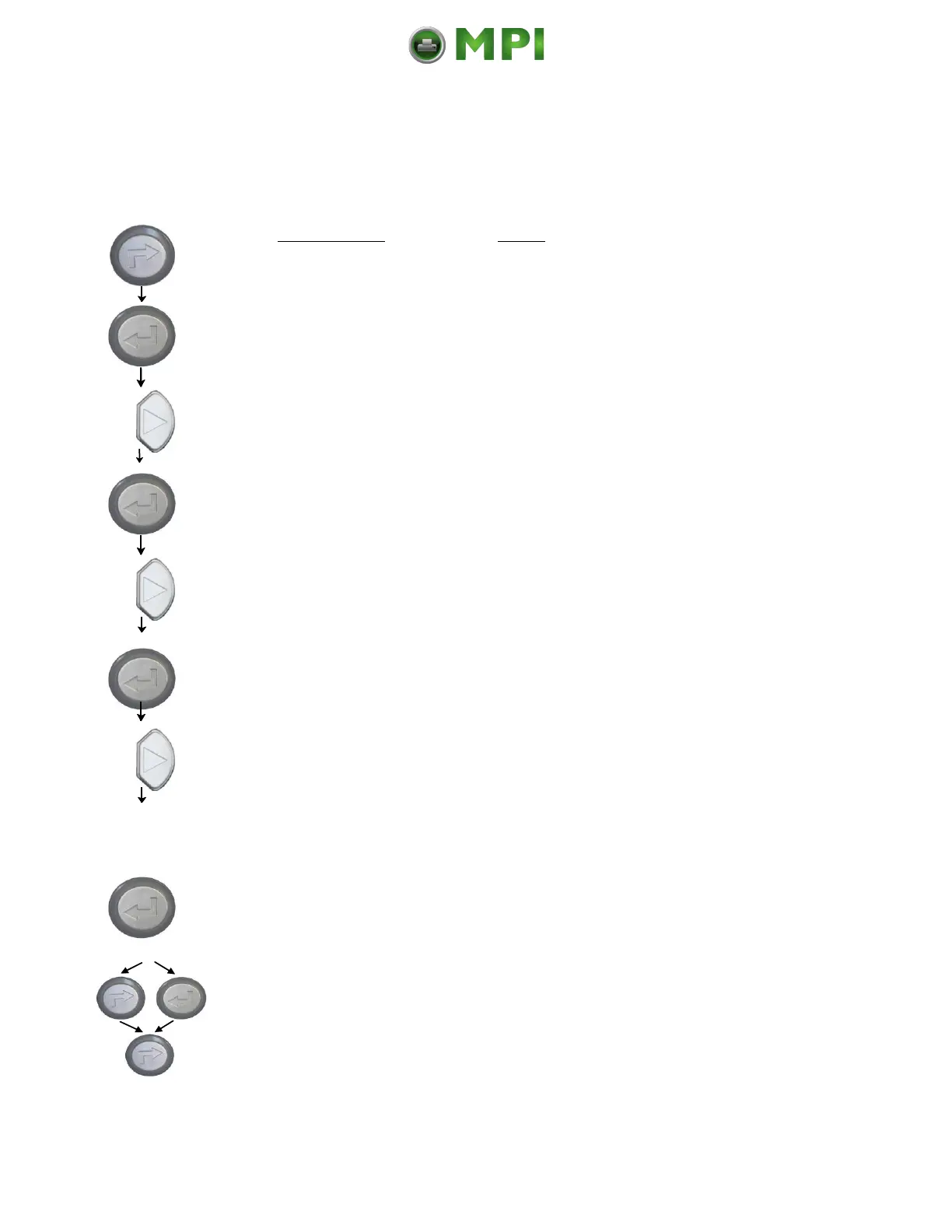
Turn the printer OFF LINE with this key.
The ENTER key gives the user access to
the menu structure.
Press the NEXT or PREVIOUS key until
[Engine ] is displayed.
Press the NEXT or PREVIOUS key until
[Image X-Pos.] is displayed.
The panel function Image Shifting to the
X-Direction is selected.
Currently set value (0 =Default).
Operating the NEXT or PREVIOUS key
the value for the image shift can be
altered. Values from -288 up to +288
Dot are settable, so a max. image
shifting of appr. ±1 Inch (approx. ±25
mm) can be reached.
Now the new image X-Position is saved
In addition this new value can be saved
as setup value (using the ENTER key).
After this decision turn the printer
ONLINE again: Press the ONLINE key
longer than 2 seconds.



 To Next Page