44 Handling of Consumables
_______________________________________________________________________________________________
_______________________________________________________________________________________________
MICROPLEX Operator’s Manual logiJET T4-2 /T6-2 /RFID Edition 2.2
5.3.3. Ribbon Removal
The following steps are necessary if you want to switch from
printing in the thermal transfer mode to printing in the thermal
direct mode.
In case only a used-up ribbon has to be removed the steps 5 and
6 have to be omitted.
1. Switch the printer to OFF LINE mode.
2. Open the the printer hood.
3. Release the printhead pressure lever.
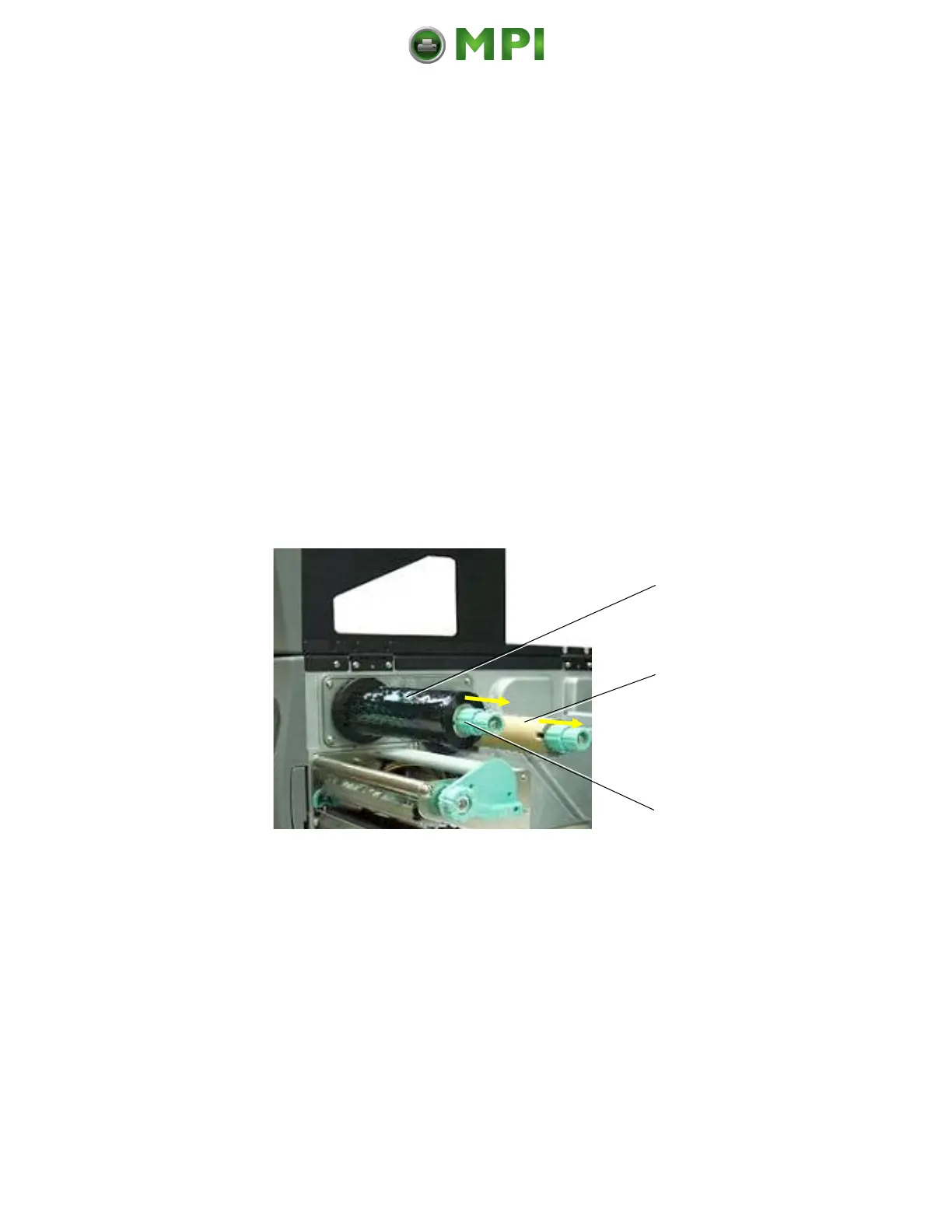
4. The core of a used-up ribbon can be removed by pulling it
from the ribbon supply shaft.
Empty ribbon
sleeve
(ribbon core)
Fig. 5.3.3a Removing used-up ribbon
5. If the inserted ribbon is not used-up, cut it close to the
ribbon rewind shaft.
6. Rotate the ribbon supply shaft until the free end of the
ribbon is winded up.
Mantenimiento Periféricos Informáticos C/Canteras, 15 28860 Paracuellos de Jarama (Madrid) Tel: 00 34 917481604 Web: https://mpi.com.es/



 To Next Page