Installation 21
_______________________________________________________________________________________________
_______________________________________________________________________________________________
MICROPLEX Operator’s Manual logiJET T4-2 /T6-2 /RFID Edition 2.2
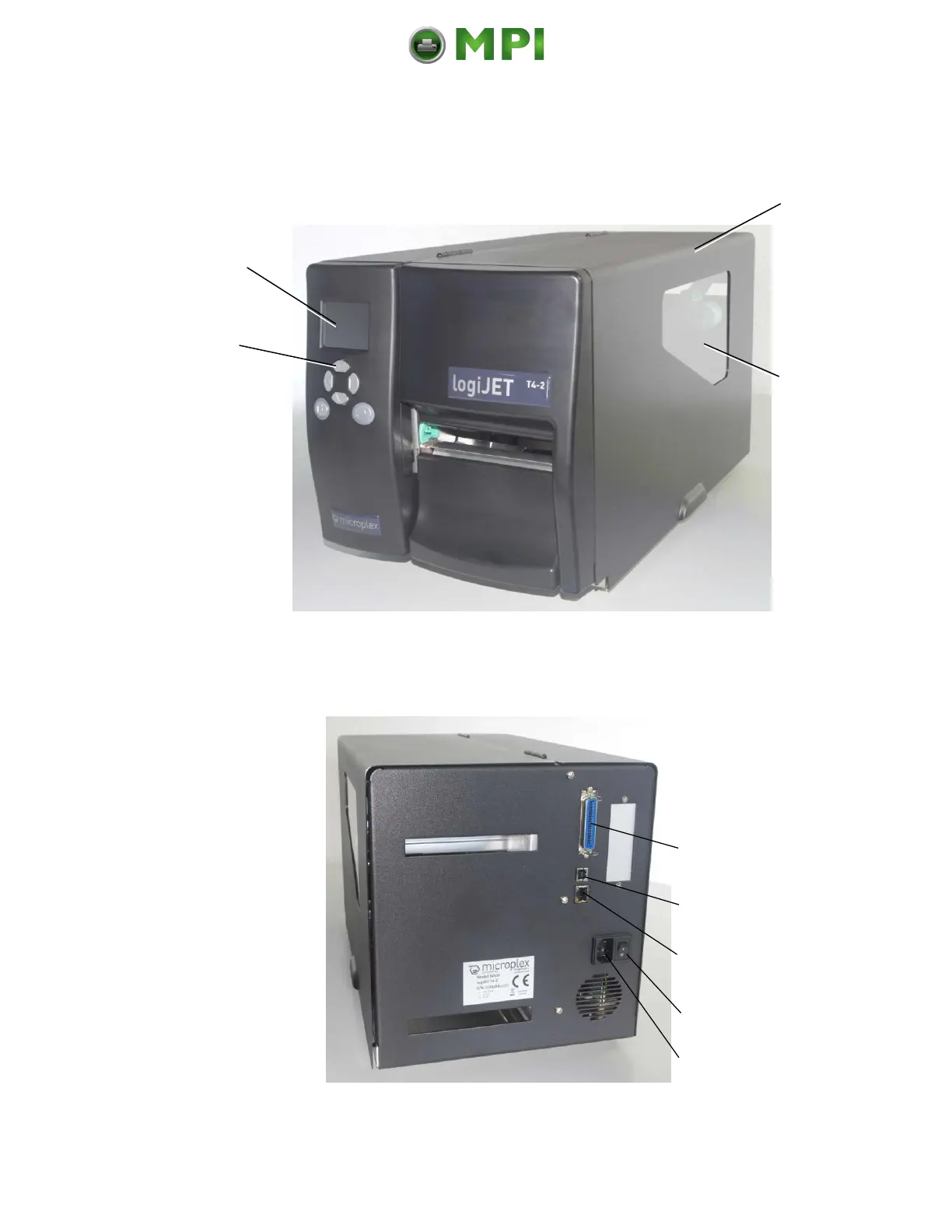
2.4. Printer Components
Main view:
Fig. 2.4.a Main view of the printer
Rear view:
Fig. 2.4.b Rear view of the printer
Window
Check the material +
foil supply without
opening the cover.
Cover
Open to insert
material and foil.
Control Panel
with 6 keys;
the LCD displays printer
operation status, enables
settings via the menu.
Mantenimiento Periféricos Informáticos C/Canteras, 15 28860 Paracuellos de Jarama (Madrid) Tel: 00 34 917481604 Web: https://mpi.com.es/



 To Next Page