134 Panel Functions
________________________________________________________________________________________________
_______________________________________________________________________________________________
MICROPLEX Operator’s Manual logiJET T4-2 /T6-2 /RFID Edition 2.2
9.30. Selecting the Tear Off Mode (Option: Cutting Mode)
With this function the printer’s material transport can be adjusted to the
following media processing.
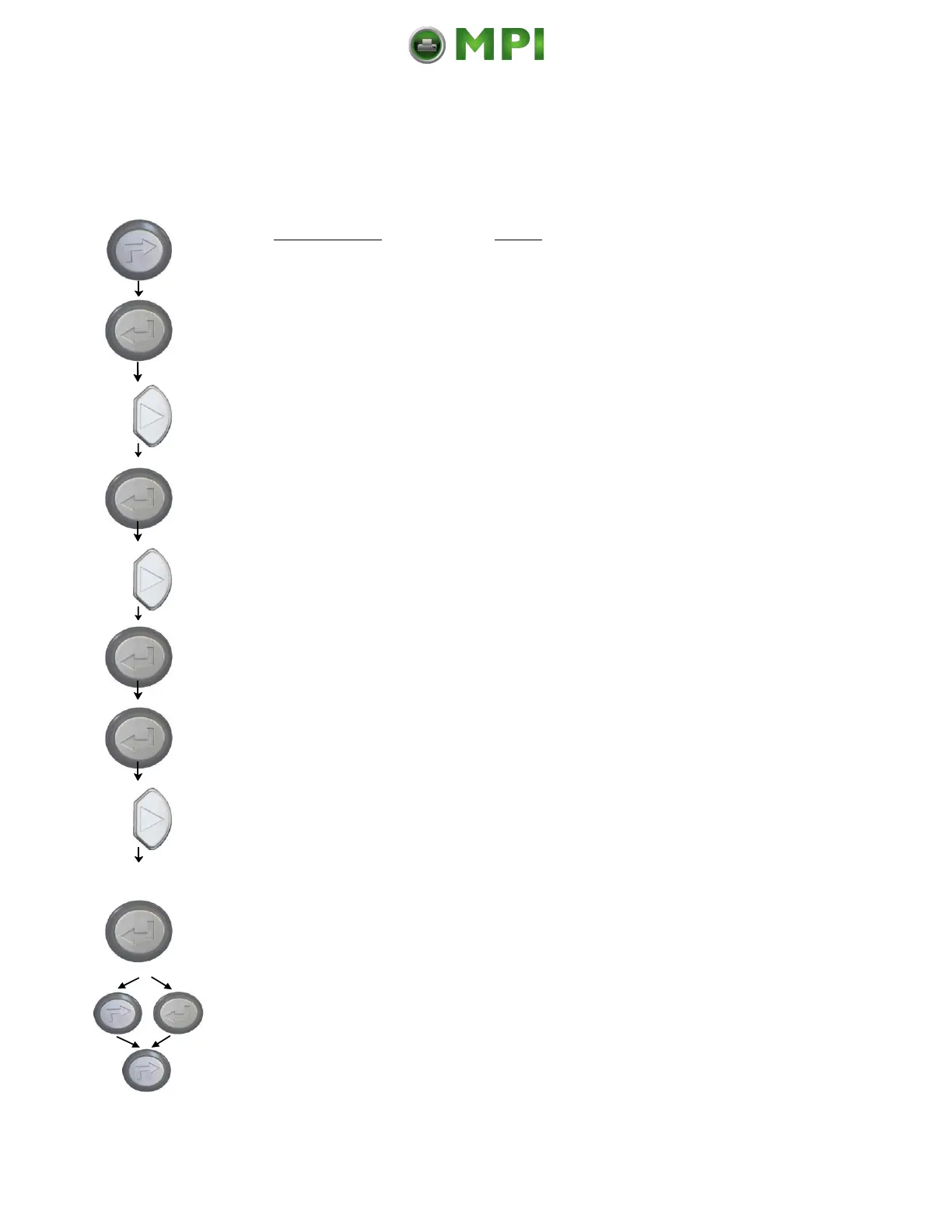
Panel display
[ON LINE ]
[OFF LINE ]
[Menu Level 1 ]
[Engine ]
[Printspeed ]
[TearOff Menu ]
[TearOff Mode ]
[OFF ]
[ON ]
[Save as Setup? ]
Notes
Turn the printer OFF LINE with this
key.
The ENTER key gives the user access
to the menu structure.
Press the NEXT or PREVIOUS key until
[Engine ] is displayed.
Press the NEXT or PREVIOUS key
until [TearOff Menu ] is displayed.
Press the NEXT or PREVIOUS key until
the desired value is displayed.
The tear off mode is selected.
In addition this new value can be
saved as setup value (using the
ENTER key). After this decision turn
the printer ONLINE again: Press the
ONLINE key longer than 2 seconds.
Mantenimiento Periféricos Informáticos C/Canteras, 15 28860 Paracuellos de Jarama (Madrid) Tel: 00 34 917481604 Web: https://mpi.com.es/



 To Next Page