9.16. Data Interface Configuration
Notes
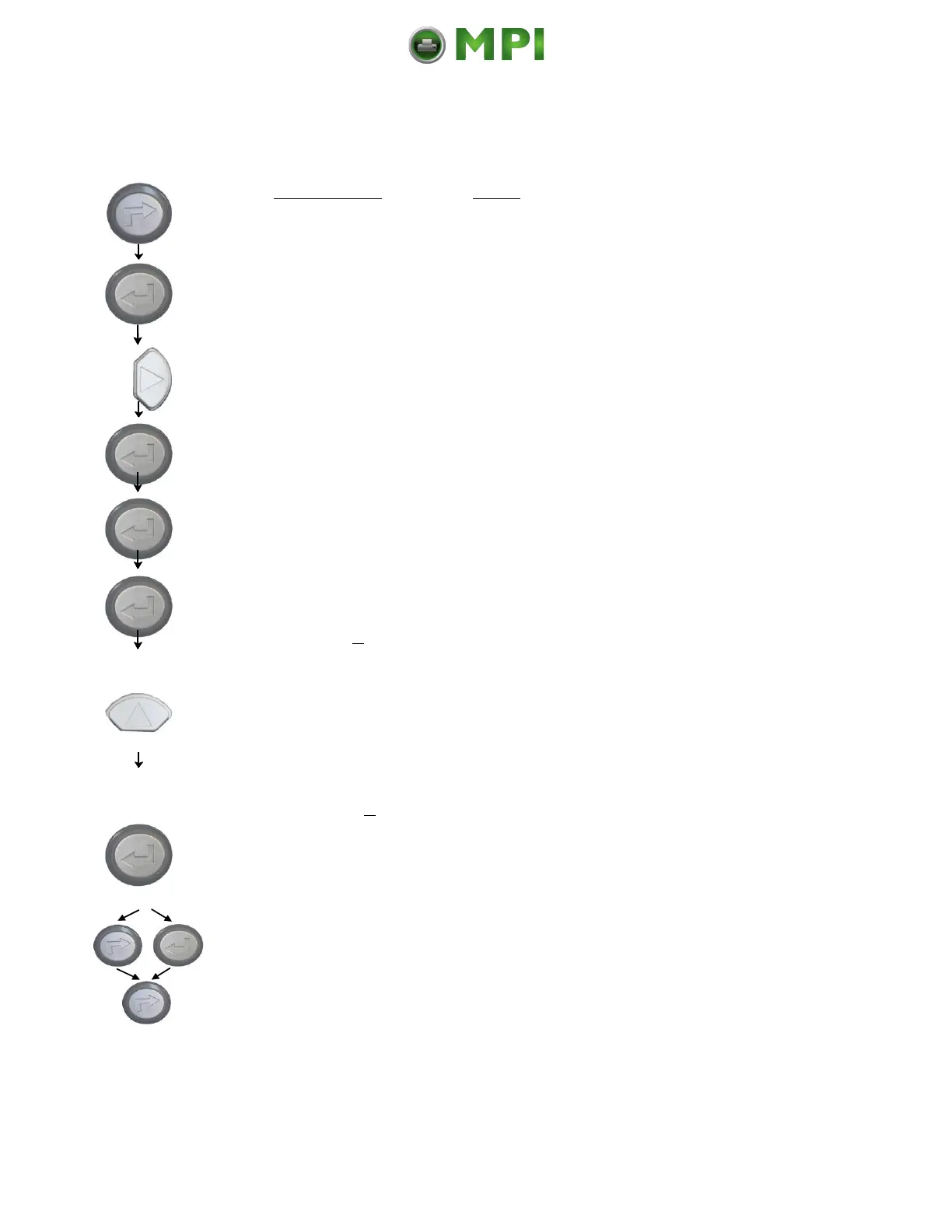
Turn the printer OFF LINE with this key.
The ENTER key gives the user access to
the menu structure.
Press the NEXT or PREVIOUS key until
[Configuration ] is displayed.
The currently set value for he timeout is
displayed (here: 30 seconds).
Pressing the UP or DOWN key changes
the value of the current digit (Digit3 = left
position, in this example: 0). Pressing the
NEXT key moves you to the next digit (the
PREVIOUS key combination moves you
back, if need be).
The timeout (the waiting period for SIA to
switch to the next interface) is increased
to 40 seconds.
In addition this new value can be saved as
setup value (using the ENTER key).
After this decision turn the printer ONLINE
again: Press the ONLINE key longer than
2 seconds.
The printer uses SIA (Simultaneous Interface Administration) to check,
which interface is currently used for the transfer of print data.



 To Next Page