Handling of Consumables 41
_______________________________________________________________________________________________
_______________________________________________________________________________________________
MICROPLEX Operator’s Manual logiJET T4-2 /T6-2 /RFID Edition 2.2
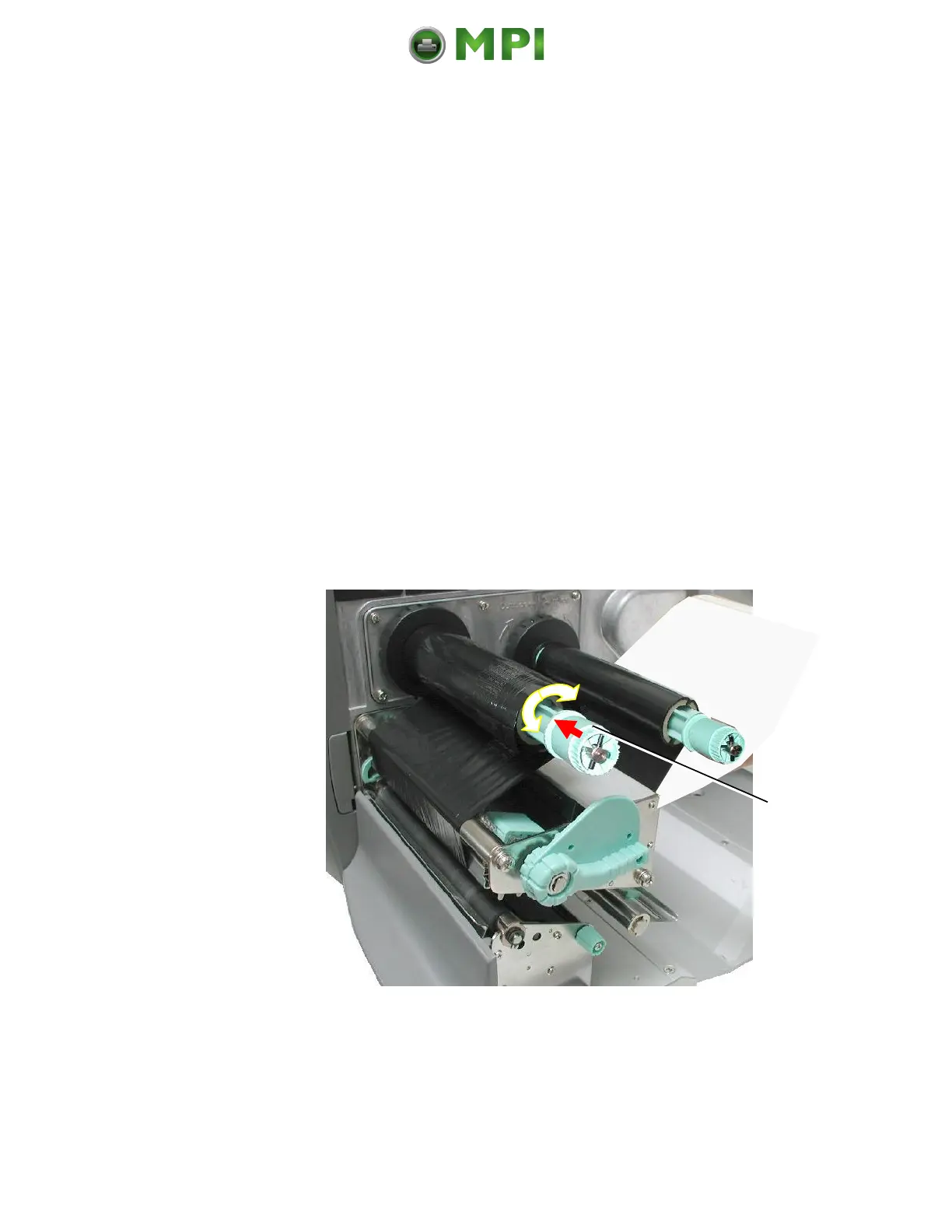
5.3.2. Ribbon Tension Adjustment
A) Increasing the ribbon tension
Due to differences in ribbon material, ribbon wrinkles may
occur during printing.
To solve this problem the ribbon tension has to be increased:
1. Push the adjusting ring of the ribbon rewind shaft towards
the ribbon roll.
2. Then turn the adjusting ring of the ribbon rewind shaft
clockwise to increase the ribbon tension, while you hold
the ribbon roll with the other hand.
Fig. 5.3.2.a Adjusting the ribbon tension at the ribbon rewind shaft
Mantenimiento Periféricos Informáticos C/Canteras, 15 28860 Paracuellos de Jarama (Madrid) Tel: 00 34 917481604 Web: https://mpi.com.es/



 To Next Page