Controlling the Printer via the integrated Website (WebPanel) 61
________________________________________________________________________________________________
_______________________________________________________________________________________________
MICROPLEX Operator’s Manual logiJET T4-2 /T6-2 /RFID Edition 2.2
7.3.4. Network Page
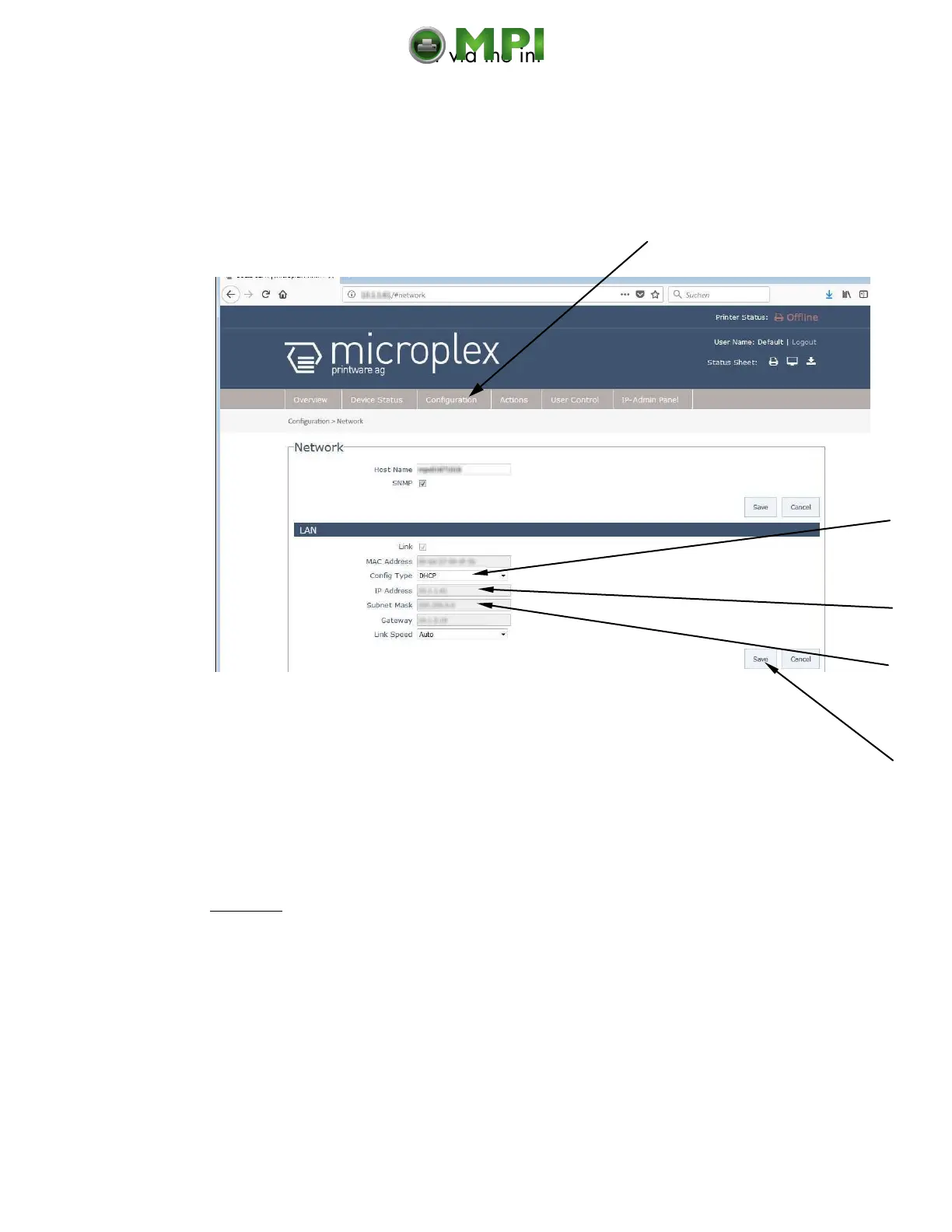
On the Network page you can configure the parameters for a network connection
of the printer.
Fig. 7.3.4.a logiJET T4-2 /T6-2: Network page of the MICROPLEX WebPanel
Abstract:
Please „click“ on the parameter you wish to change:
Click for example on ConfigType and select Manual.
Calls up the
Network page
Mantenimiento Periféricos Informáticos C/Canteras, 15 28860 Paracuellos de Jarama (Madrid) Tel: 00 34 917481604 Web: https://mpi.com.es/



 To Next Page