EasyManua.ls Logo

Microplex logiJET T4-2 - Page Setup Page

Default Icon
211 pages
Print Icon
To Next Page IconTo Next Page
To Previous Page IconTo Previous Page
Loading...
60 Controlling the Printer via the integrated Website (WebPanel)
________________________________________________________________________________________________
_______________________________________________________________________________________________
MICROPLEX Operator’s Manual logiJET T4-2 /T6-2 /RFID Edition 2.2
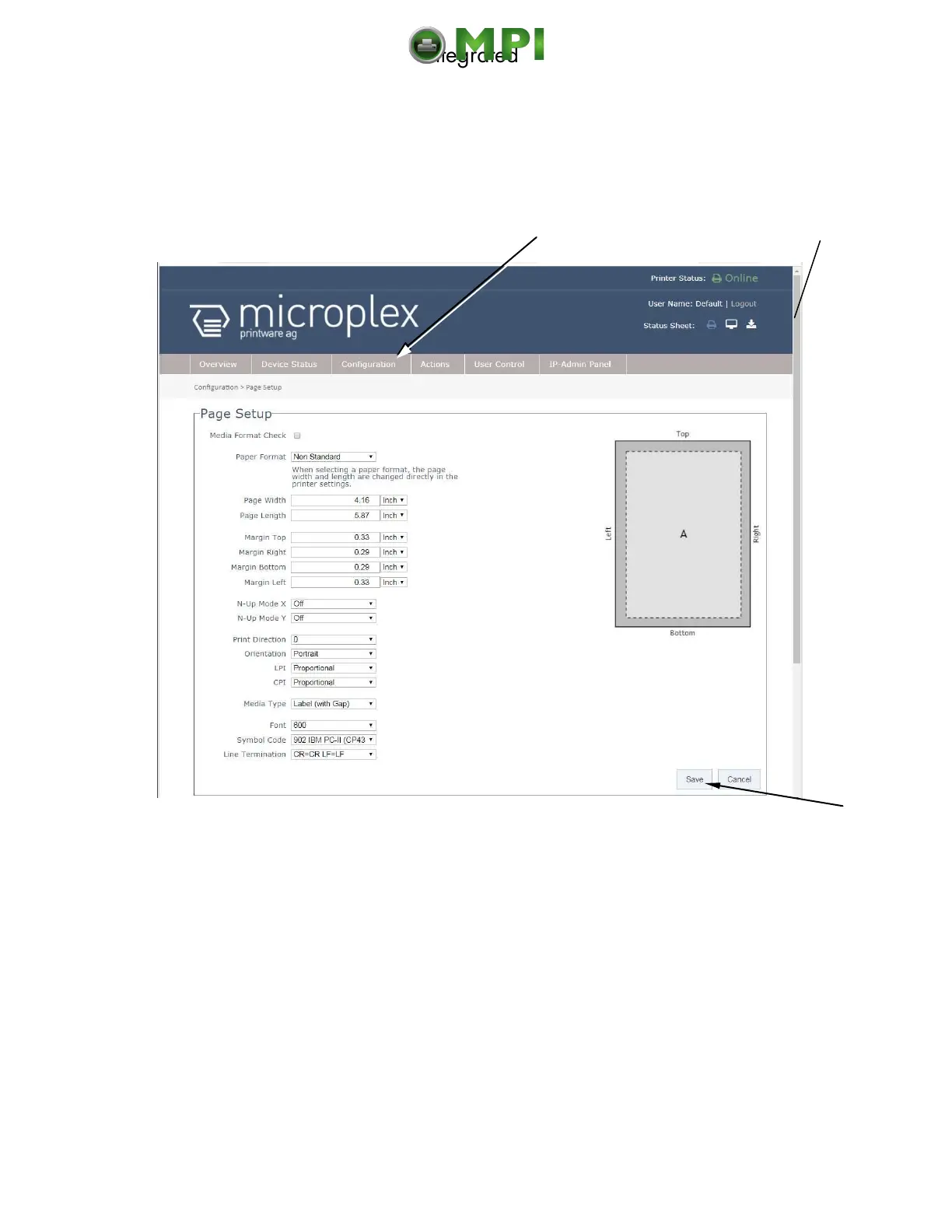
7.3.3. Page Setup Page
On the Page Setup page you can for example set the paper size and the margins
for the printouts.
Fig. 7.3.3.a logiJET T4-2 /T6-2: Page Setup page of the MICROPLEX WebPanel
If the lower part of the menu page is not visible:
Please use the scroll bar at the right side of the screen to make the lower part of
the menu page visible.
Click on „Configuration“ and select the menu item „Page Setup“, to get to the
Page Setup page, that is shown above.
(or click on the button „Configuration Page Setup“ on the Overview page of the MICROPLEX
WebPanel, compare Fig. 7.2.a)
Click on the adjustable values, use the input fields.
Click the Save button to finalize your settings.

Calls up the
Page Setup page
Scroll bar
Mantenimiento Periféricos Informáticos C/Canteras, 15 28860 Paracuellos de Jarama (Madrid) Tel: 00 34 917481604 Web: https://mpi.com.es/

Table of Contents

Related product manuals