Control Panel 67
________________________________________________________________________________________________
_______________________________________________________________________________________________
MICROPLEX Operator’s Manual logiJET T4-2 /T6-2 /RFID Edition 2.2
7.4. Remote Control via the IP-Admin Panel User Interface
7.4.1. Abstract
If you are already familiar with the panel functions of MICROPLEX printers
the IP Panel enables you to do the well-known operating steps.
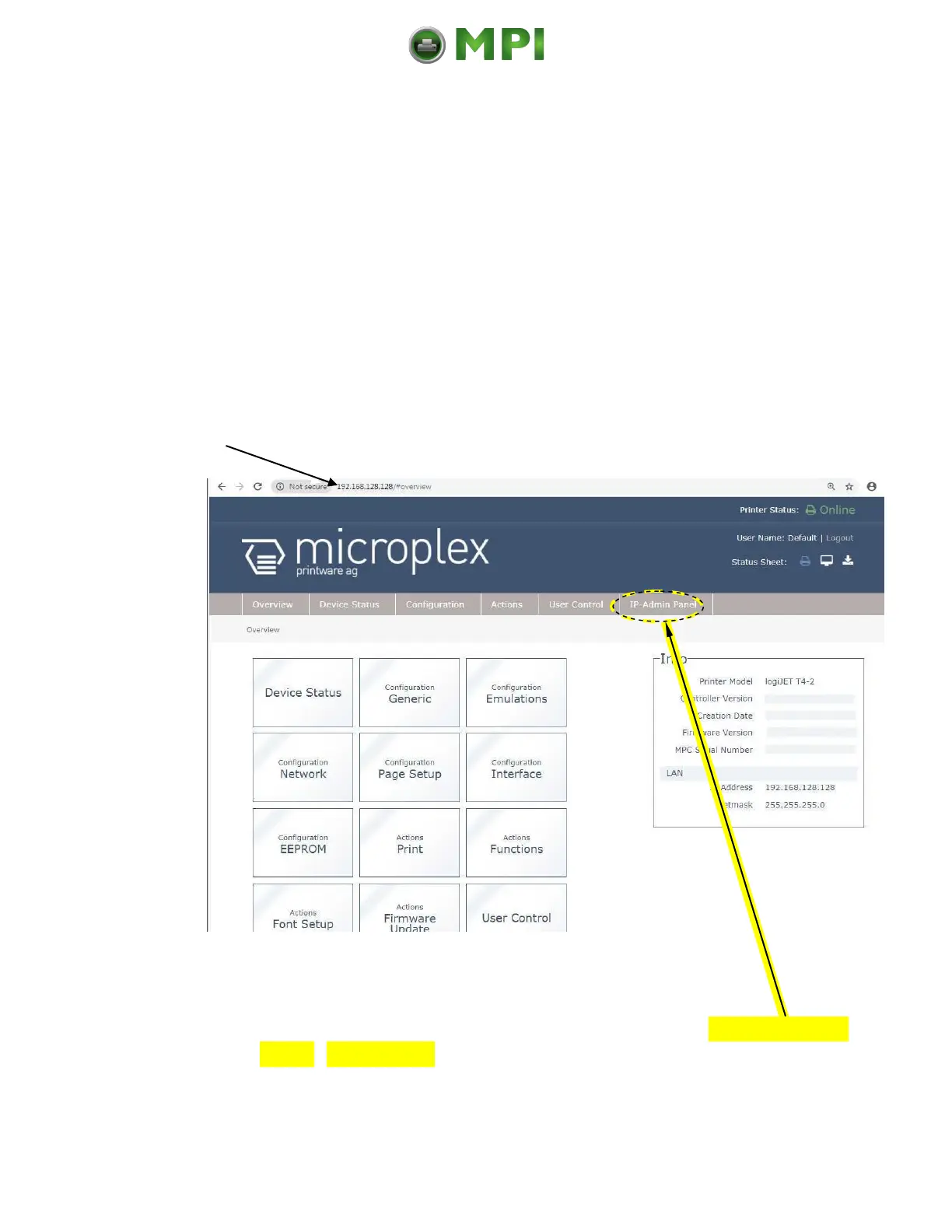
1. Type the IP address of the printer in the address bar of your Web browser:
(compare the previous sections, example: http://192.168.128.128/).
The browser shows the Overview page of the MICROPLEX WebPanel:
Fig. 7.4.1.a logiJET T4-2 /T6-2: Overview page of the WebPanel
2. By „touching“ the IP-AdminPanel button you can switch to the IP-Admin
Panel user interface directly („panel“ as you know it from other
MICROPLEX printers, see the following sections).
Mantenimiento Periféricos Informáticos C/Canteras, 15 28860 Paracuellos de Jarama (Madrid) Tel: 00 34 917481604 Web: https://mpi.com.es/



 To Next Page