Controlling the Printer via the integrated Website (WebPanel) 57
________________________________________________________________________________________________
_______________________________________________________________________________________________
MICROPLEX Operator’s Manual logiJET T4-2 /T6-2 /RFID Edition 2.2
7.3. Remote Control via the integrated Website (WebPanel)
The print system settings can only be changed if the printer is turned
OFF LINE.
7.3.1. Overview Page
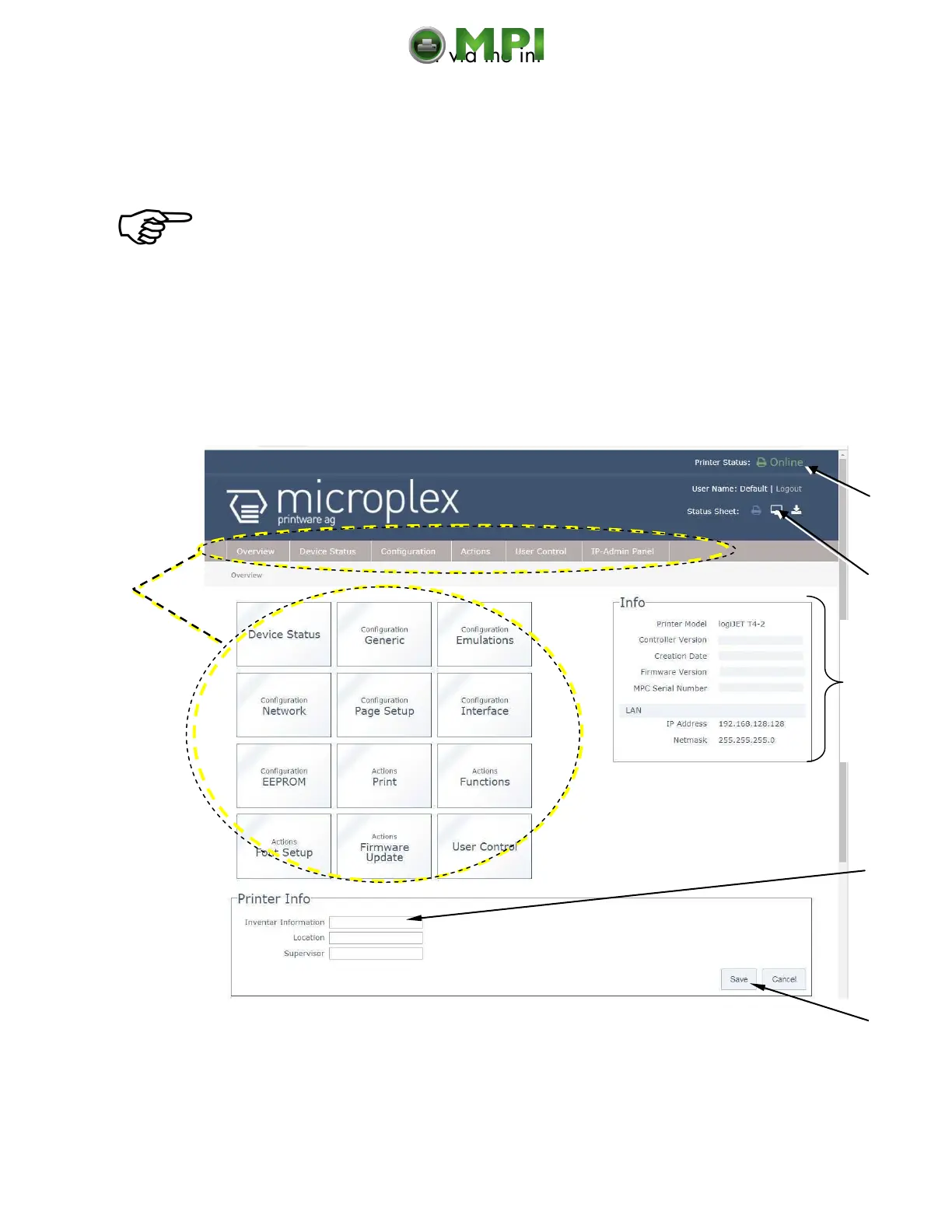
On the Overview page the printer status is displayed, as well as information on the
controller and firmware version of your device.
Fig. 7.3.1.a logiJET T4-2 /T6-2: Overview page of the MICROPLEX WebPanel
Access
to other
menu
pages
Informa-
tion about
your
printer
Mantenimiento Periféricos Informáticos C/Canteras, 15 28860 Paracuellos de Jarama (Madrid) Tel: 00 34 917481604 Web: https://mpi.com.es/



 To Next Page