56 Access to the integrated Web Page
_________________________________________________________________________________________
_______________________________________________________________________________________________
MICROPLEX Operator’s Manual logiJET T4-2 /T6-2 /RFID Edition 2.2
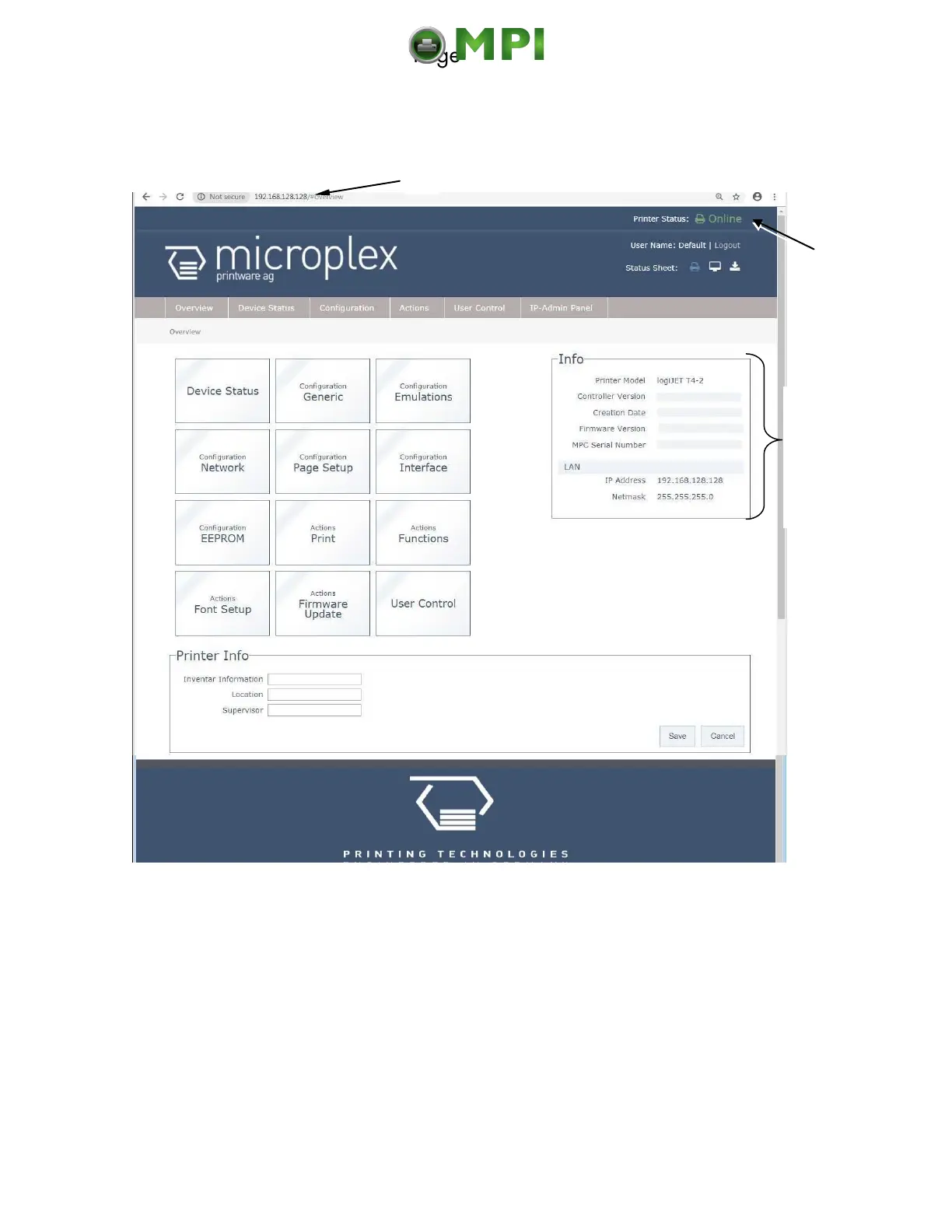
The Web Browser shows the Information page of the MICROPLEX WebPanel:
Fig. 7.2.a logiJET T4-2 /T6-2: Overview page of the MICROPLEX WebPanel
On the Overview page the printer status is displayed,
as well as information on the controller and firmware version of your device.
Hint:
More details about this WebPanel are described in the following sections.
If you are already familiar with the panel functions of MICROPLEX printers
you may skip to section 7.4 Remote Control via the IP-Admin Panel.
Informa-
tion
about
your
printer
Mantenimiento Periféricos Informáticos C/Canteras, 15 28860 Paracuellos de Jarama (Madrid) Tel: 00 34 917481604 Web: https://mpi.com.es/



 To Next Page