EasyManua.ls Logo

Microplex logiJET T4-2 - Symbol Code Selection

Default Icon
211 pages
Print Icon
To Next Page IconTo Next Page
To Previous Page IconTo Previous Page
Loading...
Panel Functions 125
________________________________________________________________________________________________
_______________________________________________________________________________________________
MICROPLEX Operator’s Manual logiJET T4-2 /T6-2 /RFID Edition 2.2
9.24. Symbol Code Selection
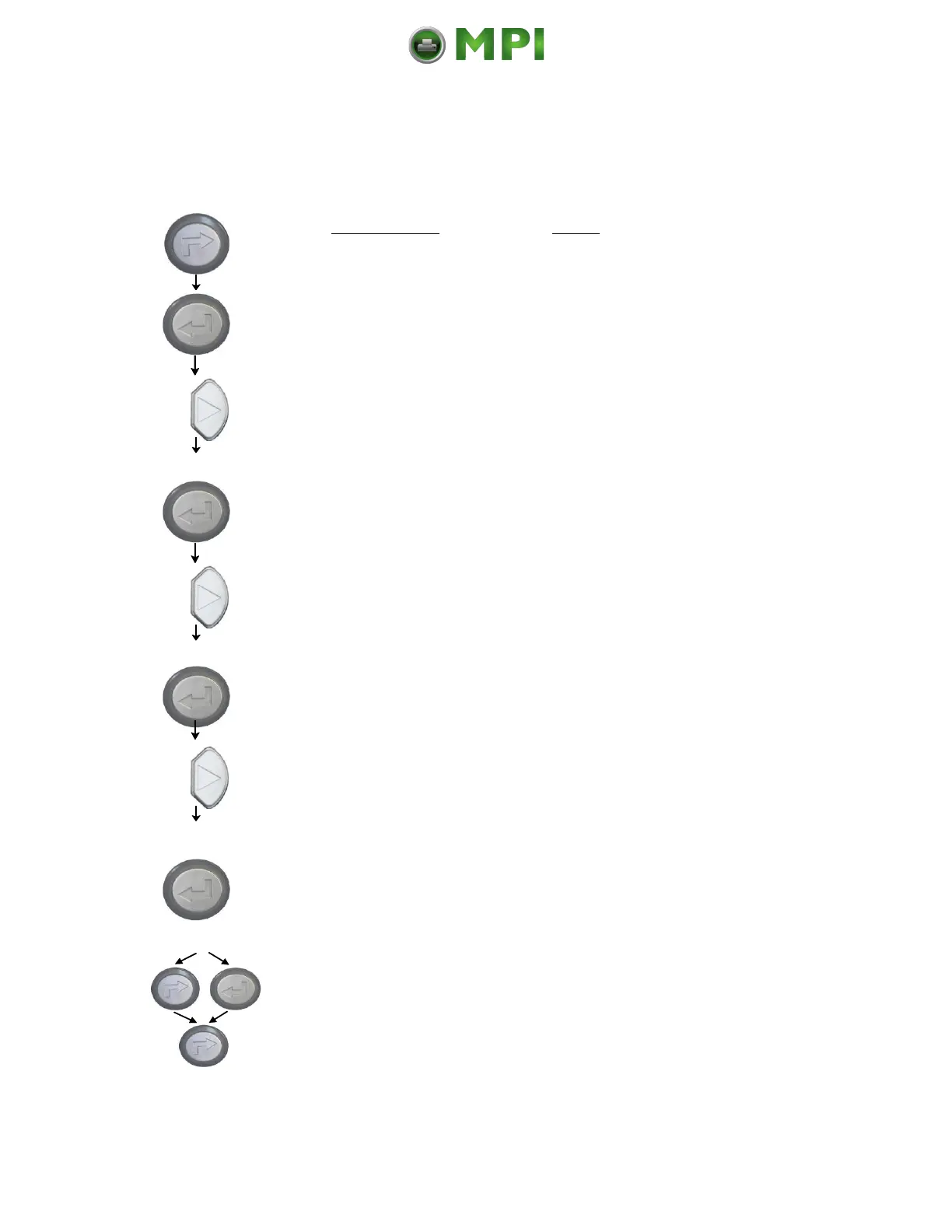
This function selects the active symbol code.
Panel display
[ON LINE ]
[OFF LINE ]
[Menu Level 1 ]
[Page Menu ]
[Font Number ]
[Symbol Code ]
[902, IBM PC-II ]
[901, IBM PC-I ]
[Save as Setup? ]
Notes
Turn the printer OFF LINE with this
key.
The ENTER key gives the user access
to the menu structure.
Press the NEXT or PREVIOUS key
until [Page Menu ] is displayed.
Press the NEXT or PREVIOUS key
until [Symbol Code ] is displayed.
Press the NEXT or PREVIOUS key
until the desired symbol code is
displayed.
The symbol code 901, IBM PC-I is
selected.
In addition this new value can be
saved as setup value (using the
ENTER key).
After this decision turn the printer
ONLINE again: Press the ONLINE
key longer than 2 seconds.

Mantenimiento Periféricos Informáticos C/Canteras, 15 28860 Paracuellos de Jarama (Madrid) Tel: 00 34 917481604 Web: https://mpi.com.es/

Table of Contents

Related product manuals