This function configures the transparent code. Using the transparent code
enables you to initiate the commands of the page description language
IDOL by printable characters. The transparent code pre-setting is 2625.
These are the ASCII character codes (hexadecimal) for the characters & %
(ref. IDOL Programming Manual).
Notes
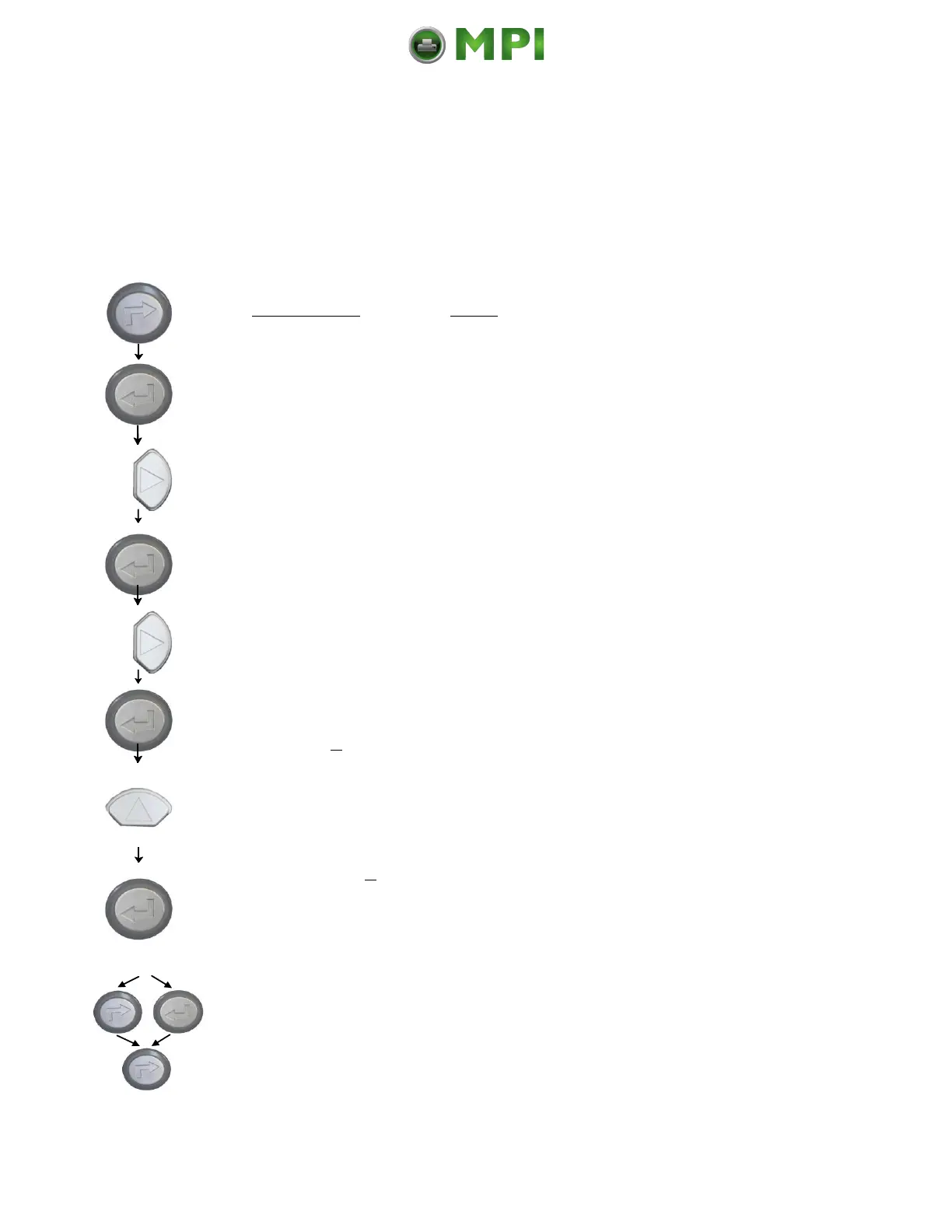
Turn the printer OFF LINE with this key.
The ENTER key gives the user access to the
menu structure.
Press the NEXT or PREVIOUS key until
[Configuration ] is displayed.
Press the NEXT or PREVIOUS key until
[Transparent Code ] is displayed.
The hexadecimal number for & % is preset.
Pressing the UP or DOWN key changes the
value of the current position (Digit 4 = left
position, in this example: 2). Pressing the NEXT
key moves you to the next digit (the PREVIOUS
key combination moves you back, if need be).
2626 is selected as transparent code.
From now on use the characters & &
before programming the IDOL commands.
In addition this new value can be saved as
setup value (using the ENTER key).
After this decision turn the printer ONLINE
again: Press the ONLINE key longer than 2
seconds.



 To Next Page