84 Panel Functions
________________________________________________________________________________________________
_______________________________________________________________________________________________
MICROPLEX Operator’s Manual logiJET T4-2 /T6-2 /RFID Edition 2.2
9.3. Adjusting the Sync Sensors
Please note: Always adjust the sensors of your printer to your consumables in use
(sensor positions as well as the levels and currents).
9.3.1. Checking and Adjusting the Position of the Sensors
The device is provided with sensors to enable controlling of consumable
movements (Synchronization).
The upper media sensor (Transparent sensor) as well as the lower media
sensor (Reflex sensor) are located “below” the printhead mounting.
Move the sensors to the accurate position (appropriate to your consumables):
Please note: Always adjust all sensors of this print unit to your current consumables
(sensor positions and the levels and currents).
1. Open the printer’s cover and swivel it to a vertical position.
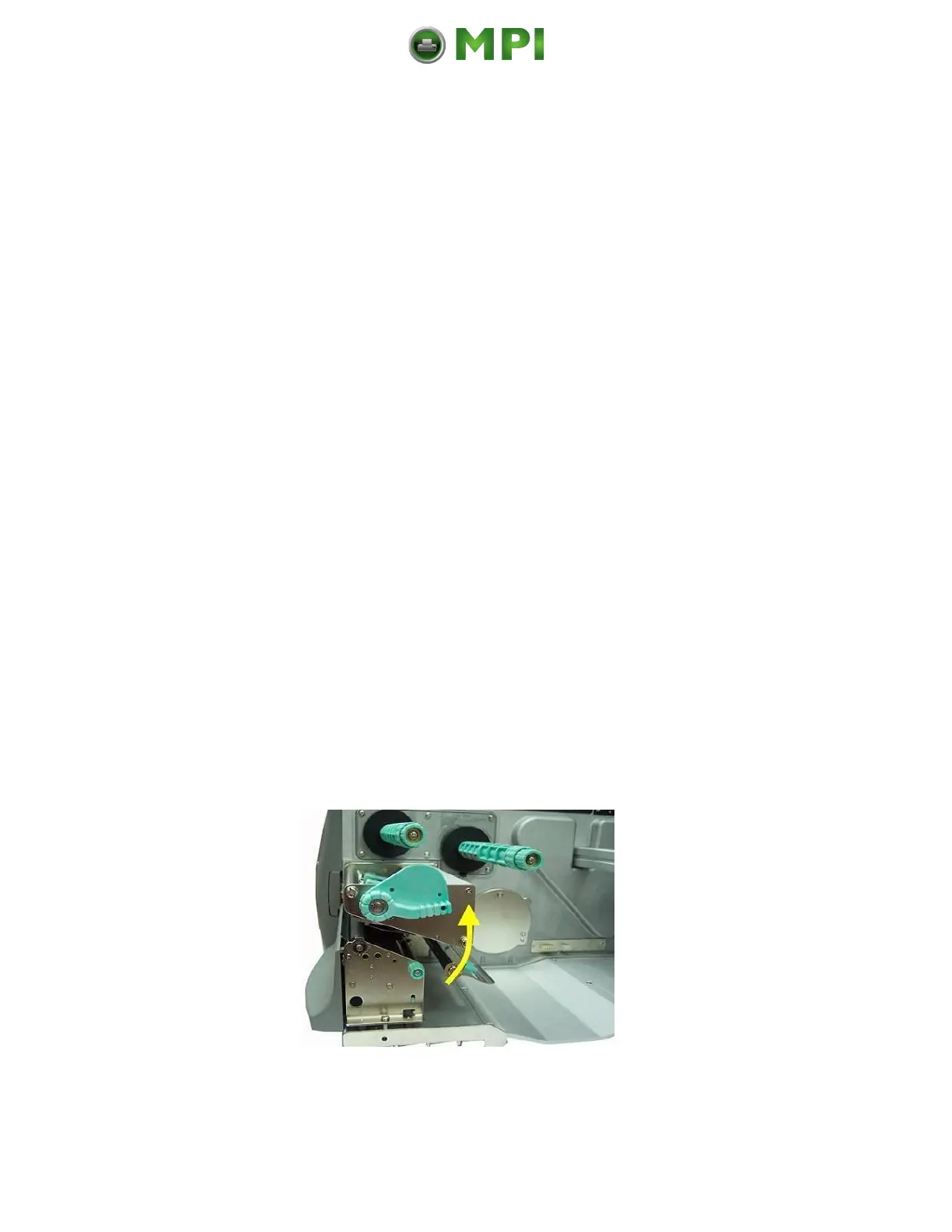
2. Release the printhead pressure lever to lift the pressure rollers.
Fig. 9.3.1.a Swivel the printhead pressure lever upward (counterclockwise).
Mantenimiento Periféricos Informáticos C/Canteras, 15 28860 Paracuellos de Jarama (Madrid) Tel: 00 34 917481604 Web: https://mpi.com.es/



 To Next Page