Operator Maintenance 175
_______________________________________________________________________________________________
_______________________________________________________________________________________________
MICROPLEX Operator’s Manual logiJET T4-2 /T6-2 /RFID Edition 2.2
11.1.2. Printhead Cleaning
This maintenance operation should be done after each ribbon
exchange or not later than the print quality is reduced (unwanted
"lines" or "gaps" in the printout).
Please pay attention to the following:
- For the printhead cleaning there is no need to disassemble
or remove the printhead.
- The printhead can be damaged by electrostatic charges.
Therefore first of all touch a properly grounded part of the
printer (the base plate of the printer, e.g.).
1. First release the printhead pressure lever.
2. The printhead moves up.
3. Take out the ribbon if one is loaded.
4. Clean the printhead:
a) Using a soft, lint-free cloth or a special cleaning pen:
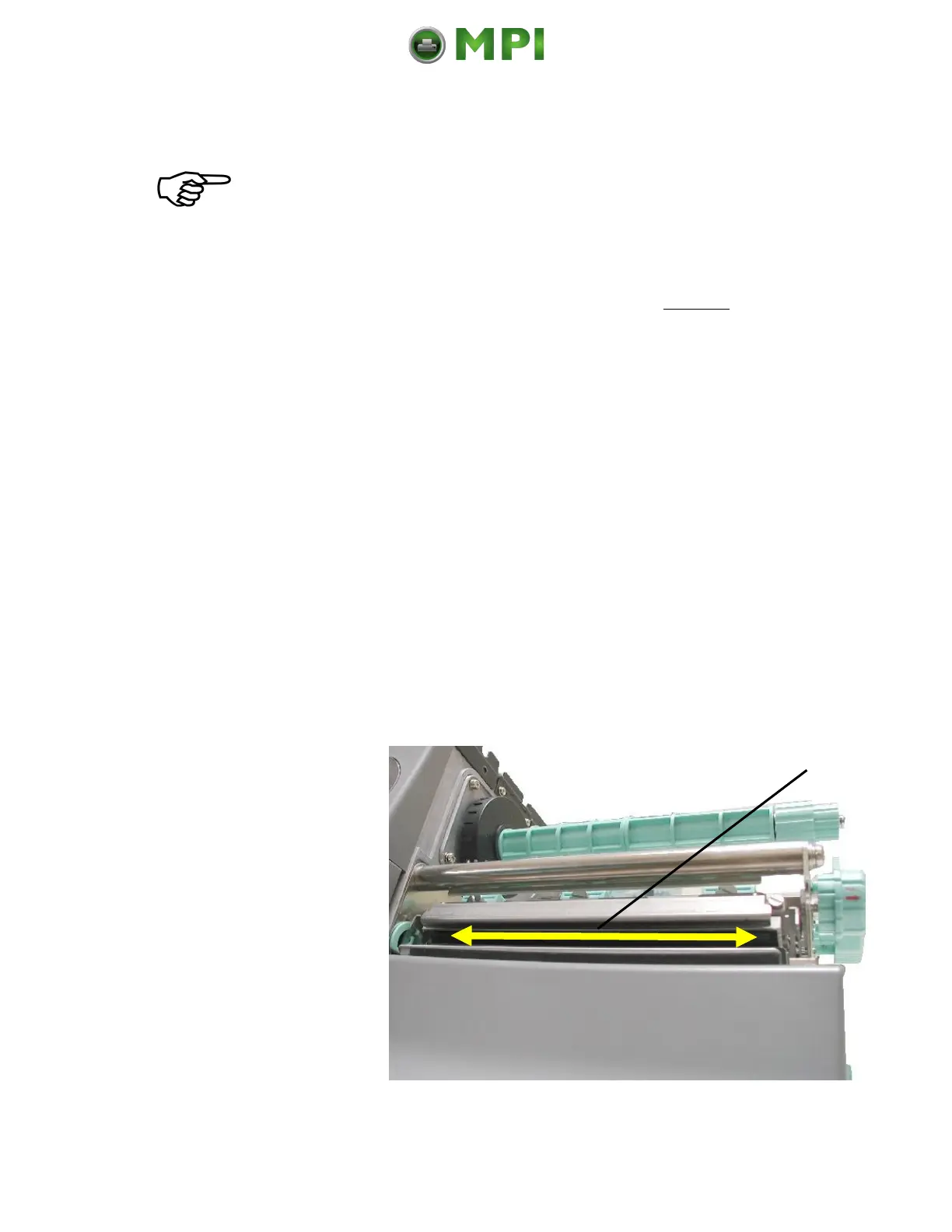
• Move the cloth or pen along the print area of the printhead (see
figure 11.1.2.a). This working step requires light pressure and
has to be repeated several times.
Fig. 11.1.2.a Cleaning the printhead
Mantenimiento Periféricos Informáticos C/Canteras, 15 28860 Paracuellos de Jarama (Madrid) Tel: 00 34 917481604 Web: https://mpi.com.es/



 To Next Page