140 Panel Functions
________________________________________________________________________________________________
_______________________________________________________________________________________________
MICROPLEX Operator’s Manual logiJET T4-2 /T6-2 /RFID Edition 2.2
Hints on adjusting the position:
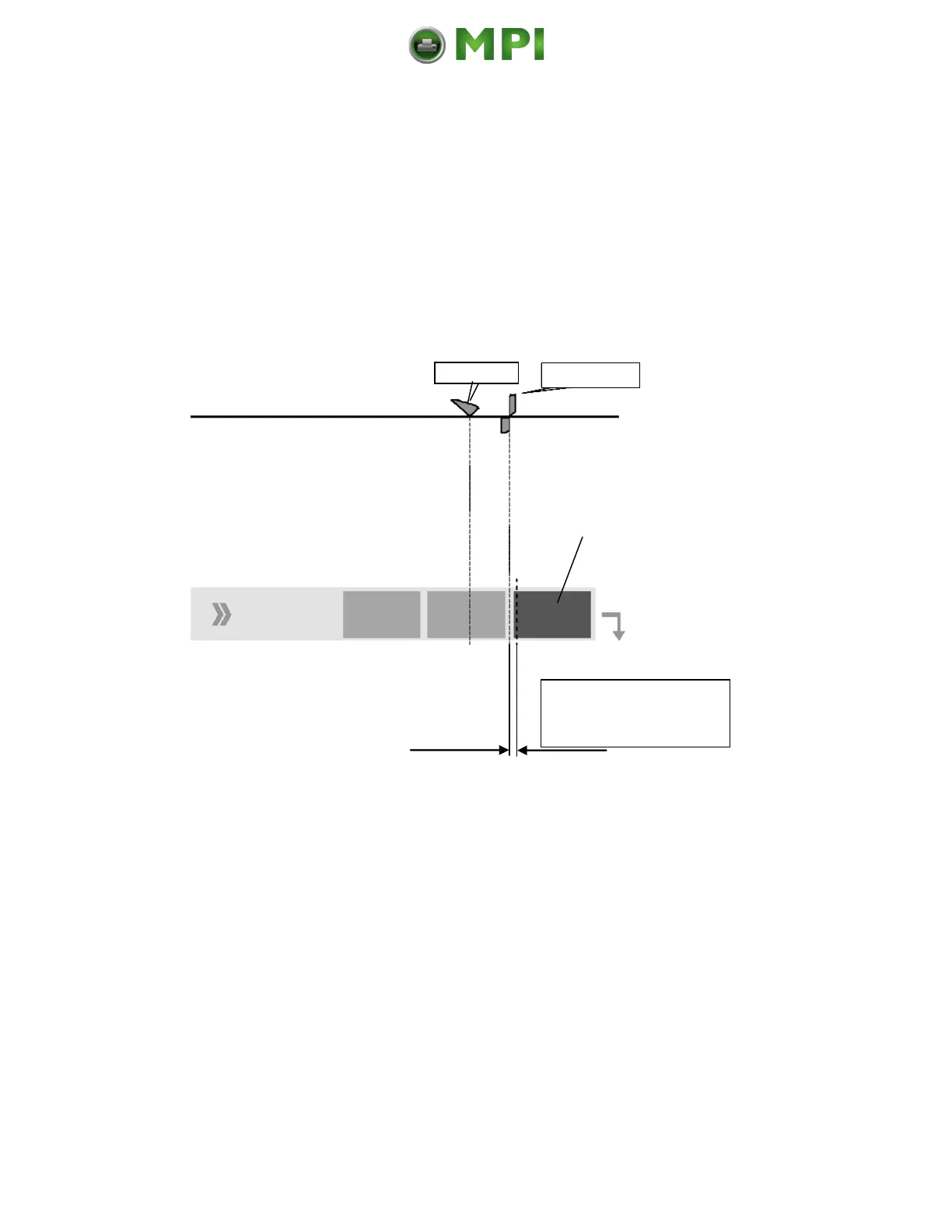
Using the optional cutter, you can set the cutting position (for Z-folded
paper, e.g.) to the perforation line or in front of this line (offset in feed
direction, see the following figure).
Setting range for the
cutting position
(Offset from 0 to -4.2mm)
Please note:
Avoid to set the cutting offset to or near zero because the media may
drop out of the transport path. (The media is drawn back too far in case of cut
or tear off and is no longer under the printhead).
If you need to increase the offset (to set the cutting position more against
the print direction -- for example to cut the material behind the perforation),
this is possible by changing the SyncOffset.
For further information see section 9.4 Adjusting the Zero Position of the
Material Transport.
Mantenimiento Periféricos Informáticos C/Canteras, 15 28860 Paracuellos de Jarama (Madrid) Tel: 00 34 917481604 Web: https://mpi.com.es/



 To Next Page