EasyManua.ls Logo

Microplex logiJET T4-2 - Page 81

Default Icon
211 pages
Print Icon
To Next Page IconTo Next Page
To Previous Page IconTo Previous Page
Loading...
Panel Functions 81
________________________________________________________________________________________________
_______________________________________________________________________________________________
MICROPLEX Operator’s Manual logiJET T4-2 /T6-2 /RFID Edition 2.2
Panel display
[ON LINE ]
[OFF LINE ]
[Menu Level 1 ]
[Engine ]
[Printspeed ]
[Process ]
[Thermo direct ]
[Thermo transfer ]
[Save as Setup? ]
Notes
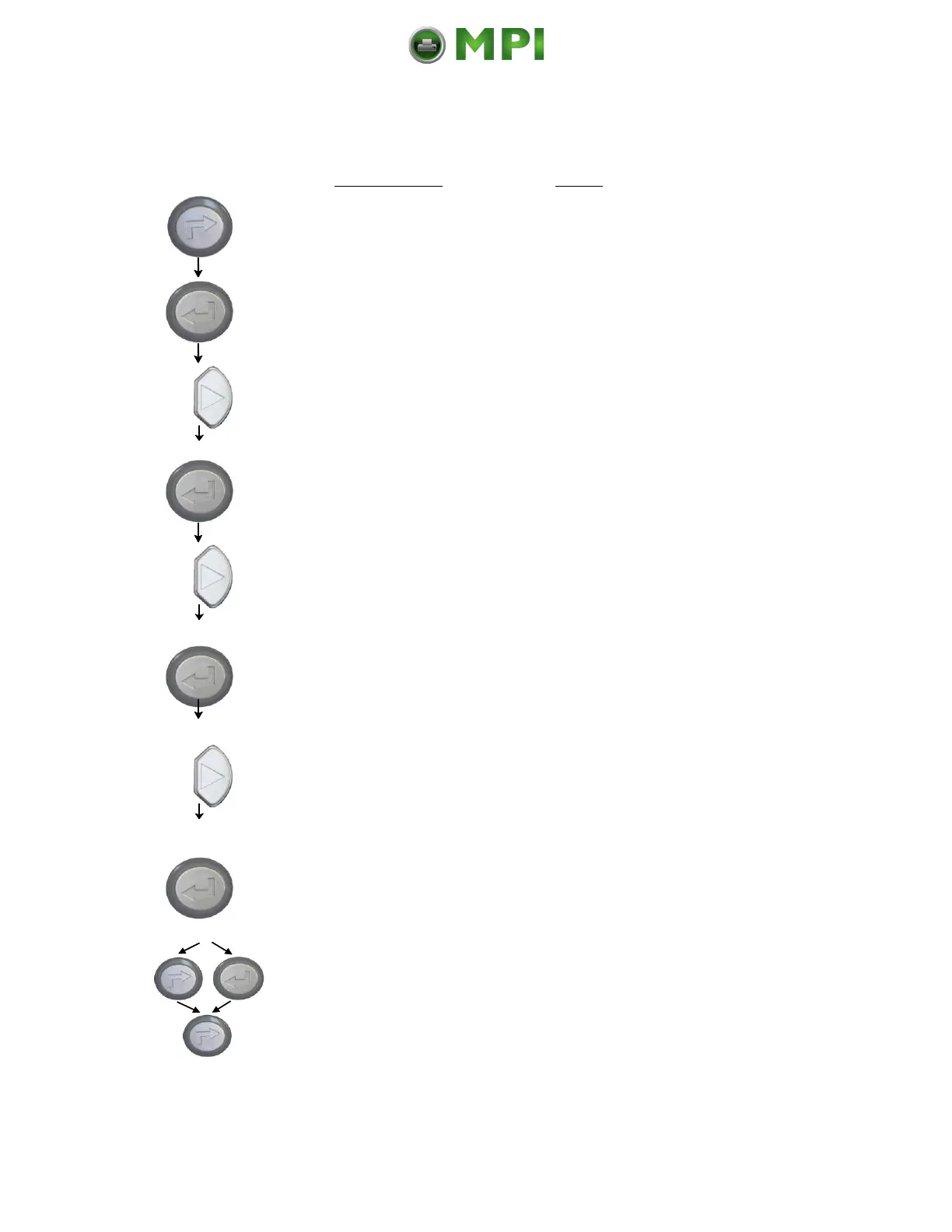
Turn the printer OFF LINE with this
key.
The ENTER key gives the user access
to the menu structure.
Press the NEXT or PREVIOUS key
until [Engine] is displayed.
The menu item Engine is selected.
Press the NEXT or PREVIOUS key
until [Process] is displayed.
The menu item Process is selected.
Press the NEXT or PREVIOUS key
until the display message is
corresponding with the printer
implementation (ribbon inserted =
Thermo transfer e.g.).
The thermal transfer print process is
selected.
In addition this new value can be
saved as setup value (using the
ENTER key).
After this decision turn the printer
ONLINE again: Press the ONLINE
key longer than 2 seconds.

Mantenimiento Periféricos Informáticos C/Canteras, 15 28860 Paracuellos de Jarama (Madrid) Tel: 00 34 917481604 Web: https://mpi.com.es/

Table of Contents

Related product manuals