94 Panel Functions
________________________________________________________________________________________________
_______________________________________________________________________________________________
MICROPLEX Operator’s Manual logiJET T4-2 /T6-2 /RFID Edition 2.2
9.3.3.2. Gap Sensor (Transparent Sensor)
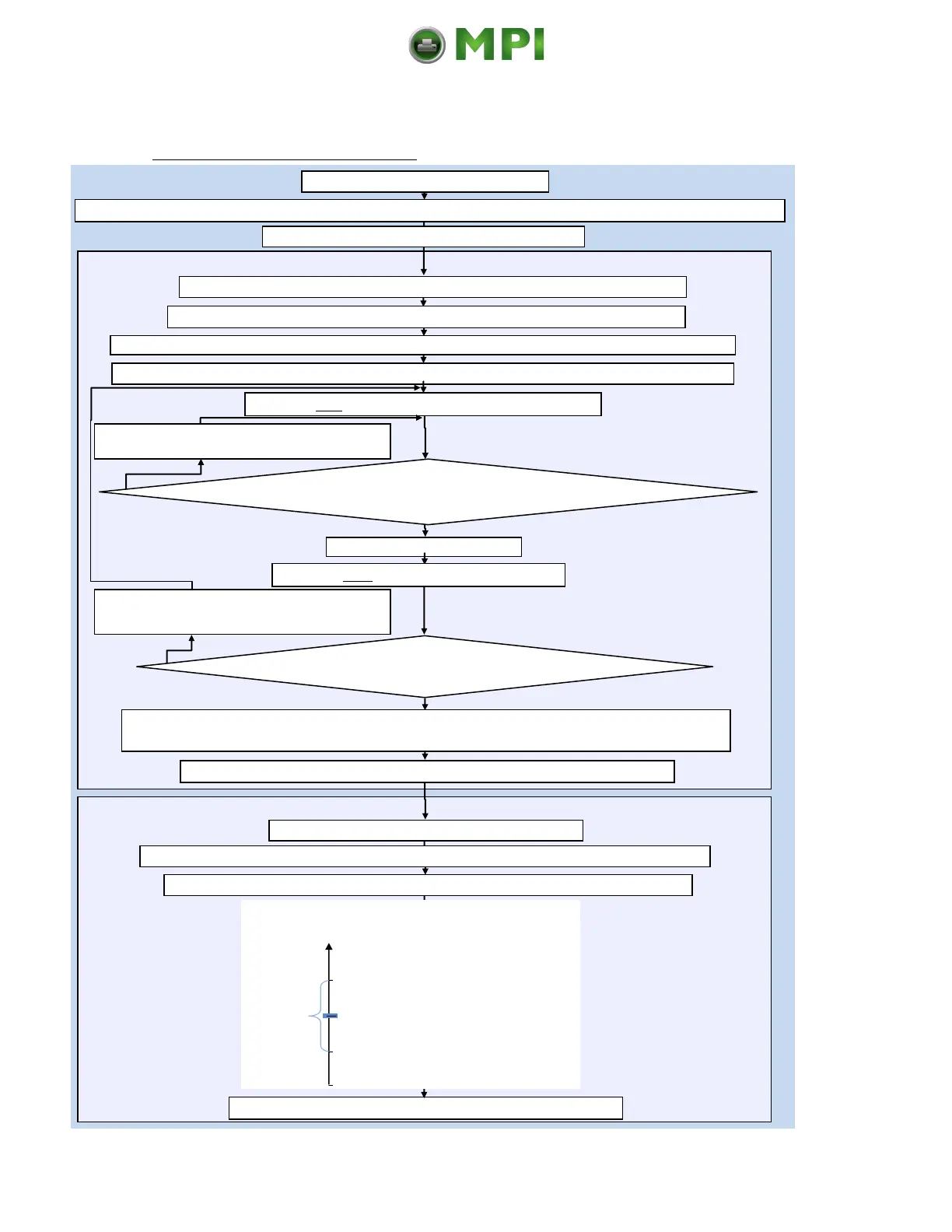
Working Steps as Flow Chart:
Set the Gap sensor current (CV value) as follows:
Go to Engine\Sensor Test and select Gap (PREV or NEXT key, then ENTER)
Leftmost: VV= currently measured sensor value (Level) At the right: CV= reference value for sensor current
Place the liner of your label material in the sensor area
Set CV (reference value sensor current) for the first time to approx. 25 % (using PREV or NEXT key)
Increasing the CV current value (NEXT key) reduces the
sensor measured value (VV level) (PREV key increases)
Set the switching threshold of the Gap sensor:
Save the new switching threshold (level) using the ENTER key
The level (contrast) measured by the sensor is displayed. Press ENTER once again
Measure both sensor levels once again, thereby notice the values for liner and label.
(You need the two level values of your material for the following switching threshold adjustment)
Save the new CV value (ENTER key; CV = reference value for sensor current)
At the right the switching threshold value is displayed
Graphical explanation for switching threshold setting:
Level
in %
Label (with liner)
Mean value is to be used as Switching threshold
Liner
0
Start the printer in the Service Mode
Reducing the CV current value (PREV key) increases the
sensor measured value (VV level) (NEXT key decreases)
Go to Engine\Sync.Menu\Sync.Sens.Level
Increase CV by another 3 %
Sensor measured value (VV level) of
liner less than 10 % ?
Sensor measured value (VV level) of label
as possible more than 40 % ?
Place the label (with liner) in the sensor area
In the printer Menu go to Paper Menu\Paper Type and select Label (with Gap) (PREV or NEXT key, then ENTER)
Set the switching threshold to the middle between the liner level and the label level:
Shift the Sensor to the position of the black marks
Mantenimiento Periféricos Informáticos C/Canteras, 15 28860 Paracuellos de Jarama (Madrid) Tel: 00 34 917481604 Web: https://mpi.com.es/



 To Next Page