Computer Connection to Device
129
OM-296747A | 4/15/24
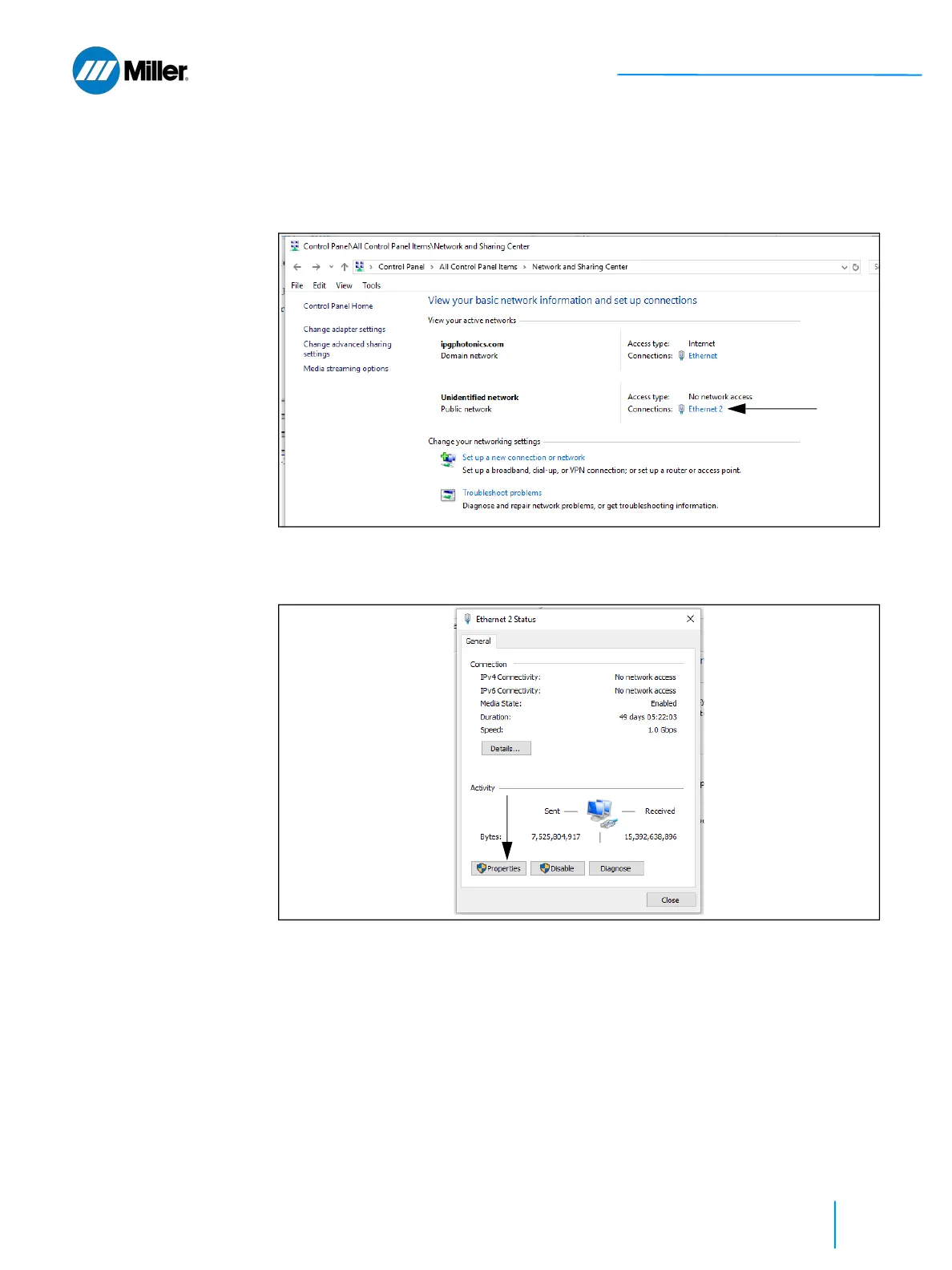
➤ In the active networks list, click on the Local Area Connection correspond-
ing to your network interface or USB-Ethernet adapter (it might be labeled
as “Unidentified network”). In this example it is Ethernet 2. See Figure 42
[▶ 129].
▼Figure 42. Network & Sharing Center Window
4. On the Local Area Connection’s Status window click on Properties button-
see Figure 43 [▶ 129].
▼Figure 43. Local Area Connection Status Window
5. On the Local Area Connection Properties window:
➤ Select Internet Protocol Version 4 (TCP/IPv4).
➤ Click the Properties button - see Figure 44 [▶ 130].















 To Next Page