Installing Welding Device
91
OM-296747A | 4/15/24
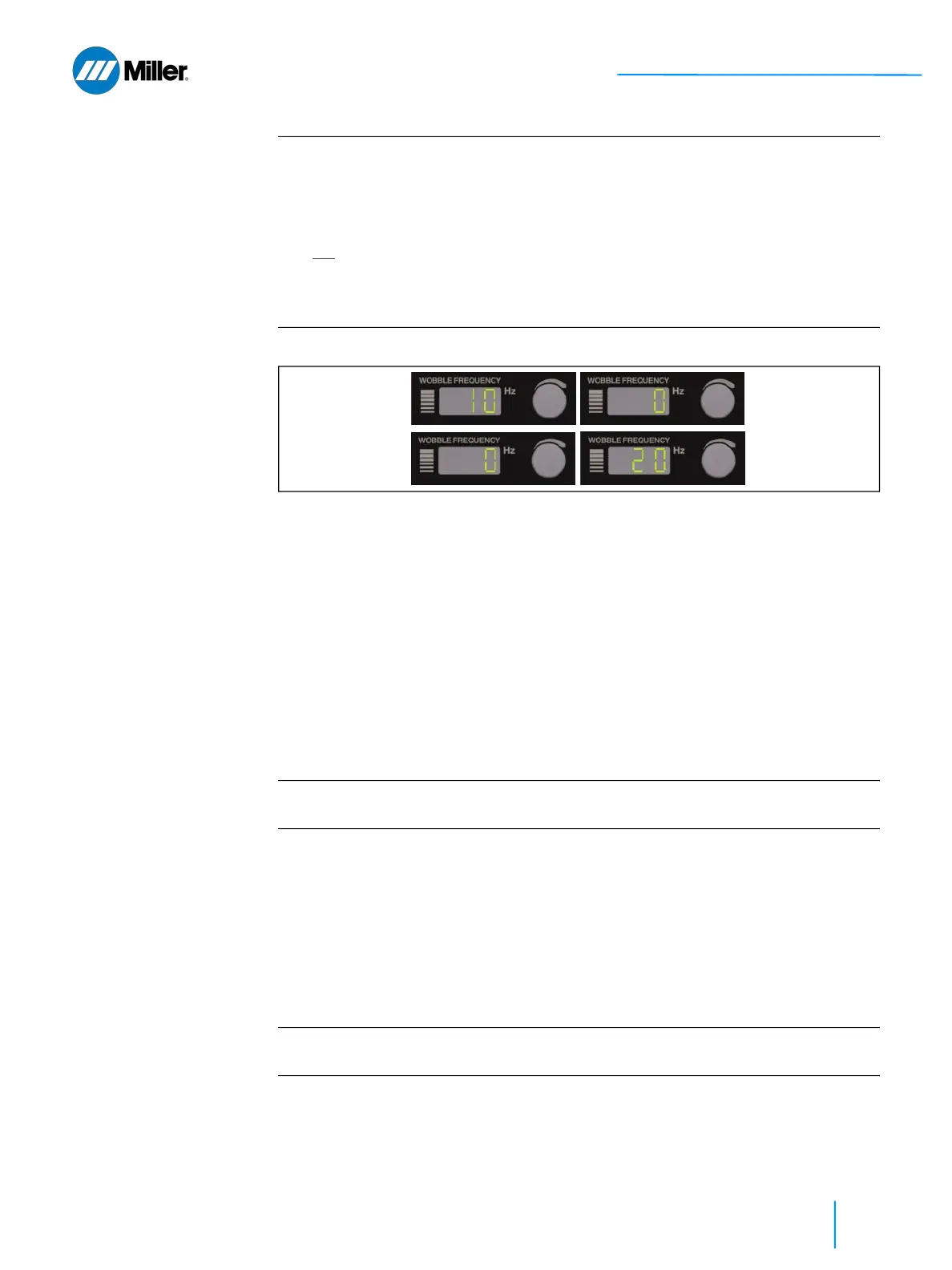
▼Figure 25. IP Address will Flash when Unit is First Turned On
8. Once the unit is powered ON and unlocked:
➤ Program Number Display: shows the last, previously used program
number that was used prior to shutting down the unit.
➤ Laser Power Display: will show the power (in W) according to the setting
for the selected program number.
➤ Wobble Frequency Display: shows the number according to the setting
for the selected program number.
➤ Wobble Length Display: shows the number according to the setting for
the selected program number.
➤ Guide Beam: Please note that the red guide beam will be OFF until the
external interlocks are satisfied.
The laser welder is now ready for operation. Now that unit is powered ON, user
should test the functionality of the door interlocks. Refer to section 5.8.3 [▶88].
5.10 System Shutdown
To turn off the laser welder, the user must first disable emission after welding is
completed:
1. Release Trigger 2 torch control switch. This will stop emission.
2. Release Trigger 1 torch control switch. This will stop the gas flow. The gas will
continue to flow for an additional 1 second (default).
3. Turn the keyswitch to 0 (OFF) position.
➤ Remove the key from the switch and secure the key to prevent unautho-
rized use.
IMPORTANT
Device IP address setting
The IP address of the device is only shown when the unit first turns ON after the
AC line cord is plugged into an outlet. The IP address of the device will show
sequentially in the Wobble Frequency 3 digit display (e.g. 10 0 0 20 for factory
default IP Address 10.0.0.20). See Figure 25 [▶ 91].
TIP
: If the IP address was changed and the user does not remember what it
changed to, an easy way to recover it is to turn unit OFF (key to OFF position) and
unplug the unit from AC power. The next time unit is plugged in and turned ON
it will flash the IP address again.
IMPORTANT
If the handheld welding system is not going to be used and will be idle for some
time, it is recommended to shutdown the weld unit (refer to section 5.10 [▶91]).
IMPORTANT
The pre and post gas flow time setting is settable via the webpage interface. These
settings are configurable up to a maximum of 10 seconds.















 To Next Page