Laser Welder Device Description
72
OM-296747A | 4/15/24
3.6 Fiber Cable Output Connection
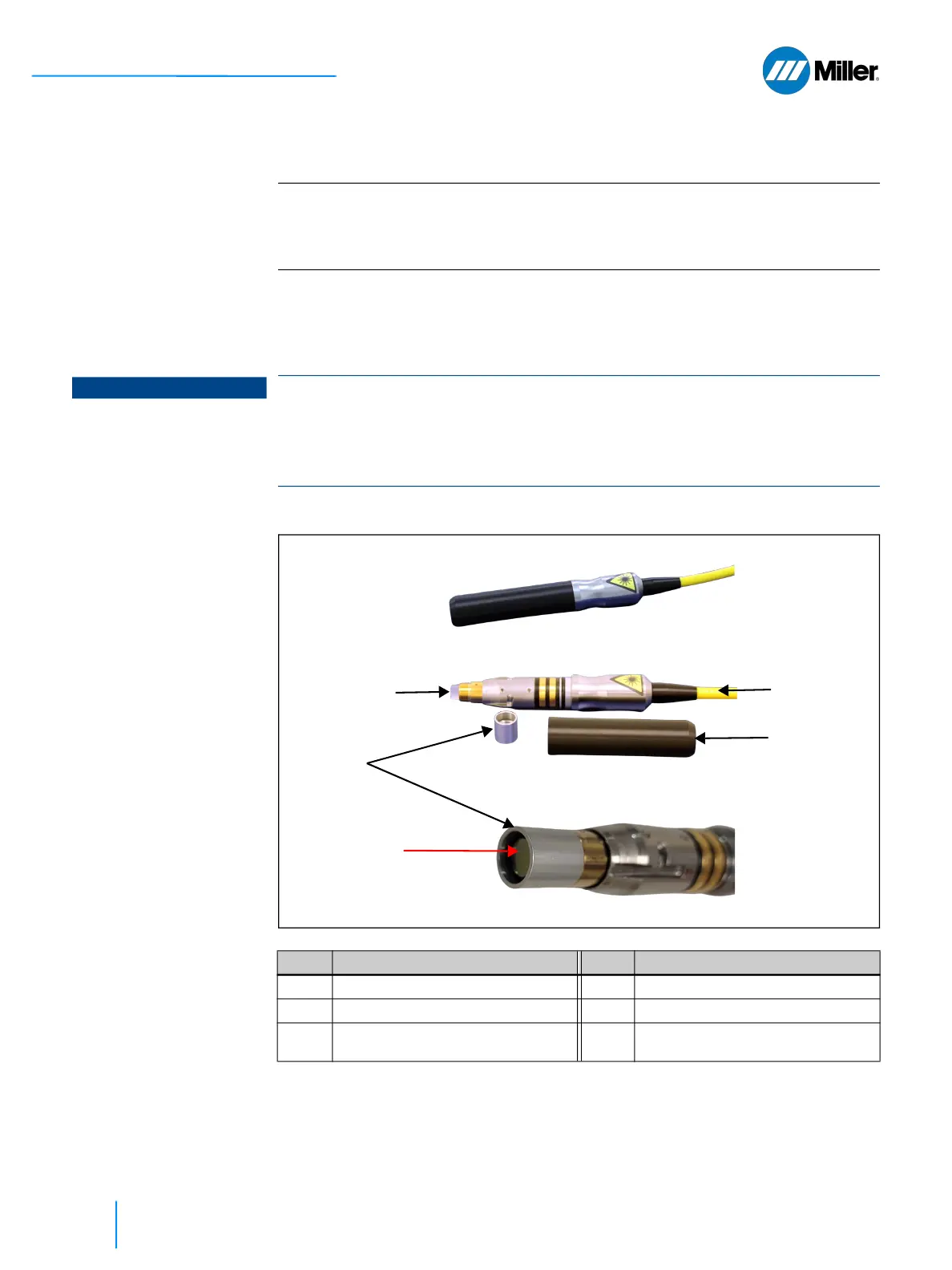
The end connector of the fiber uses a protective cap that covers and protects the
optical surface of the quartz block and a storage sleeve that protects the protective
cap window and electrical contacts when not in use. Remove the storage sleeve
from the connector immediately before optical cleaning and connecting to torch.
▼Figure 12. Optical Fiber End Connector (Model LC-8) with Cap and Sleeve
IMPORTANT
The OptX-series welder system will arrive with the fiber cable already inserted and
connected to the torch. Should it become necessary to disconnect and reconnect
the fiber (e.g. need to replace torch), refer to Maintenance Appendix section A.2
[▶163].
NOTICE
It is imperative that a fiber termination is checked for dust, dirt, or damage every
time the fiber cable is disconnected from the torch.
For more detailed information on proper cleaning procedures, refer to the output
termination cleaning guide that is found in the Maintenance Appendix section A.3
[▶167].
Item Designation Item Designation
1 Quartz Block 2 Protective Cap
3 Protective Cap Window 4 Fiber
5
Cap, Protective, Fiber Optic Outlet
(#296303)
-- --
①
②
③
⑤
④















 To Next Page