Computer Connection to Device
147
OM-296747A | 4/15/24
9.11 Reseller Setting Lock Unit - Advanced
Settings
For instructions on accessing the device webpage refer to section 9.3 [▶131].
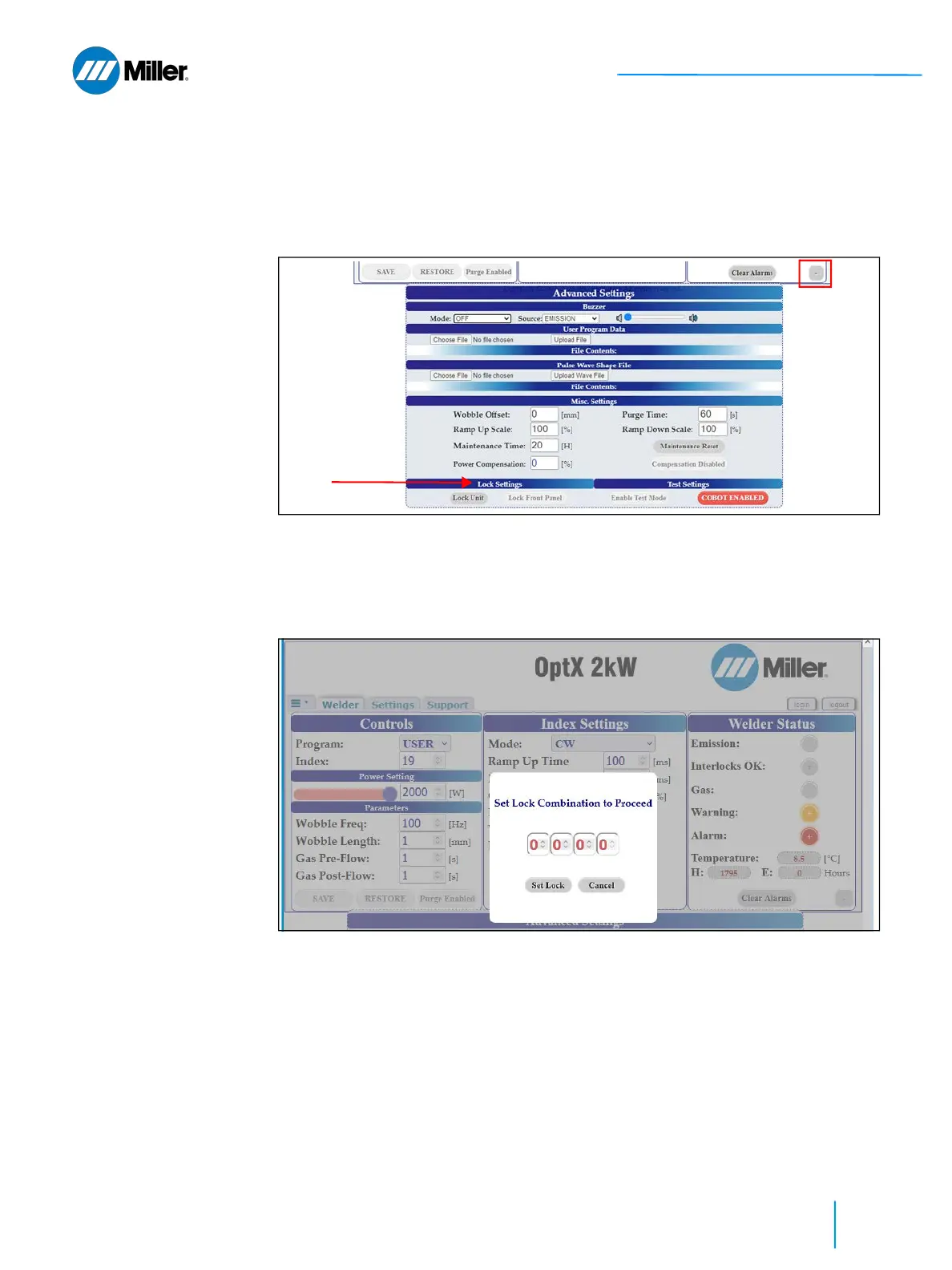
1. Click the + button on the bottom right of the main user webpage to expand
the Advanced Settings section of the webpage.
2. Go to Lock Settings section under Advanced Settings and click Lock Unit.
➤ User will be asked to input the 4 digit activation code and then click Set
Lock button to confirm the lock. This is the code that was provided to user
after successful completion of the Miller safety webinar. Once locked the
unit cannot be used and must be unlocked again. Refer to section 2.10
[▶59].
Procedure is complete.















 To Next Page