Operating Front Panel Controls
93
OM-296747A | 4/15/24
6
6 Operating Front Panel Controls
6.1 Rotary Control Knobs
There are 3 rotary control knobs on the front panel.
• Laser Power - refer to section 6.1.1 [▶93].
• Wobble Frequency - refer to section 6.1.2 [▶93].
• Wobble Length - refer to section 6.1.3 [▶94].
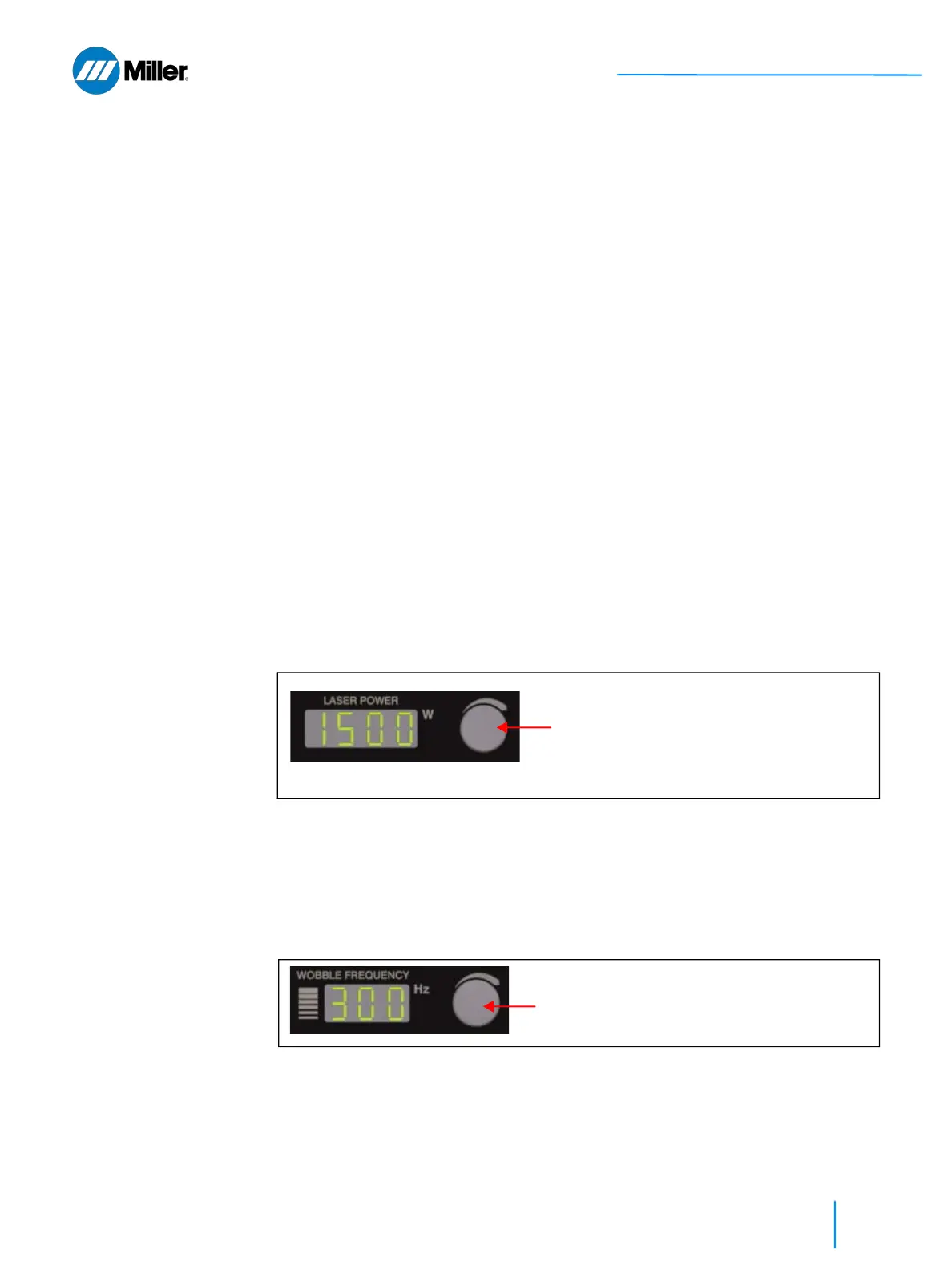
6.1.1 Laser Power Rotary Control Knob
This control knob allows operators to increase (clockwise) or decrease (counter-
clockwise) the laser power that will be used for welding up to the maximum
allowable power as specified in the PRODUCT SPECIFICATION document for the
device.
• The knob speed allows to increase/decrease the value faster or slower.
• Fast rotation of the knob increments power by 100W intervals. Slow rotation of the
knob increments the power by 10W increments.
• If the program display starts to blink it indicates that one or more parameters have
changed compared to the saved settings for that program. You are no longer using
the preset settings (or settings from user created program).
• If the power required for the application is less than 10% of the total laser power
consider using pulsed mode - see section 8.2.3 [▶120] or 8.2.6 [▶122].
▼Figure 26. Laser Power Rotary Control Knob
6.1.2 Wobble Frequency Rotary Control Knob
This control knob allows operators to increase (clockwise) or decrease (counter-
clockwise) the Wobble Frequency that will be used for welding up to the allowable
limit of the current mode.
▼Figure 27. Wobble Frequency Rotary Control Knob
• The knob speed allows to increase/decrease the value faster or slower.
• Fast rotation of the knob increments the frequency by 10 Hz increments. Slow
rotation of the knob increments the frequency by 1 Hz increments. The frequency
setting can range anywhere from 0 up to 300 Hz.
Laser Power:
200 to 2000 W (CW mode)
300 to 3000 W (HPP mode)
Increase the laser power for higher travel
speeds or for more penetration
Wobble Frequency: 0 to 300 Hz
Increase the Wobble Frequency for higher travel
speeds















 To Next Page