Computer Connection to Device
149
OM-296747A | 4/15/24
9.13 Test Settings - Advanced Settings
Test Mode is used by advanced users for testing and calibration purposes. Special
tools, meter and/or fixtures are required. Contact Miller Customer Support for
more information on using this mode.
For instructions on accessing the device webpage refer to section 9.3 [▶131].
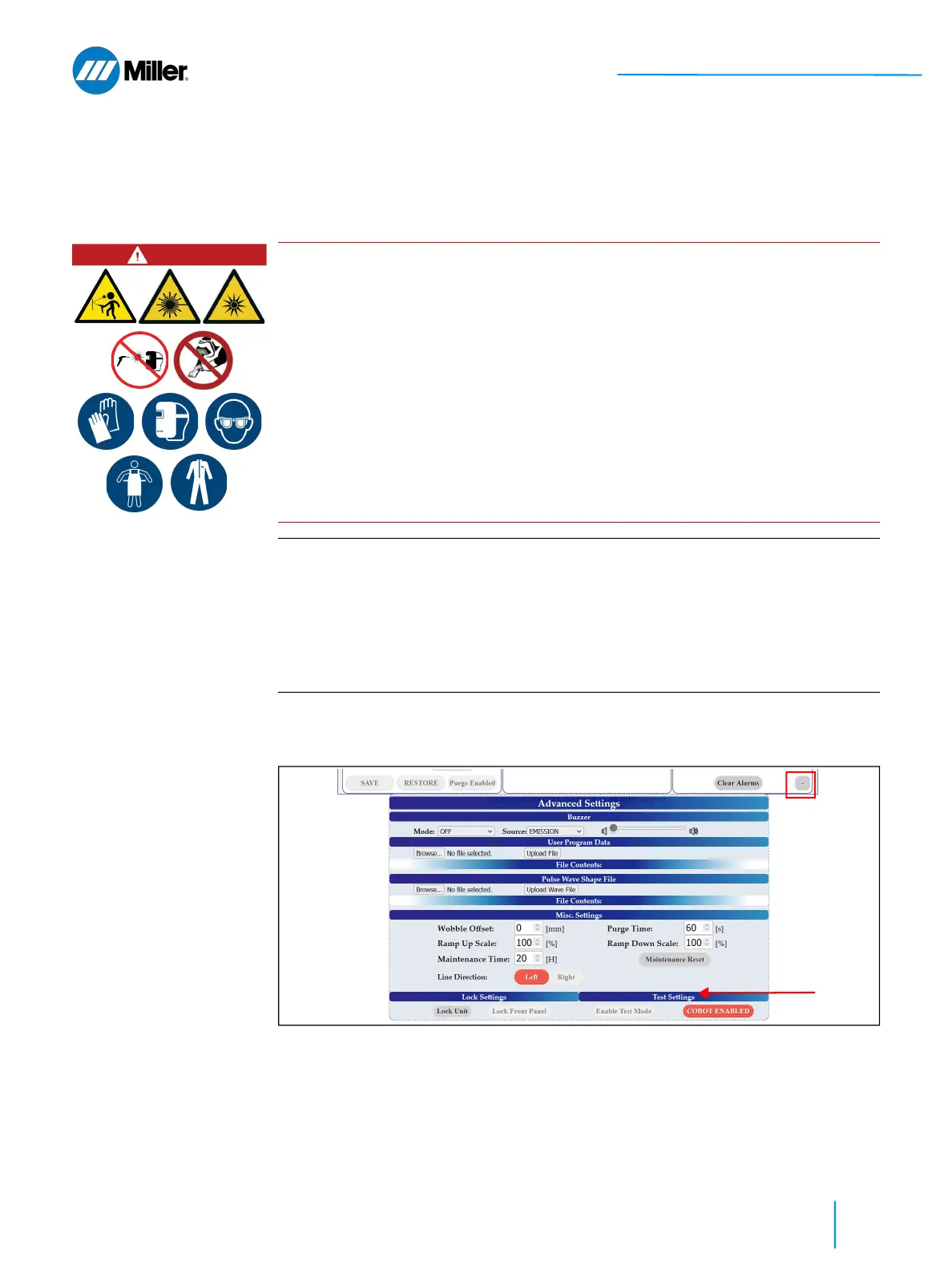
1. Click the + button on the bottom right of the main user webpage to expand
the Advanced Settings section of the webpage.
2. Go to Test Settings section under Advanced Settings and click Enable Test
Mode button.
➤ User will be asked to input a 5 digit code. Click the Enable Test Mode
button to switch to Test Mode.
DANGER
Class 4 invisible radiation during Test Mode. Eye and skin hazard.
Enabling Test Mode will temporarily disable some of the safety features for one
emission cycle. Exposure to this level of light can cause severe eye or skin damage.
Also risk of severe and permanent eye damage from reflected or scattered
radiation.
NEVER point the handheld torch in the direction of any individual’s head or body
parts.
All persons in the Laser Controlled Area must wear the combination of (1) the
specified laser safety glasses, and (2) laser welding helmet with appropriate
filters (for UV and visible radiation) and face shield will offer the best protection.
IMPORTANT
To use Test Mode the Nozzle Interlock must first be satisfied. Any attempt to
enable Test Mode without Nozzle Interlock satisfied will result in an error.
Test Mode will automatically be disabled after one emission cycle completes or
as soon as the Nozzle Interlock is no longer satisfied.
Please note that Test Mode ignores the presence of gas (or lack thereof) and
plasma detection as a safety check, but it still needs all interlocks closed for
emission to turn on.















 To Next Page