Computer Connection to Device
151
OM-296747A | 4/15/24
9.14 Enabling the Cobot Option
To enable this function, users must first purchase the Cobot Option kit. Along with
this kit, the buyer will receive a password key that is unique to their particular OptX
unit. This key is required to enable the Cobot functionality. For more information
contact Miller Service.
For instructions on accessing the device webpage refer to section 9.3 [▶131].
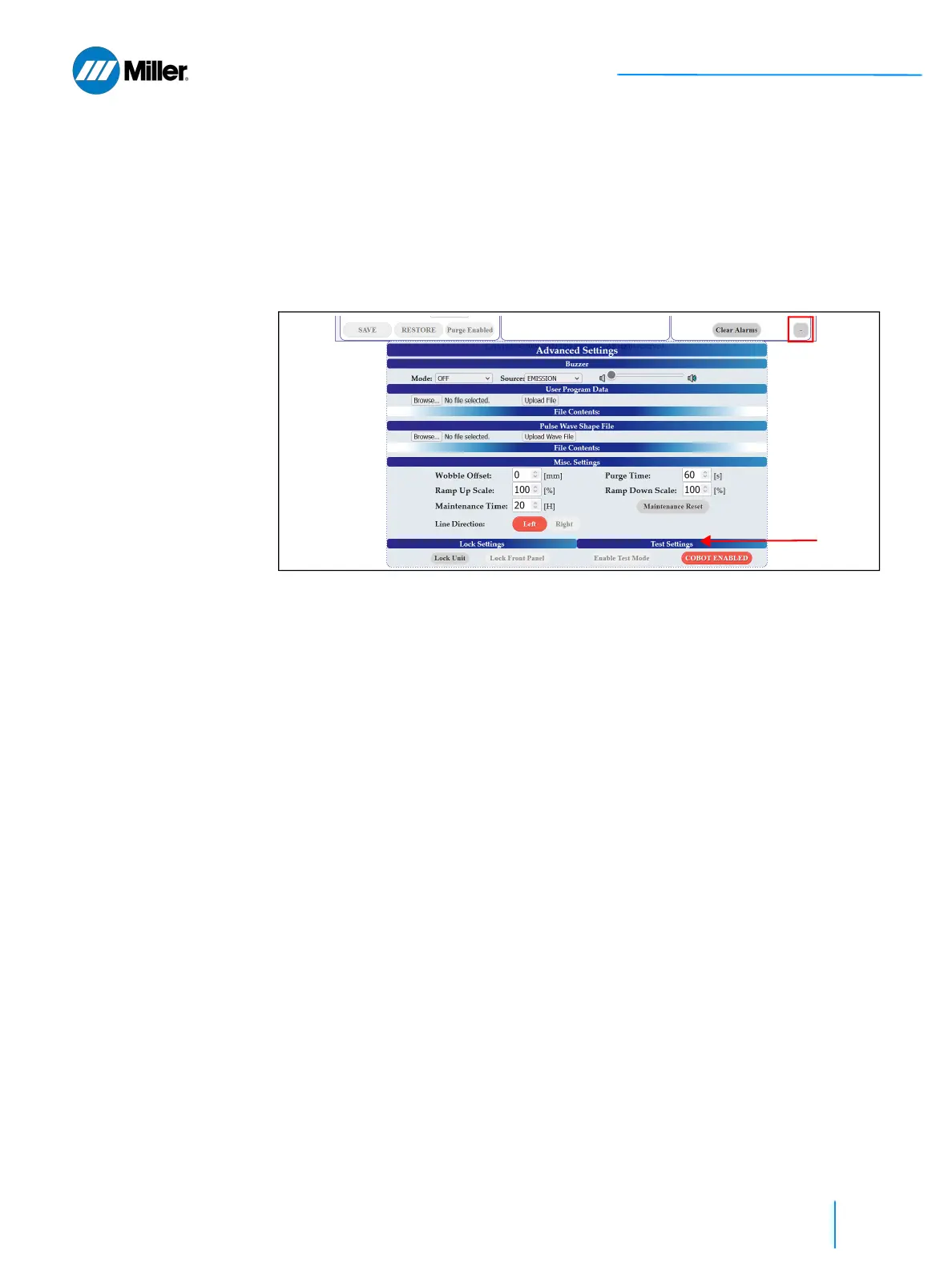
1. Click the + button on the bottom right of the main user webpage to expand
the Advanced Settings section of the webpage.
2. Go to Test Settings section under Advanced Settings and click the Cobot
Enabled button.
➤ The user will be prompted to input the Miller provided key.
➤ If successful, the background color of this button will change to orange.
Procedure is complete.















 To Next Page