11. Commissioning
MiR1350 User Guide (en) 05/2022 - v.1.2 ©Copyright 2021-2022: Mobile Industrial Robots A/S. 170
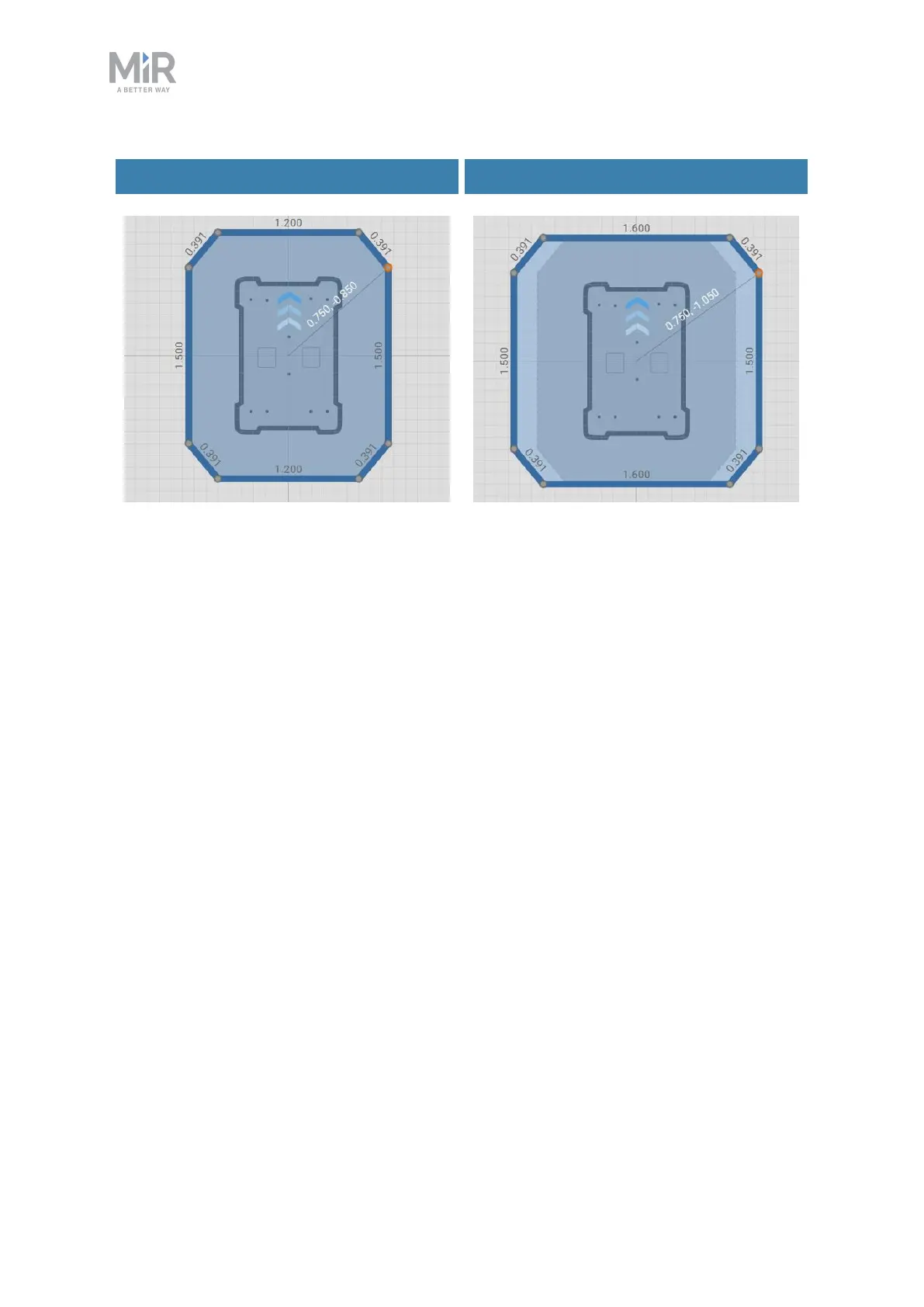
Default footprint Larger footprint
Figure 11.18. Examples of the default robot footprint and an extended footprint. The values
displayed along each line is the length of the edge in meters.
The number of footprints you need to define depends on:
•
The top modules you use with your robot.
•
If a robot's top module exceeds the width or length of the robot, you must
define a new footprint for that top module.
•
If a top module has moving parts that can extend over the edges of the
robot's footprint while the robot is moving, you must define a footprint that
includes the moving parts when they are at their most extended positions.
•
The loads the robot transports.
•
For each load the robot transports that exceeds the length or width of the
robot, you must define a footprint for that load.
•
If you prefer to only have one footprint for the robot when it is carrying
oversized loads, create a footprint that is suitable for the load that has the
largest footprint.



 To Next Page