7. Battery and charging
MiR1350 User Guide (en) 05/2022 - v.1.2 ©Copyright 2021-2022: Mobile Industrial Robots A/S. 80
7.2 Disconnecting the battery
Whenever the robot is to be transported, undergo maintenance, or stored for
over 24 hours, you should always disconnect the battery.
The left side compartment holds the robot's battery. To access the side
compartments, see Accessing the internal parts on page43.
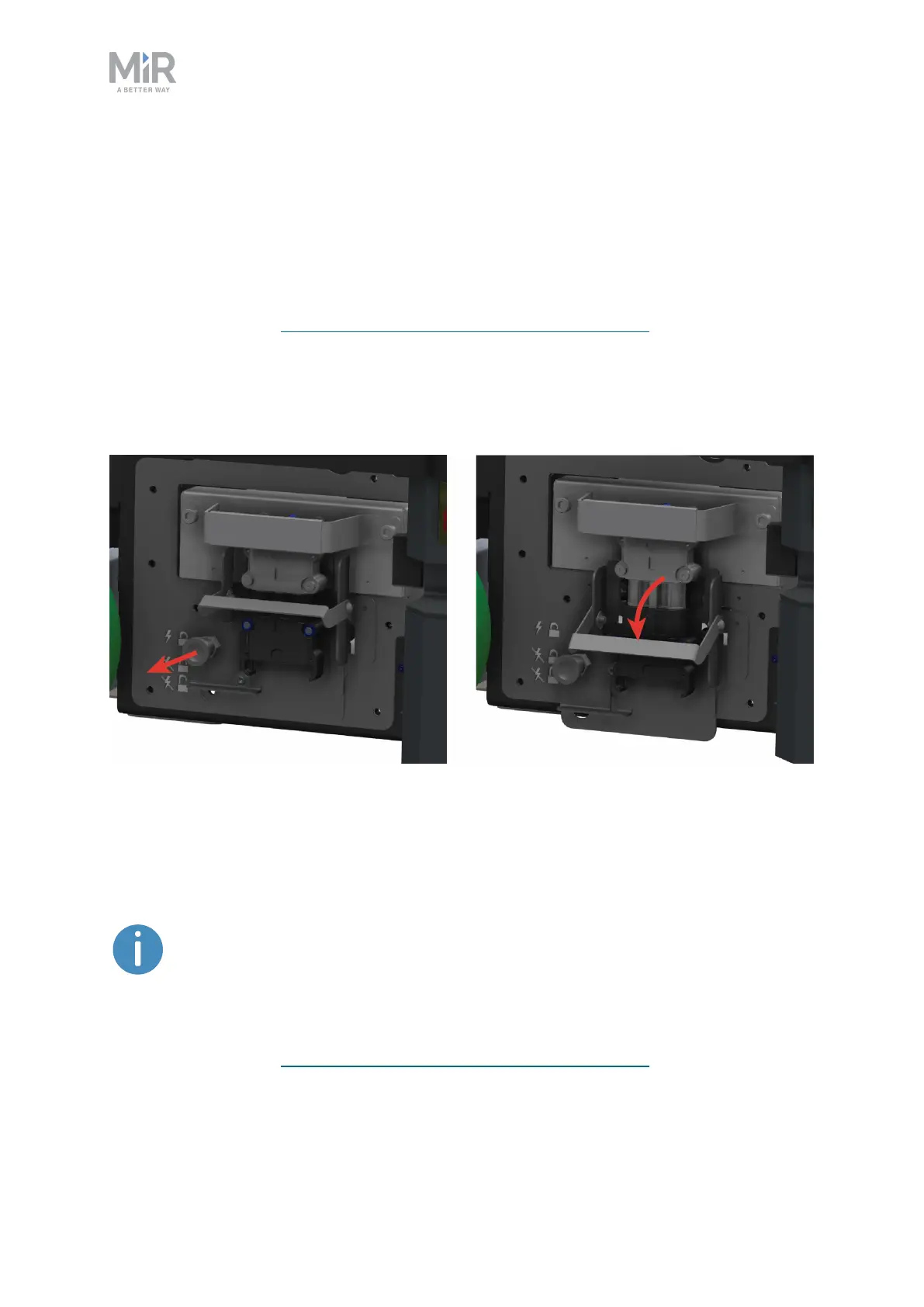
To disconnect the battery, pull out the Battery lock pin, and pull the Battery lever
down to the center position. The battery is still securely locked in the robot but is
no longer connected electrically.
7.3 Swapping out the lithium-ion battery
MiR1350 is supplied with a removable lithium-ion battery.
The robot is delivered with one lithium-ion battery. Contact your
distributor if you need more batteries.
The left side compartment holds the robot's battery. To access the side
compartments, see Accessing the internal parts on page43.



 To Next Page