7. Battery and charging
MiR1350 User Guide (en) 05/2022 - v.1.2 ©Copyright 2021-2022: Mobile Industrial Robots A/S. 81
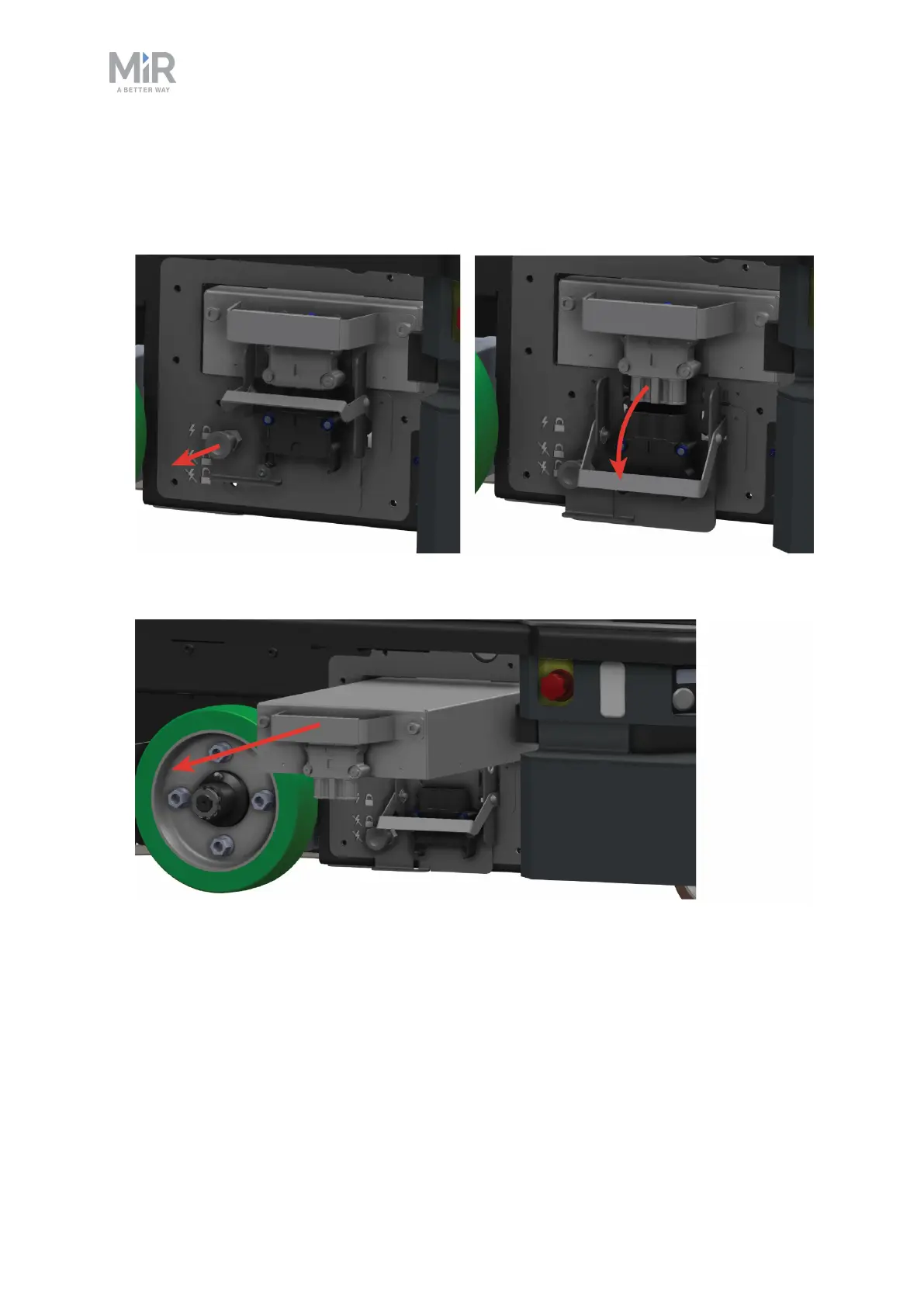
To swap out the battery, follow these steps:
1. Pull out the Battery lock pin, and pull the Battery lever down to the bottom
level. The battery is now disconnected and unlocked from the robot.
2. Grab the handle and gently pull the battery out.
3. Insert another battery.
4. Pull out the Battery lock pin, and pull the Battery lever up to the center
position to lock the battery in place or to the top position to lock and connect
the battery to the robot.



 To Next Page