9. Navigation and guidance system
MiR1350 User Guide (en) 05/2022 - v.1.2 ©Copyright 2021-2022: Mobile Industrial Robots A/S. 97
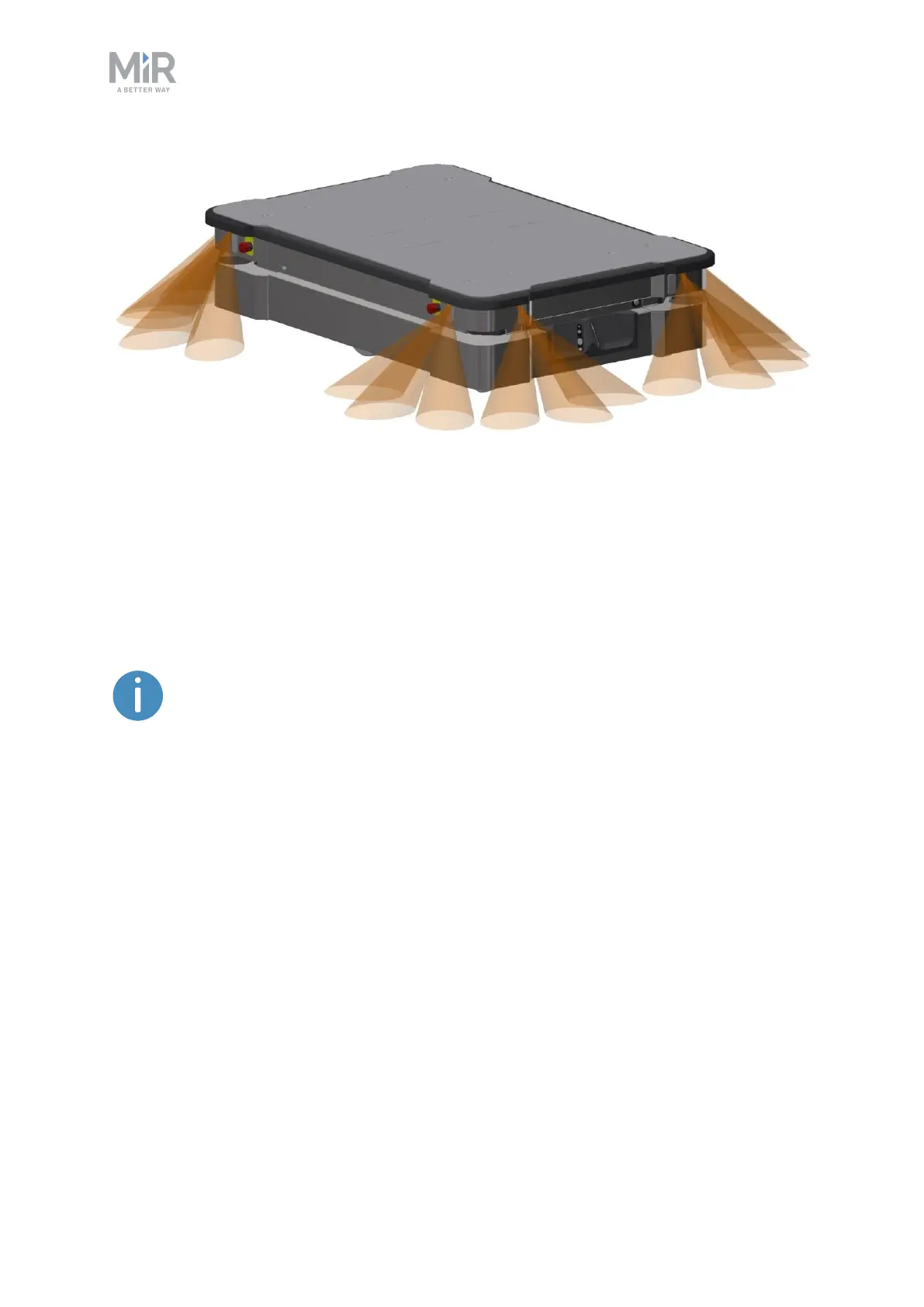
Figure 9.10. The proximity sensors in the corners of the robot detect objects below the safety
laser scanners' plane of view.
The main purpose of the proximity sensors is to detect low objects, such as
pallets and forklift forks, placed close to the robot while it is standing still.When
the robot begins to drive, it plans a path around the nearby detected obstacles.
The proximity sensors are disabled by default. To make the robot
use the proximity sensor data, you must enable the sensors and
calibrate them.For more information, contact your distributor for
the guide How to calibrate the proximity sensors.
The following points describe the main features of the proximity sensors once
they are enabled:
•
The proximity sensors are constantly active.
•
Because of the sensors' limited range, the data from them is only useful when
the robot is standing still or moving at low speeds.
•
The proximity sensors are most reliable at detecting objects while standing
still. The faster the robot drives, the less reliable the sensor data becomes.
•
The field of view of the proximity sensors does not span all the way around the
robot. They are mainly focused around the robot corners.



 To Next Page