Both transmitters must use the same Format setting; otherwise, the centre positions
of the control signals will differ.
Remember to set "Training" to OFF if you wish to control the model directly.
4.3.4.2 Teacher mode
For Teacher mode, a COPILOT module and an assigned switch are required (see
section 2.7 "Trainer mode" on page 49).
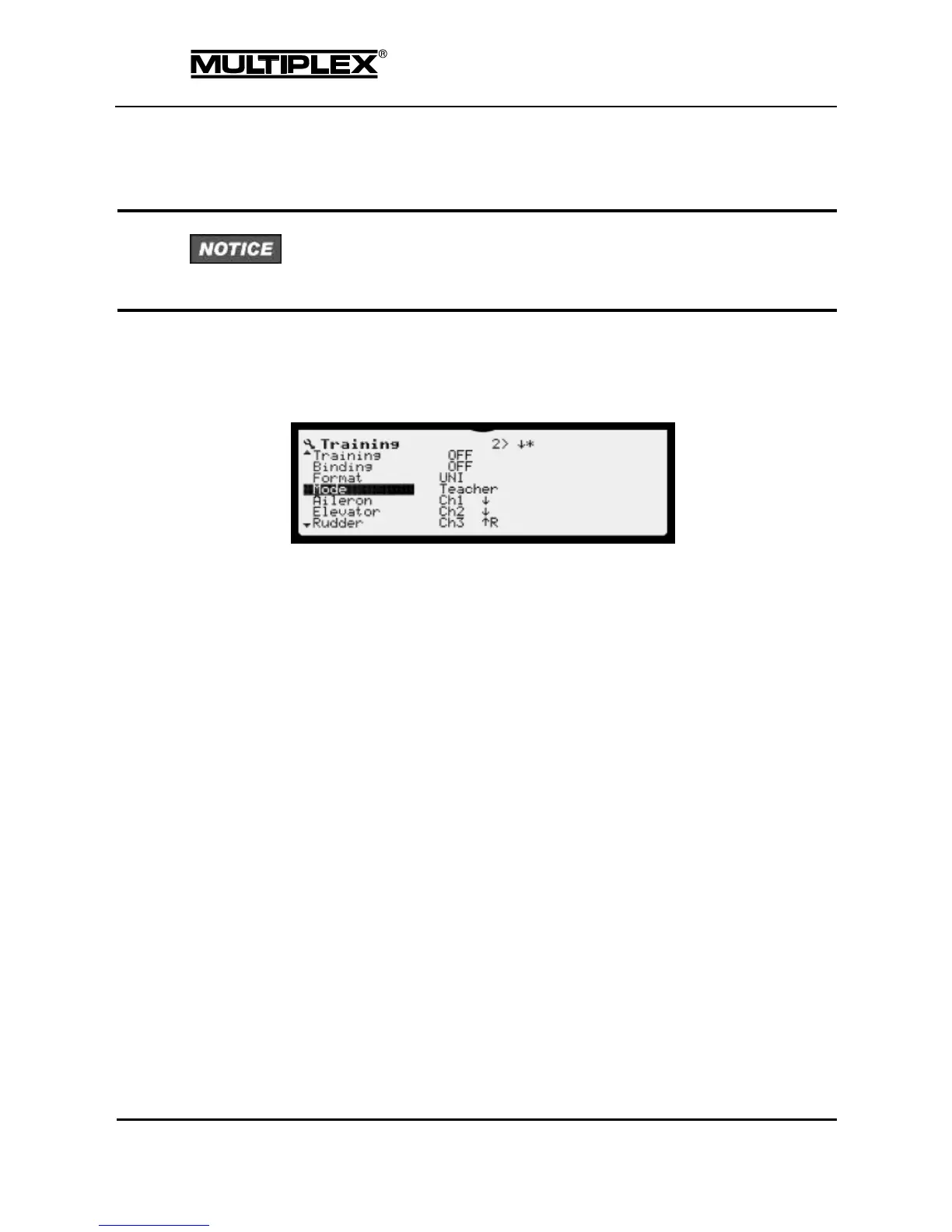
Set "Training" to ON. This activates the training system. In Teacher mode,
the COPILOT module is switched on. This increases the power
consumption considerably.
Choose the same servo format setting as on the student transmitter.
Otherwise, the neutral positions of the servos will not match.
Set the Mode menu item to Teacher. This switches the COPILOT module
on. The power consumption increases by 40mA. Now, 7 control functions
are displayed below, which can be transferred to the student individually or
in groups.
Activate "Binding" on the student transmitter.
Open the "Binding" menu item and turn the wheel by one clockwise
increment. The display changes from OFF to seeking.. The COPILOT
module is now bound to the student transmitter. After a few seconds, the
display should change from seeking.. via OFF to Student. If this is
not the case, hold the PROFI TX over the aerial of the student transmitter
(the COPILOT module is positioned below).
The following elevator example illustrates how control functions are
assigned to the student.
o Open the "Elevator" menu item.
o Operate the elevator stick on the student transmitter vigorously.



 To Next Page