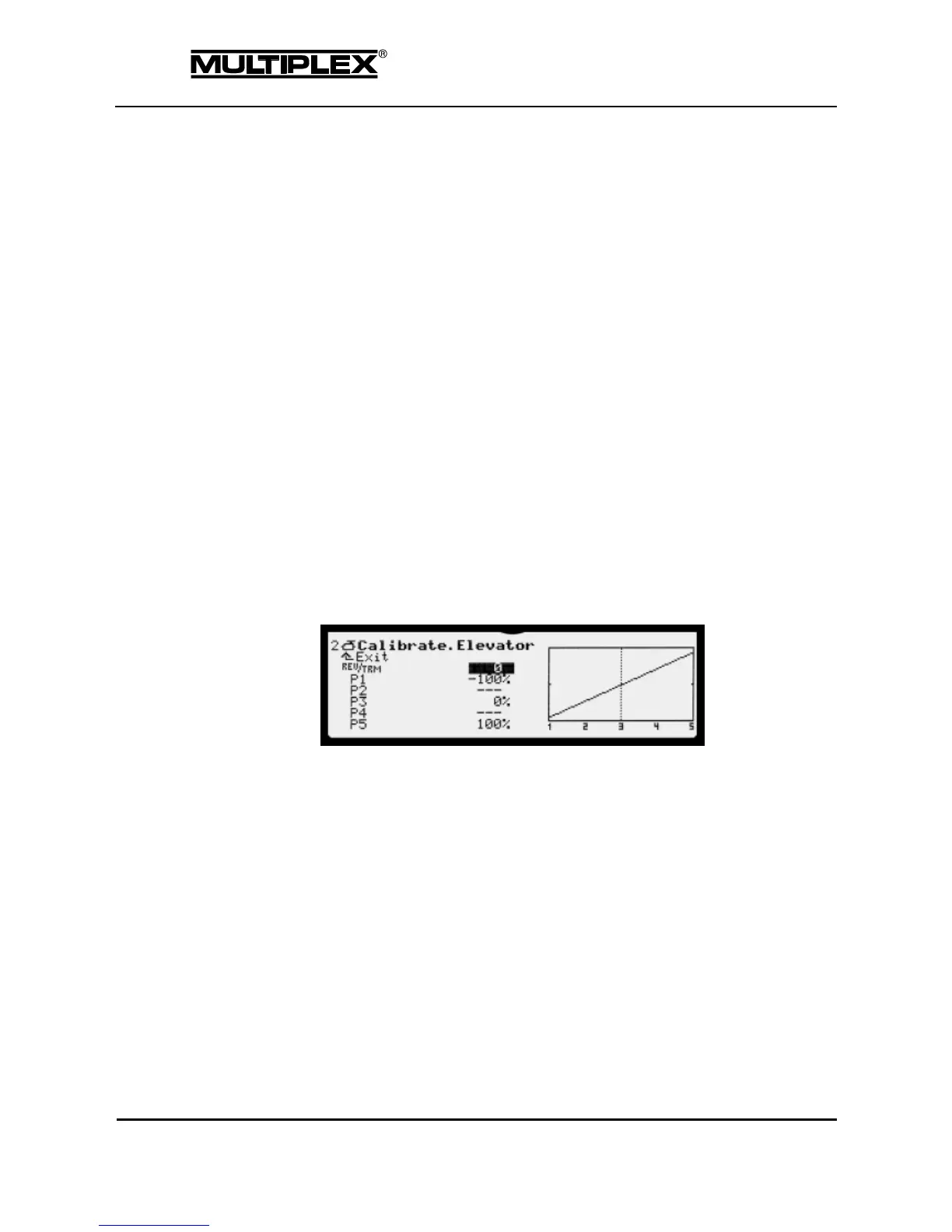
The setting range is +/-10%. Offsets exceeding 5% should be corrected
mechanically.
14. Choose a P1 and P5 setting so that control surface travels on the right aileron
are identical to those on the left aileron:
o Open the input field P1.
o Press the § button.
Both ailerons move to the negative maximum.
o Use P1 to align the negative travel of the right aileron with that
of the left aileron.
o Open the input field P5.
o Press the § button.
Both ailerons move to the positive maximum.
o Use P5 to align the positive travel of the right aileron with that
of the left aileron.
o Repeat these steps for the points P2 and P4. P3 shifts the neutral
position without changing the other points.
7.1.3.3 Adjusting elevators
1. Open the Servo > Calibrate > 2: ELEVATOR+ menu.
2. Open the REV/TRM parameter and apply up-elevator.
If the elevator moves down, reverse the servo using the REV/CLR button.
3. Move the control surface to the neutral position using the central wheel or the
+ / – buttons.
The setting range is +/-10%. Offsets exceeding 5% should be
corrected mechanically.
4. Correct the maximum servo travels using P1 and P5 (see section 7.1.3.2
"Adjusting control surface travel and maximum servo travel" on page 184).



 To Next Page