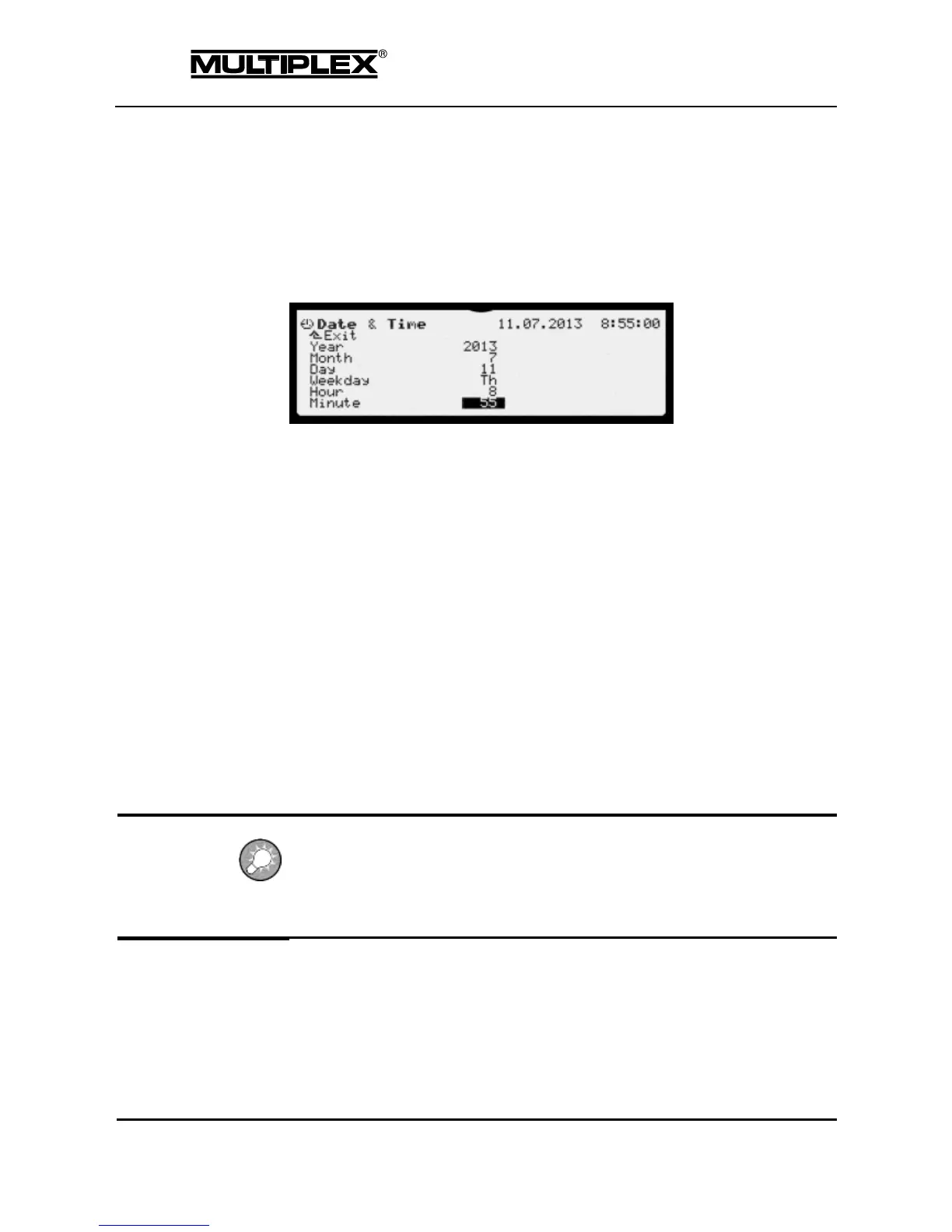
4.7.4 Date & Time
The PROFI TX features a clock with calendar that continues to run when the
device is switched off. The clock (RTC) is used for the alarm clock function and for
the file system on the SD card. The clock must be reset after removing the
battery.
In line 1, date and time are displayed on the right.
Move the input cursor in turn to the menu items "Year", "Month", "Day",
"Weekday", "Hour", and "Minute".
Open the input field next to the menu item by pressing the wheel or the
ENTER button.
Set the date or time using the wheel or the + / - buttons.
Finish entering by pressing the wheel or the ENTER button.
Year
Set the current year.
Month
Set the current month.
Weekday
Set the current weekday.
Hour
Set the hour of the current time in 24-hour format.
Minute:
Set the current minute.
The seconds display remains zero with the Minute input field open, i.e. the clock
is stopped while the input field is open.
For an accurate time setting, set the next minute to come and close the input field
when the clock strikes the full minute.



 To Next Page