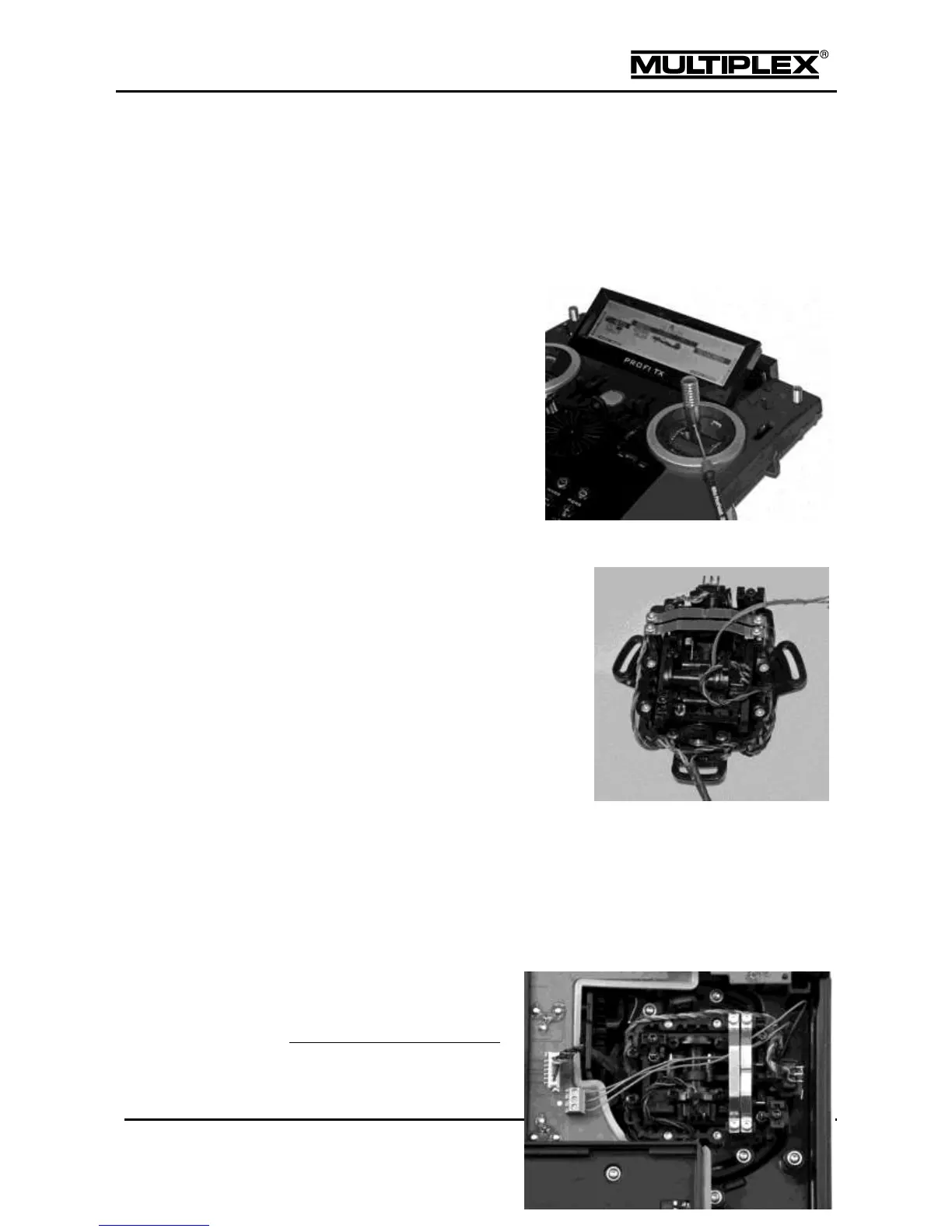
2.3.3 Installing stick tops with a switch or button
MULTIPLEX
®
offers three different stick tops with switch or button for the PROFI
TX (see section 10.2 "Accessories" on page 213).
To install a new stick top proceed as follows:
1. Switch off the transmitter and
open it.
2. Remove the battery
.
3. Loosen the grub screw at the
bottom of the stick top (1.5mm
slot-head screwdriver).
Pull off the top from the stick
shaft.
4. Wrap the flexible wires of the
new stick top with a thin
enamelled copper wire. Tightly bend back the section without insulation.
Thread the enamelled copper wire
through the borehole on the stick shaft
until it is visible at the bottom of the stick
unit. Use a pair of pliers to pull the wire
out until you can grab it with your
fingers.
5. Gently pull on the wire until you can
grab the flexible wire with your fingers.
This will be easier if you turn the stick
shaft on the side opposite the point
where the wire exits.
6. Slide the stick top onto the stick shaft, simultaneously pulling the flexible wire
completely through.
7. Tighten the grub screw on the stick top.
8. You can see one three-pin
terminal clamp next to every



 To Next Page