7.2.7 Gyro
The Gyro control function is intended for gyro systems which allow radio-controlled
configuration of the sensitivity via a servo channel.
If Gyro is not assigned to a servo channel, this function is not available in the
Controls menu.
1. Open the Controls main menu.
2. Open the Gyro menu.
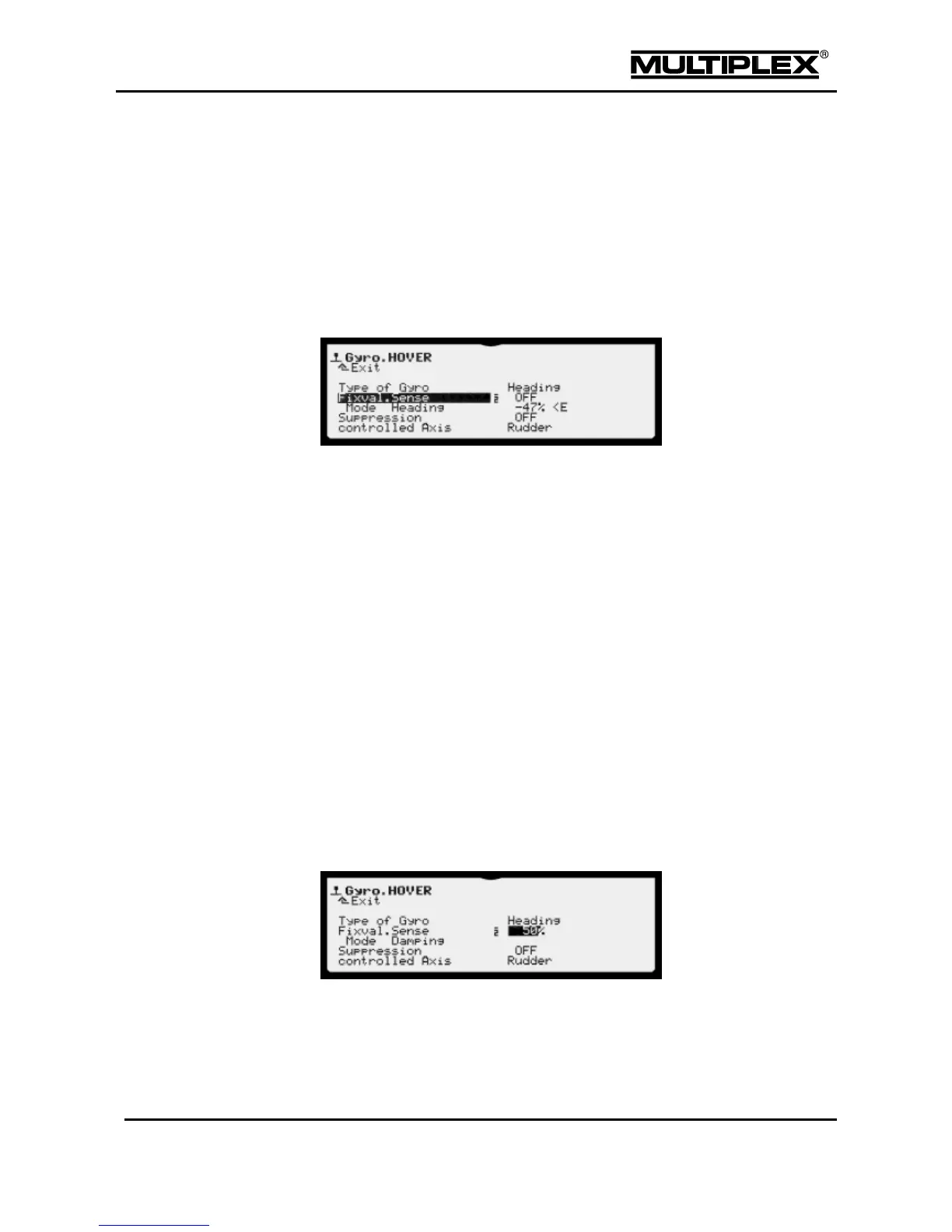
The gyro type Heading is selected by default in the model templates. The fixed
value for sensitivity is switched off (OFF). Gyro sensitivity is controlled using the
assigned control. In the helicopter templates, this control is always the left-hand
slider (<E). The next line shows the operating mode (Mode), the value provided
by the control in %, and the identifier for the control (<E) for heading gyros.
Rudder is by default set as controlled Axis.
Heading gyros have two operating modes. The prefix of the sensitivity setting is
used for switching between these modes. Minus switches to Heading-hold mode,
plus switches to Damping mode.
In Heading-hold mode, rudder trim and tail rotor mixer (TAIL ROTOR) are switched
off.
The gyro is assigned to servo channel 6 in all the helicopter templates.
Refer to section 4.4.5 "Gyro" on page 128 for more information.
Damping mode
The gyro operates in Damping mode if sensitivity is set to positive values.
The gyro operates in Heading-hold mode if you set the sensitivity to
a negative value.
Controls mode



 To Next Page