4.3.9 Transmitter
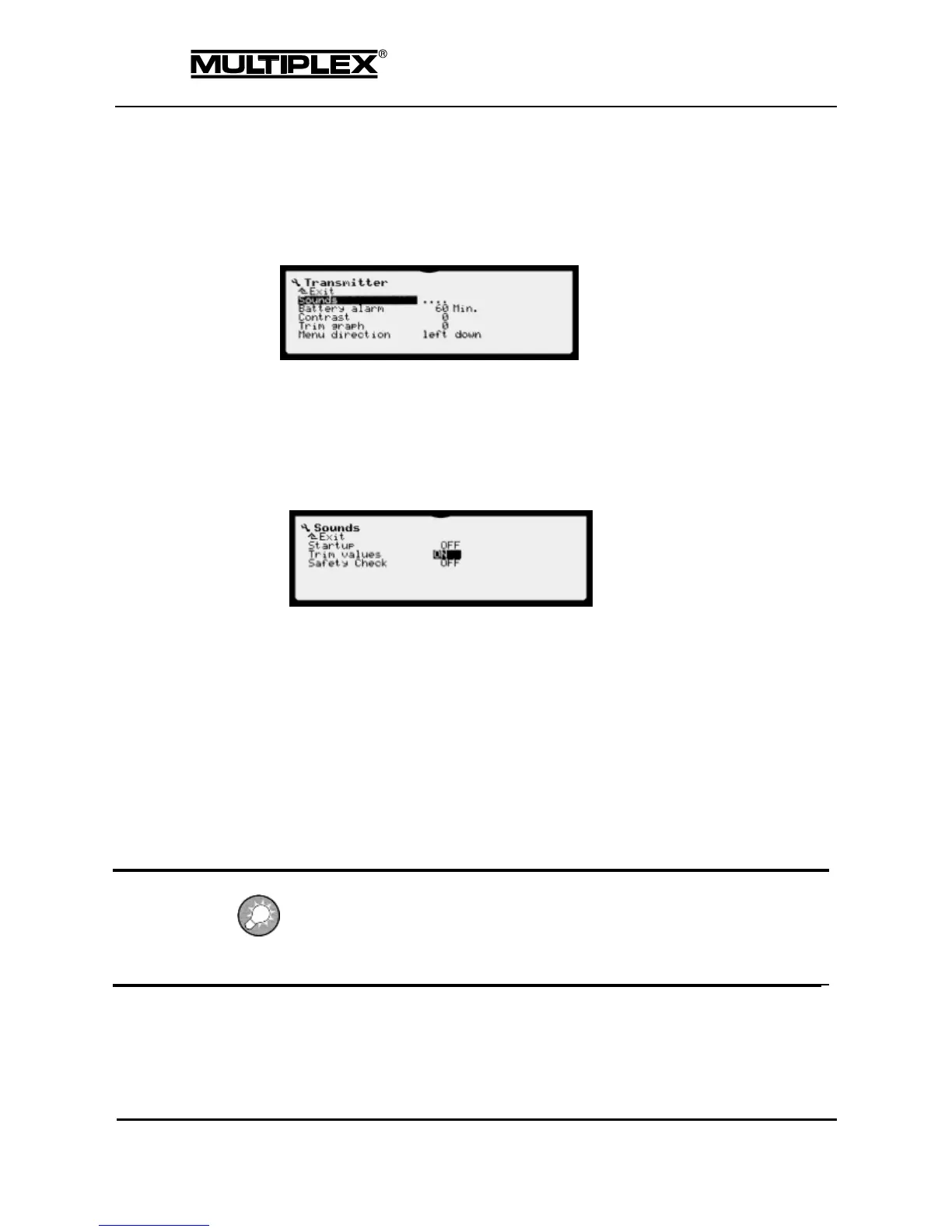
You can use the Transmitter menu to configure transmitter-related settings. You
can activate some audible signals, set the battery alarm threshold, define the
contrast, etc.
The settings in this sub-menu only apply to the transmitter. They are not stored in
the respective active model memory on the SD card, but in a dedicated memory
area.
4.3.9.1 Sounds
Various announcements and sounds can be switched on or off in this sub-menu.
Startup: A tune is played when the device is switched on.
Trim values: The trim position is announced after the trim lever is released.
Safety Check: Voice prompt to perform the safety check.
4.3.9.2 Battery alarm
Remaining operating time (time to empty) at which the device starts to issue
audible warnings. A spoken warning is issued. The expected remaining
operating time (in minutes) is announced.
Possible values: 20 to 60 minutes
Factory setting: 60 minutes
The announcement interval reduces with decreasing remaining operating time (time
to empty). To save power, a shortened announcement is issued in the last minutes.
Please note that several charge/discharge cycles are required before the remaining
operating time (time to empty) can be determined accurately.



 To Next Page