Creating and customising models
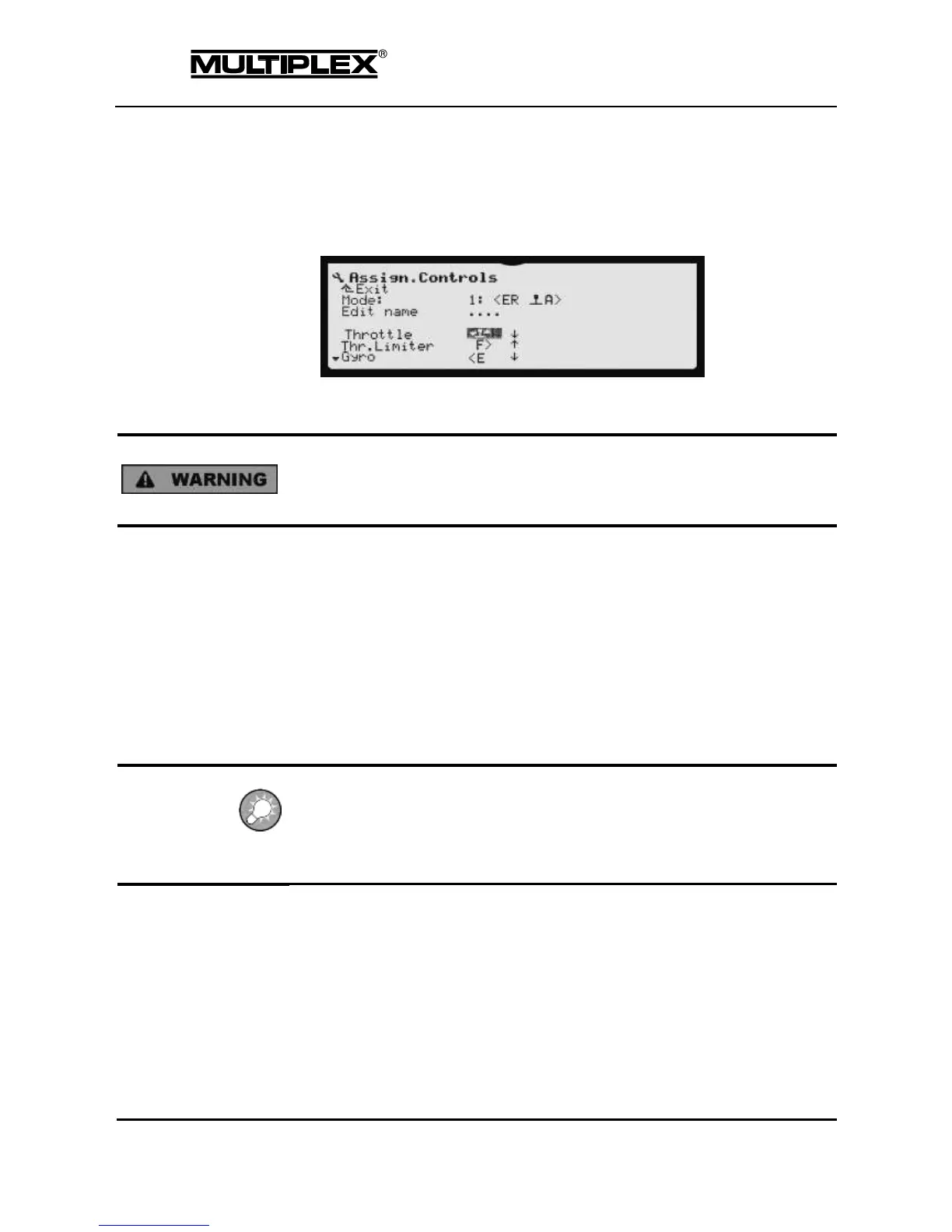
To change the setting to "front" proceed as follows:
1. Open the Setup main menu.
2. Open the Assign.Controls menu.
3. Select the control function, e.g. Throttle.
4. Operate the throttle stick vigorously. Leave it in idle position.
The direction arrow points to the current position of the stick.
Never change the assignments and/or rotation direction of controls and switches
when the model is switched on. Power systems and servos may start up
unexpectedly and cause damage.
5. Confirm the change by pressing ENTER.
Proceed as described above to change the minimum position for the throttle limiter.
7.2.4 Checking and changing servo assignment
The servo assignment defines:
The receiver output controlling the servo
The number of curve points (2, 3, or 5) used for adjusting servo travel
Defaults
The main rotor servos and the servo gyro have 3 curve points (the centre can also
be set). Throttle and tail rotor have 2 curve points for a linear characteristic (only
end-points must be set).
Procedure
1. Open the Servo main menu.
2. Open the Assign menu.
In this menu, the assignments for all the receiver outputs can be changed
as required.



 To Next Page