EasyManua.ls Logo

Multiplex Profi TX - Memory Main Menu

Multiplex Profi TX
227 pages
Print Icon
To Next Page IconTo Next Page
To Previous Page IconTo Previous Page
Loading...
The menus
PROFI TX
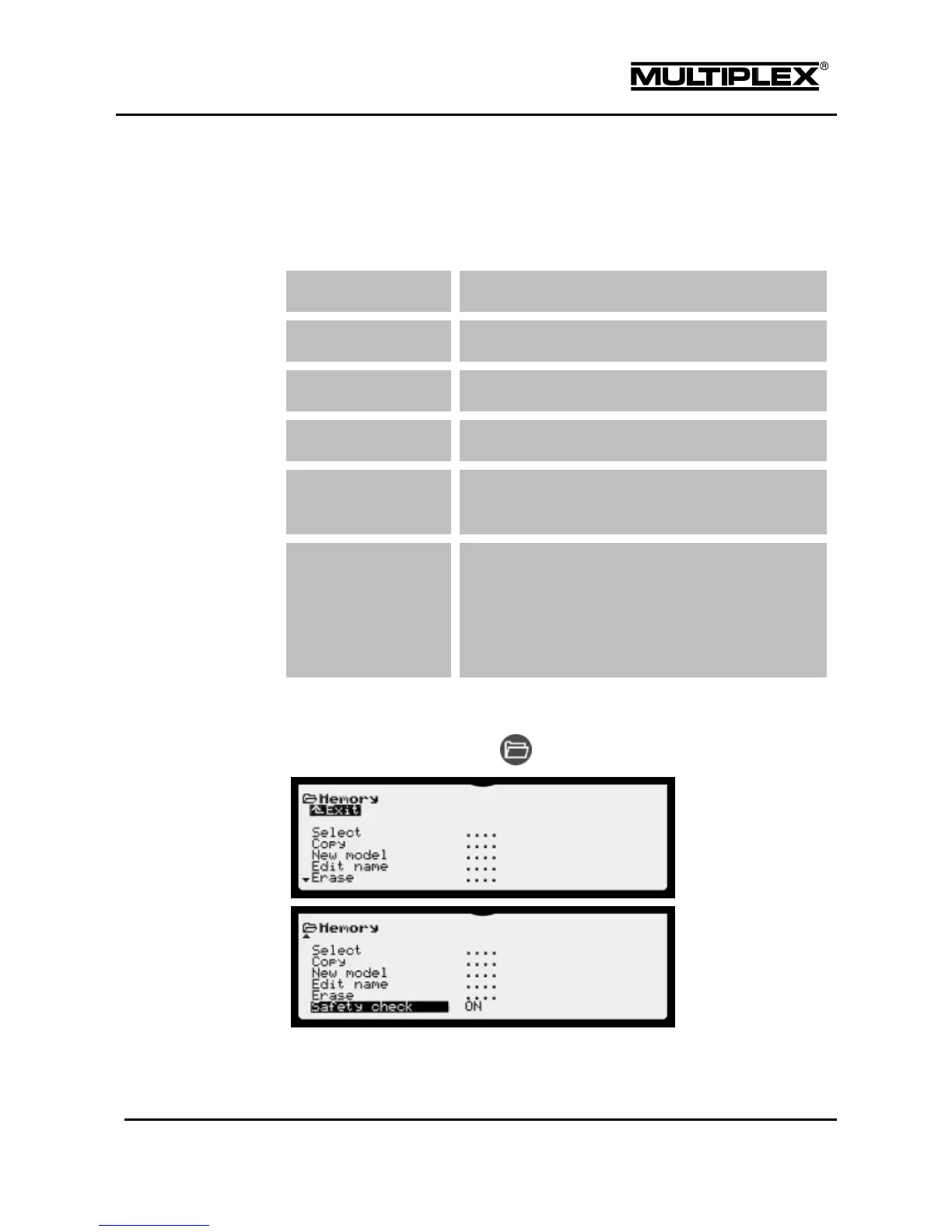
4.8 Memory main menu
You can use this menu to manage the model memories in your PROFI TX.
Overview
Select
Here, you switch between model memories.
Copy
Copy the model memory.
New model
Create a new model memory.
Edit name
Edit the name of the current model memory.
Erase
Erase a model memory. The current memory cannot be
erased.
Safety check
Activate a safety function. After starting the device or
switching to a different memory, no RF signals are
emitted. Thus, you have the time to check the position
of all the safety-related controls such as "Throttle",
"Retract.Gear", "Flight phase", etc.

Opening the menu
To open the main menu: Button

Table of Contents

Other manuals for Multiplex Profi TX

Related product manuals