Safety
information
Product
information
Mechanical
installation
Electrical
installation
Getting
started
Basic
parameters
Running the
motor
Optimization
NV Media Card
Operation
Building
Automation
Advanced
parameters
Technical
data
Diagnostics
UL listing
information
HVAC Drive H300 31
Issue Number: 3
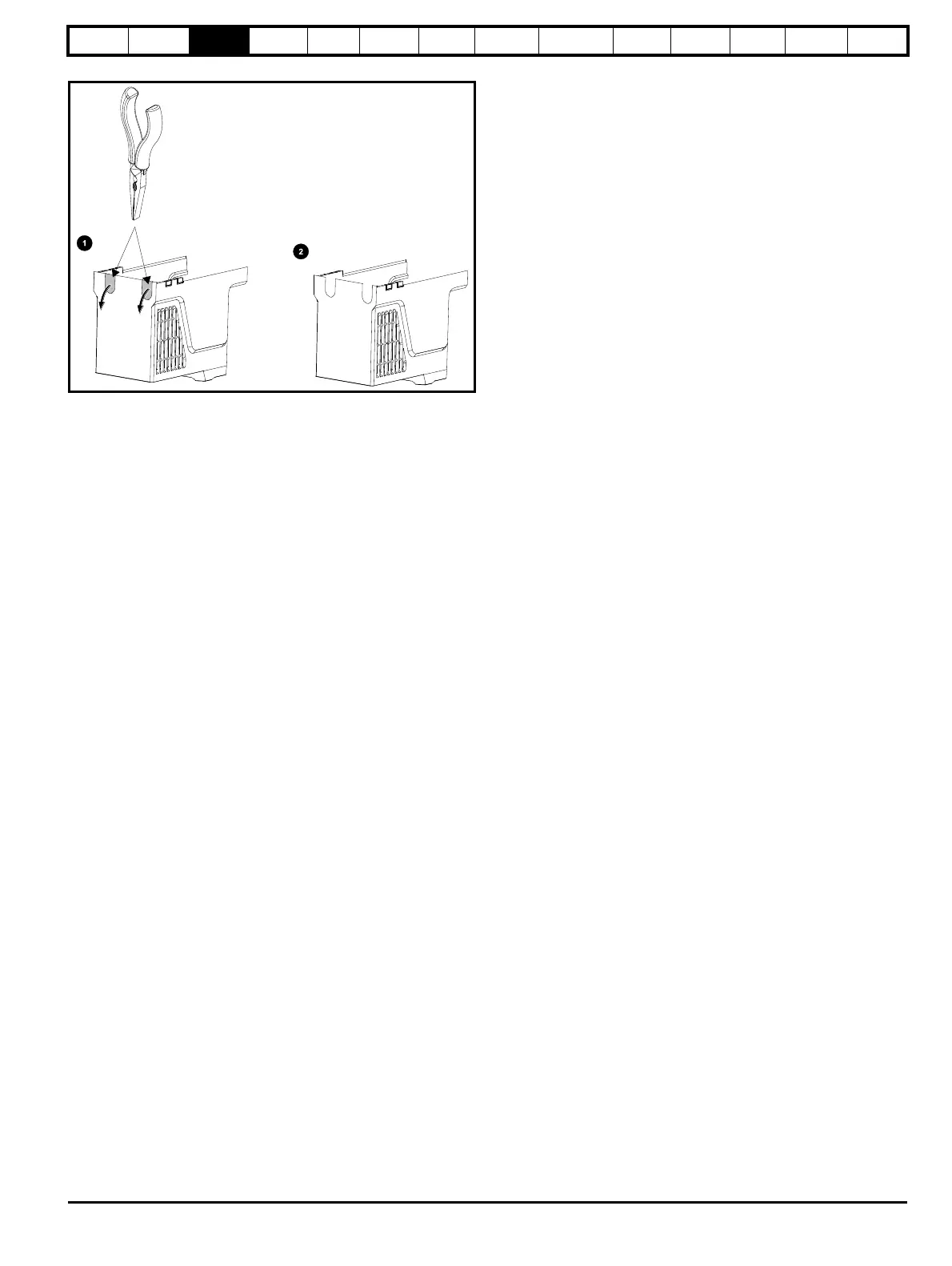
Figure 3-11 Removing the size 3 and 4 DC terminal cover break-outs
Grasp the DC terminal cover break-outs with pliers as shown (1) and pull
down in the direction shown to remove. Continue until all required break-
outs are removed (2). Remove any flash / sharp edges once the break-
outs are removed. Use the DC terminal cover grommets supplied in the
accessory box (Table 2-9 on page 22) to maintain the seal at the top of
the drive.














 To Next Page